two-factor authentication, using the Bet365 Authenticator app
Antivirus scan
the APK file is scanned for viruses before publication
biometric login supported
option to set a PIN code to access the app
The bookmaker is licensed and regulated by the Gibraltar Gambling Commissioner (RGL number 076). The app’s availability depends on your country’s laws and Bet365’s local licensing. Make sure online gambling is legal in your region before registering or betting. The platform's availability, features, bonuses, and payment options vary depending on location. It is important to play responsibly and only bet what you can afford to lose. Play responsibly and use the platform’s tools like deposit limits, activity tracking, reminders, time-outs, and self-exclusion to stay in control. The betting platform is only available to users who are 18 years of age or older.
Bet365 app functionality
The platform caters to both sports enthusiasts and fans of games of chance, providing dedicated betting and casino sections within a single app.
Sports betting
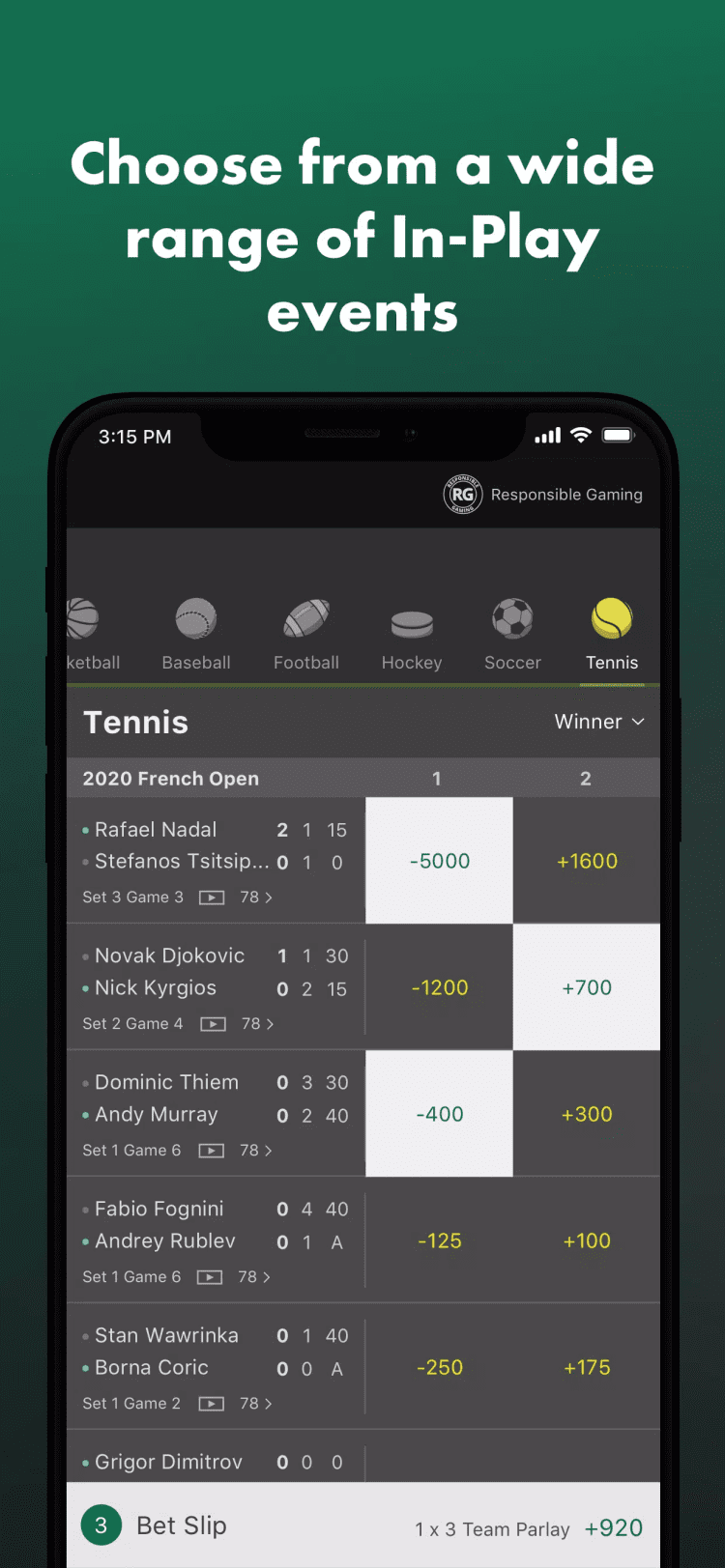
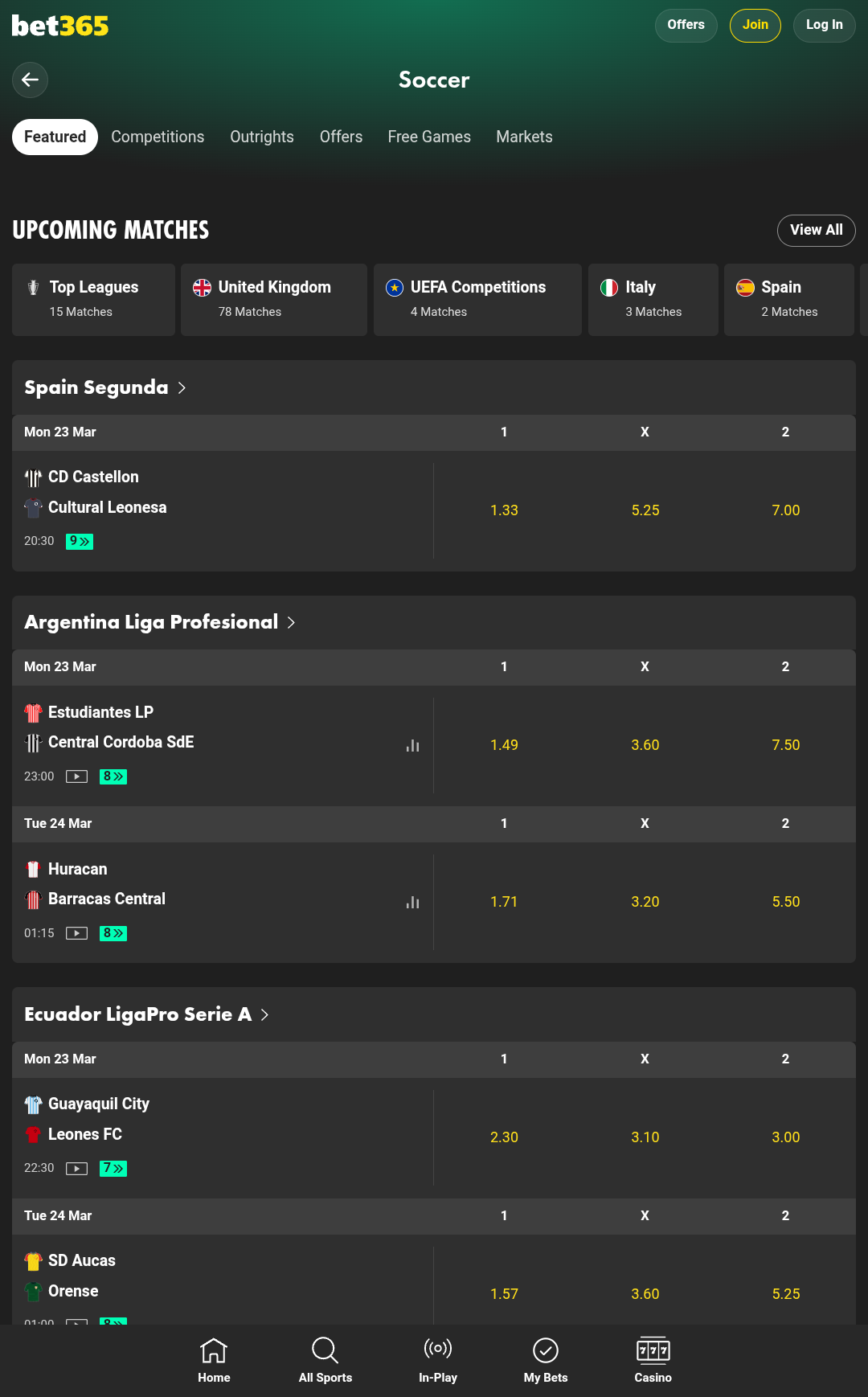
The main section of the bet365 app is dedicated to sports betting, where users can find virtually any popular match across major sporting events. The platform covers over 20 major and niche disciplines, including soccer, basketball, tennis, horse racing, and more exotic options like darts, Gaelic sports, water polo, and American football. The app supports both local and international competitions. In the Top Leagues section, bettors can find the most popular events, including matches from the England Premier League, UEFA Europa League, UEFA Champions League, UEFA Conference League, Spain La Liga, Italy Serie A, Germany Bundesliga, Japan J-League and other leagues from around the world.
Advantages of the prematch betting section:
20+ sports with dozens of events available daily
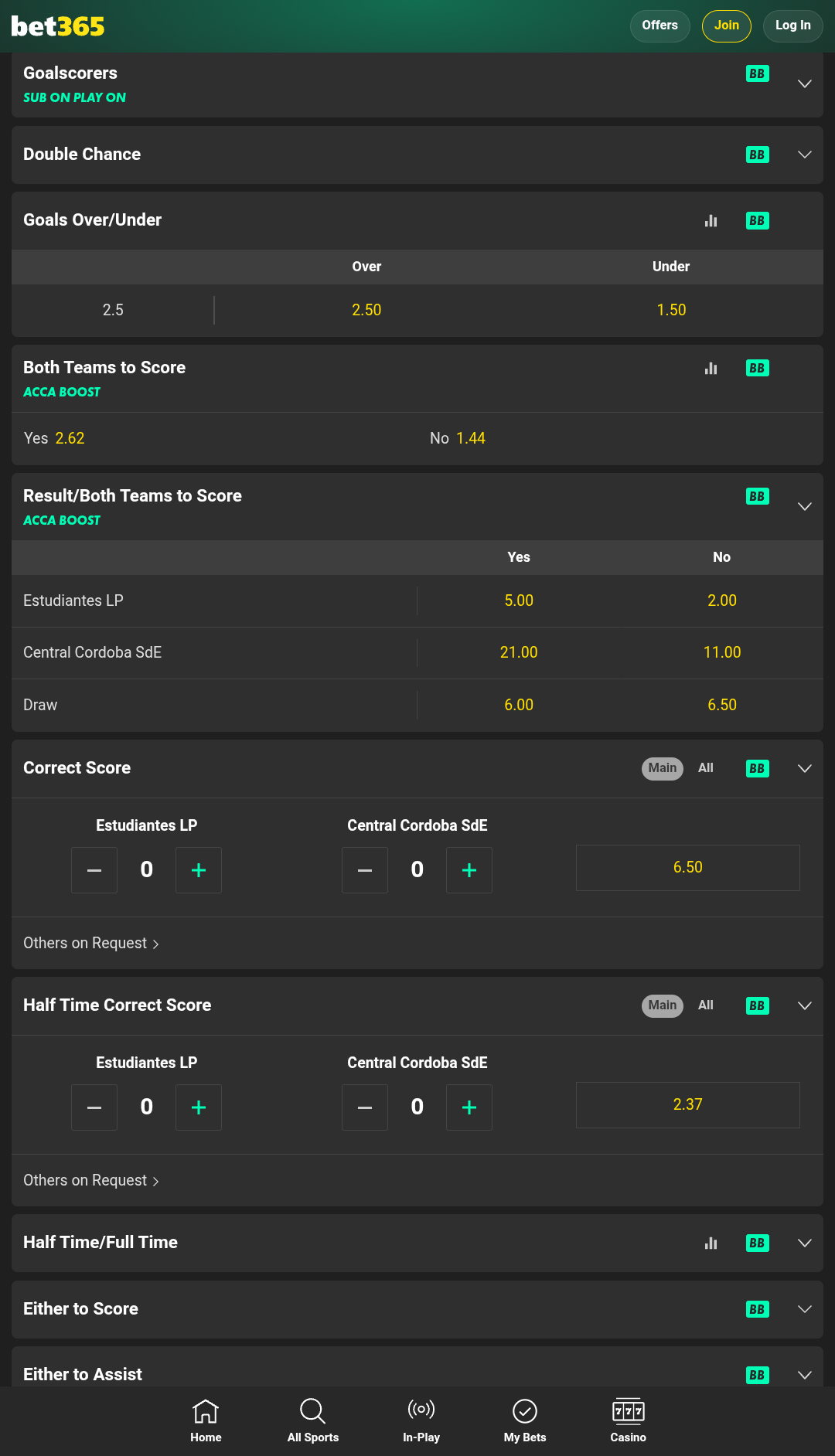
a variety of supported betting options for each match, including:
full time result
goals over/under
double chance
goalscorers
halftime correct score
total corners
cards
individual player stats
In the "All Sports" section, users can also place bets on a variety of additional events, which may include politics (such as elections), winners of Eurovision, the Academy Awards, and other non-sporting events.
Esports
The platform contains a special section dedicated to betting on cybersports. Users can choose from various categories:
Esports - in this section, the app users can bet on the outcomes of matches in League of Legends, Counter-Strike 2, Dota 2, Valorant, Call of Duty, as well as various sports based games: esoccer, ebasketball, etc. The platform covers all major events, including EMEA Masters for League of Legends, European Pro League for CS 2, CCT Europe for Dota 2, etc.
Virtual sports - a selection of virtual sporting events, played without real players, available for betting 24/7. Includes such disciplines as soccer, cricket, greyhound racing, horse racing, trotting, golf, and more.
Esports section features:
a variety of supported markets:
total maps
match handicap
map winner
correct score
player total kills, deaths and assists
first team to draw first blood, destroy tower, slay rift herald, slay dragon, slay baron, destroy inhibitor (for LoL)
Key features
Pre-match - this section offers a complete list of upcoming events for all supported sports and esports, allowing you to place bets before the match starts.
In-play - here you'll find a list of ongoing events with live odds updates.
Next to start - a list of upcoming events that will begin soon. This allows users to place bets on pre-match events without waiting long for the results.
Streaming - registered users of the bet 365 app can watch live HD streams directly from the "In-play" section. This feature may not be available for all events.
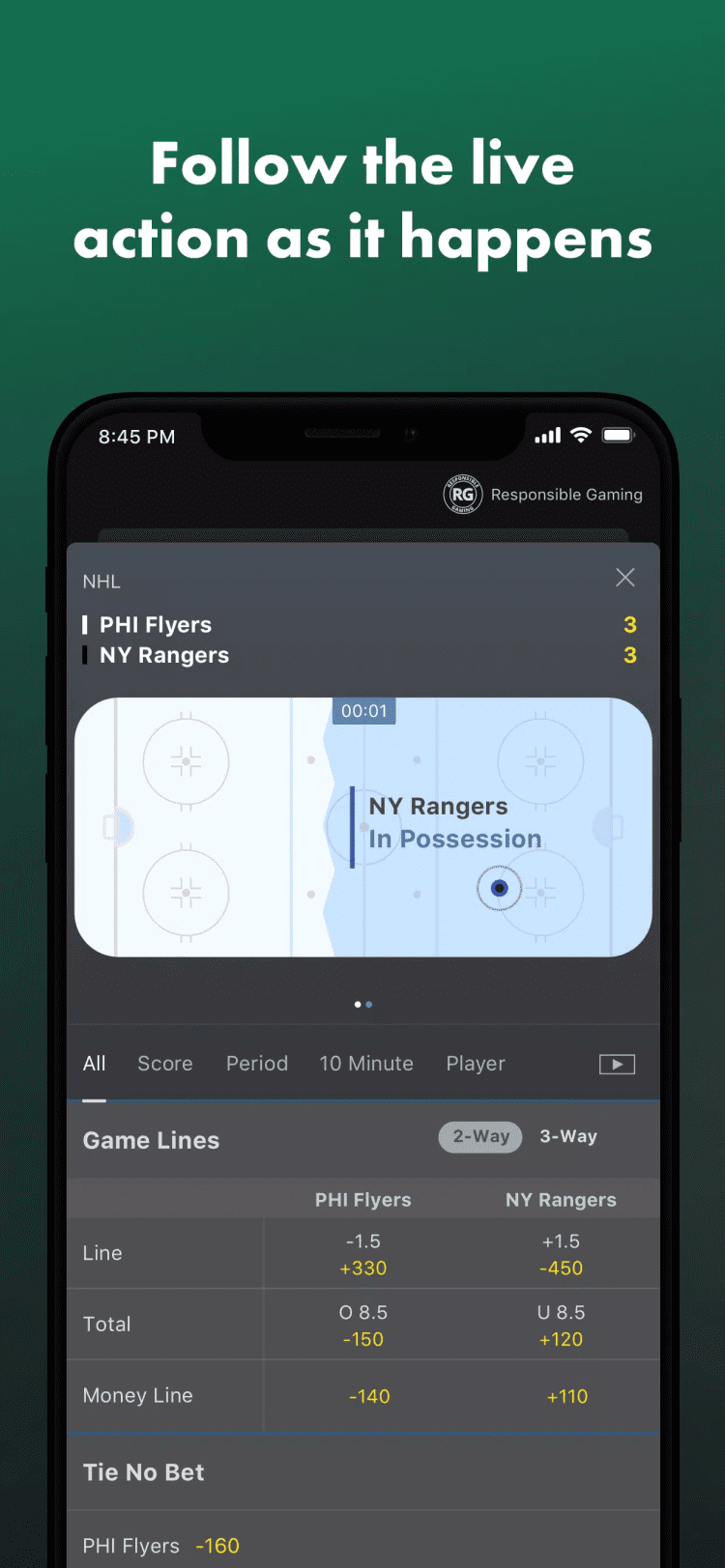
Match live - this feature lets you track the match progress with a graphical broadcast and follow the action in real time.
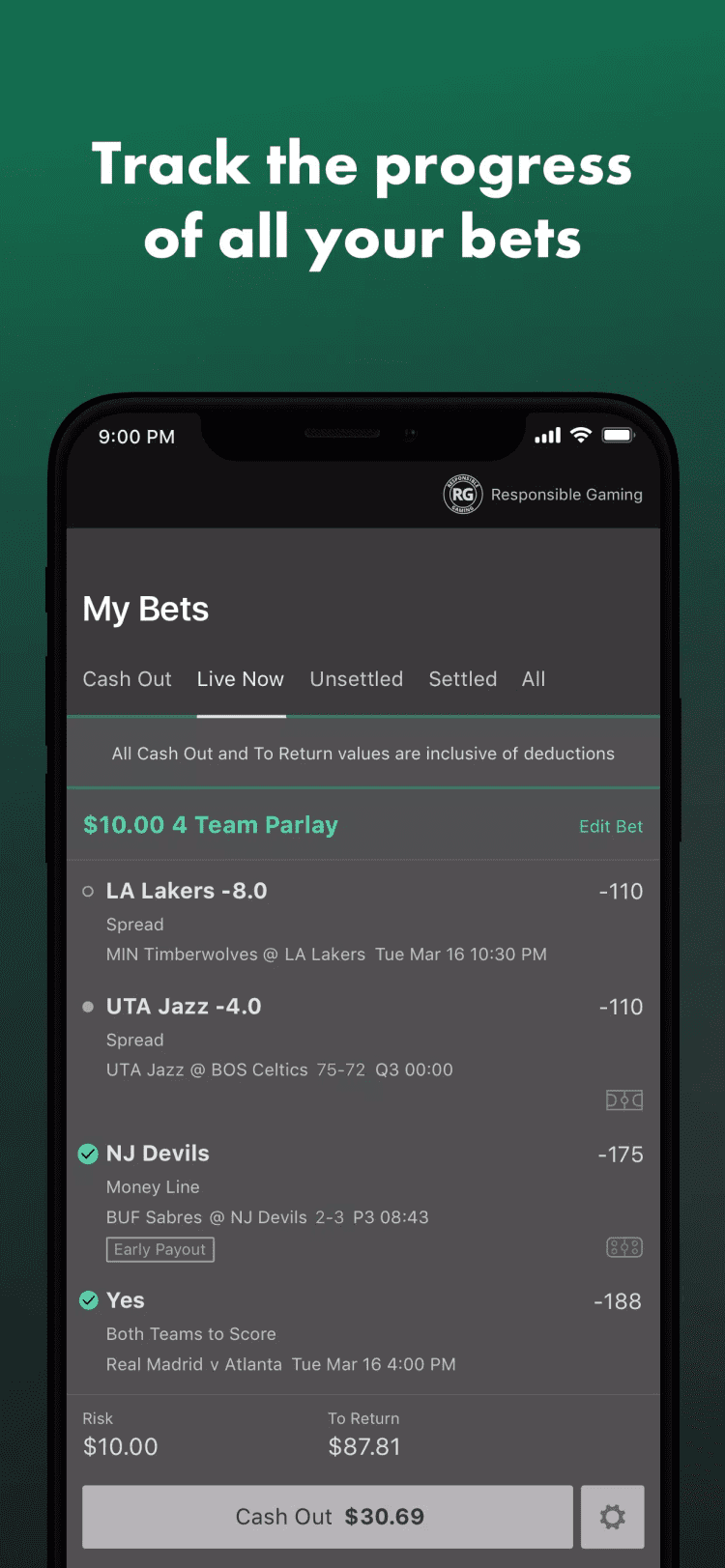
My bets - provides quick access to all your placed bets, making it easy to track both your winnings and losses.
Live commentaries - alongside video broadcasts of select matches, bet365 also offers live audio commentaries, allowing customers to stay updated on the current situation on the field in real time.
Featured matches - regularly updated lists of top matches among different sports and leagues.
Fantasy sports - Fantasy Sports lets you create a team of real players and enter tournaments like freerolls, daily contests, and season-long competitions. Your team earns points based on players' real-world performance, and prizes are awarded based on leaderboard rankings.
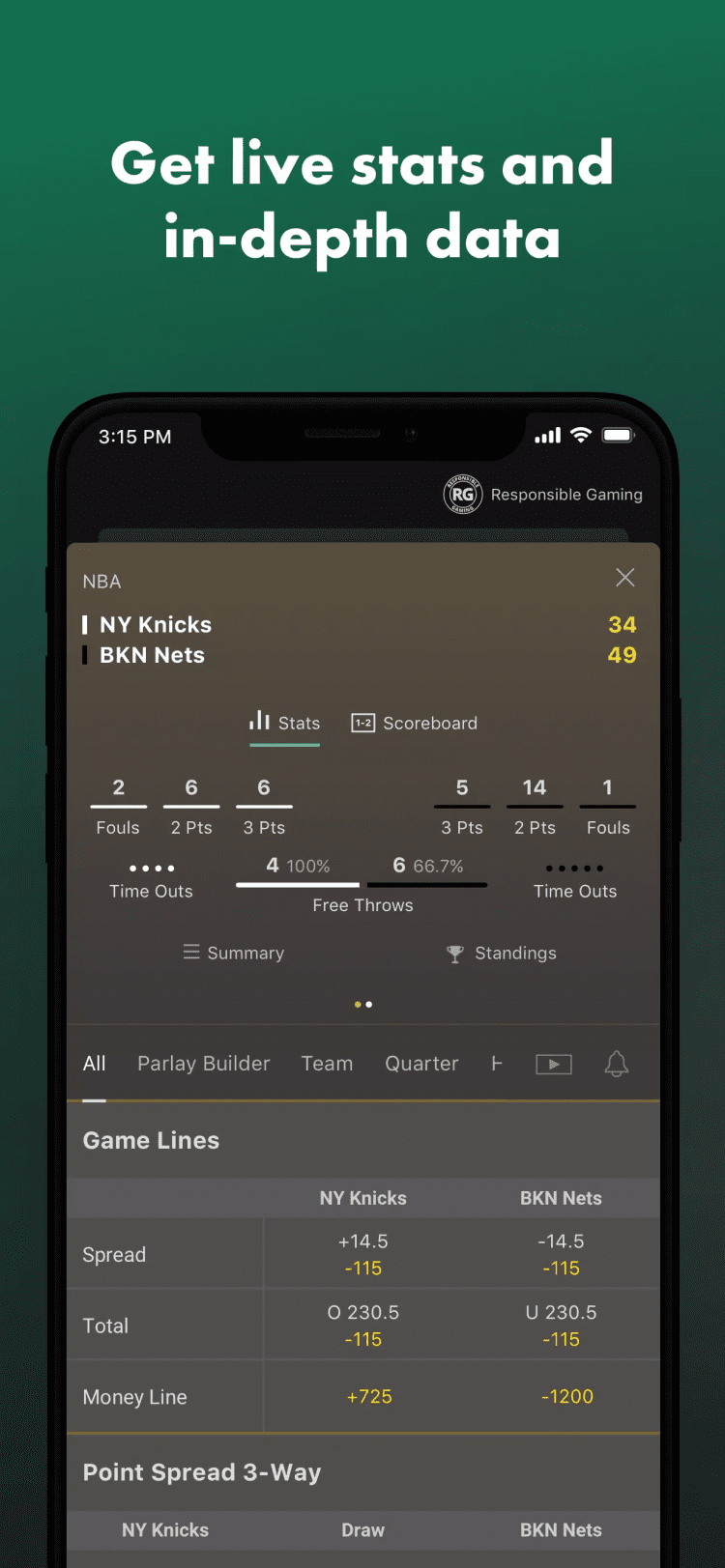
Sports Stats - this feature allows users to access detailed statistics, live scores, standings for major leagues worldwide, including American Football, Soccer, and Basketball.
Results - in this section you can find the results of recent matches in all major disciplines.
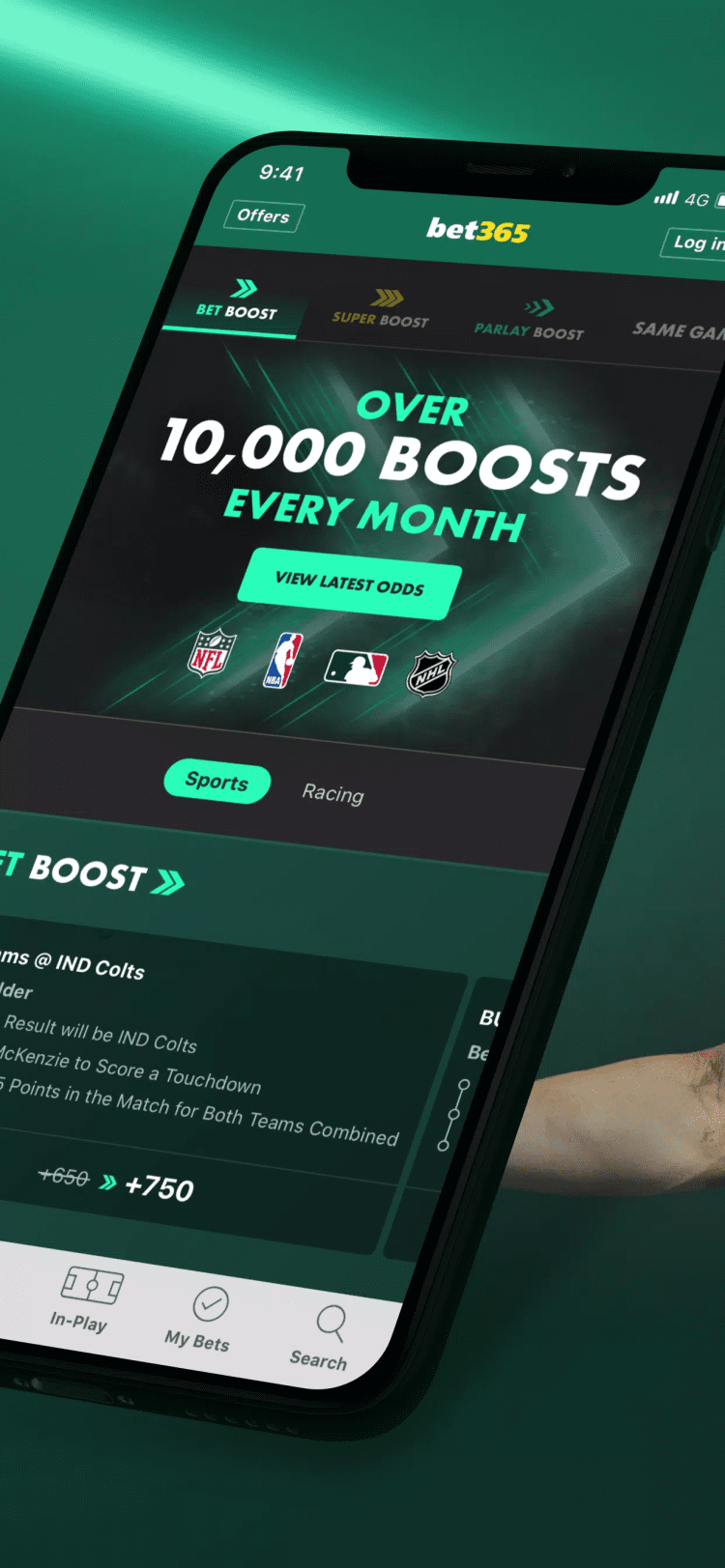
Bet Boost - for nearly all sports events, the platform offers markets with boosted odds, that may increase potential winnings if the selection wins.
Live Golf Tracker - provides real-time, shot-by-shot data for every player in up to 80 of the world's top golf competitions, including the PGA TOUR, DP World Tour, and all four Major Championships.
Live alerts - get live alerts on the selected matches. Bettors can choose what updates to receive: half time or full time result, goals, kick off, penalties, yellow or red cards, substitutions or corners.
Search - this tool helps to find the required league, team, competition or a game right from the main screen of the app.
Casino
The bet365 app for Android integrates a wide array of casino and instant-win games alongside sports betting. It offers virtual casino games in different genres, live dealer tables, and a large library of random number casino games from such providers as Pragmatic Play, Playtech, Evolution, as well as numerous original titles, developed exclusively for the platform. The available games are organized into the following categories:
Slots - hundreds of slot machine titles, each with high-quality graphics and animations. This section includes games with different mechanics: from classic slots, like Eye of Horus and Sizzling 7s Fortune to Drops & Wins, like Gates of Olympus, and even Megaways with thousands of winning combinations, like Buffalo King Megaways.
Live Casino - live dealer streams for roulette, blackjack, baccarat, poker rooms and bingo. The games are held in the format of a live stream or a TV show with live hosts in English or other languages, depending on the region. Some games include a built-in chat feature.
Table & Card - multiple variations of Blackjack, Texas Hold'em Poker, Baccarat, Roulette and other table games.
Arcade - a selection of arcade games with simple rules, designed for quick rounds. Includes titles such as Mines, Plinko, Coin Flip, Rock Paper Scissors, as well as sports-themed mini-games.
Crash Games - these are fast-paced games in which the multiplier continuously increases, and players must cash out before a plane or another game object "crashes" or flies away. Includes such titles as "Fly365", "Up Only", "King Kong Crash Climber" and much more.
Jackpots - a collection of jackpot games, including "Wowpot", "Dual Drop", "Mega Moolah" and other game types with progressive jackpots and high potential winnings.
Bingo - includes 75 Ball, 80 Ball, 90 Ball, and other variations. Players buy tickets to join the draws, and to win, the numbers on their card must match those drawn by a random number generator.
Free Games - this feature lets users win prizes by predicting the outcomes of matches in the 6 Scores Challenge, 6 Horses Challenge, Goals Giveaway and other games, absolutely free.
Bet365 app Android version vs mobile-site comparison
The official app and the mobile site both offer convenient ways to place bets online, but each option has its own advantages and disadvantages.
Mobile App: The app offers fast loading times thanks to local caching, supports push-notifications, and biometric login for added security. However, it requires installation and updating, takes up some space, and at least Android 7.0+.
Mobile Site: The mobile site doesn't require installation. It works on any device with a browser, updates automatically, and features adaptive layouts for easy navigation. While it may load pages more slowly and lack push notifications and biometric login, it remains accessible without installation and is compatible with a wider range of devices.
Choose the mobile app for daily use and enhanced features, or the mobile site for flexibility and ease of access. Both options are designed to provide a secure betting experience and support essential features for all users.
Bonuses & promotions
New and regular players have access to a variety of bonuses and promotions that can provide additional funds for betting or increase potential winnings.
Welcome bonus for new users
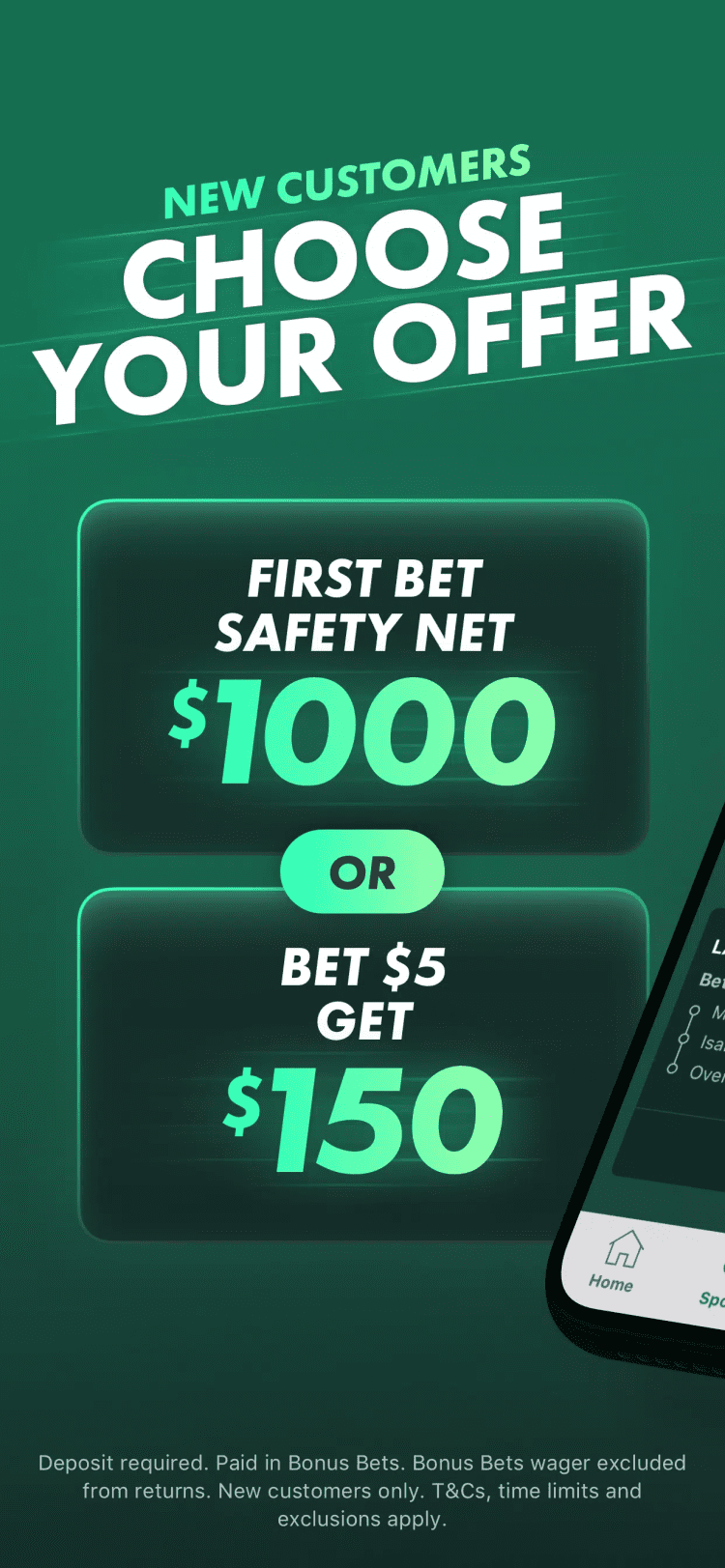
Sign up and deposit $10 or more to get 15% in Bet Credits, up to $60, after placing qualifying bets totaling 12x your deposit. This offer is available for new customers only. Terms and conditions apply. Once qualified, use Bet Credits to bet on any sport without using your own money.
Regular and time-limited promotions
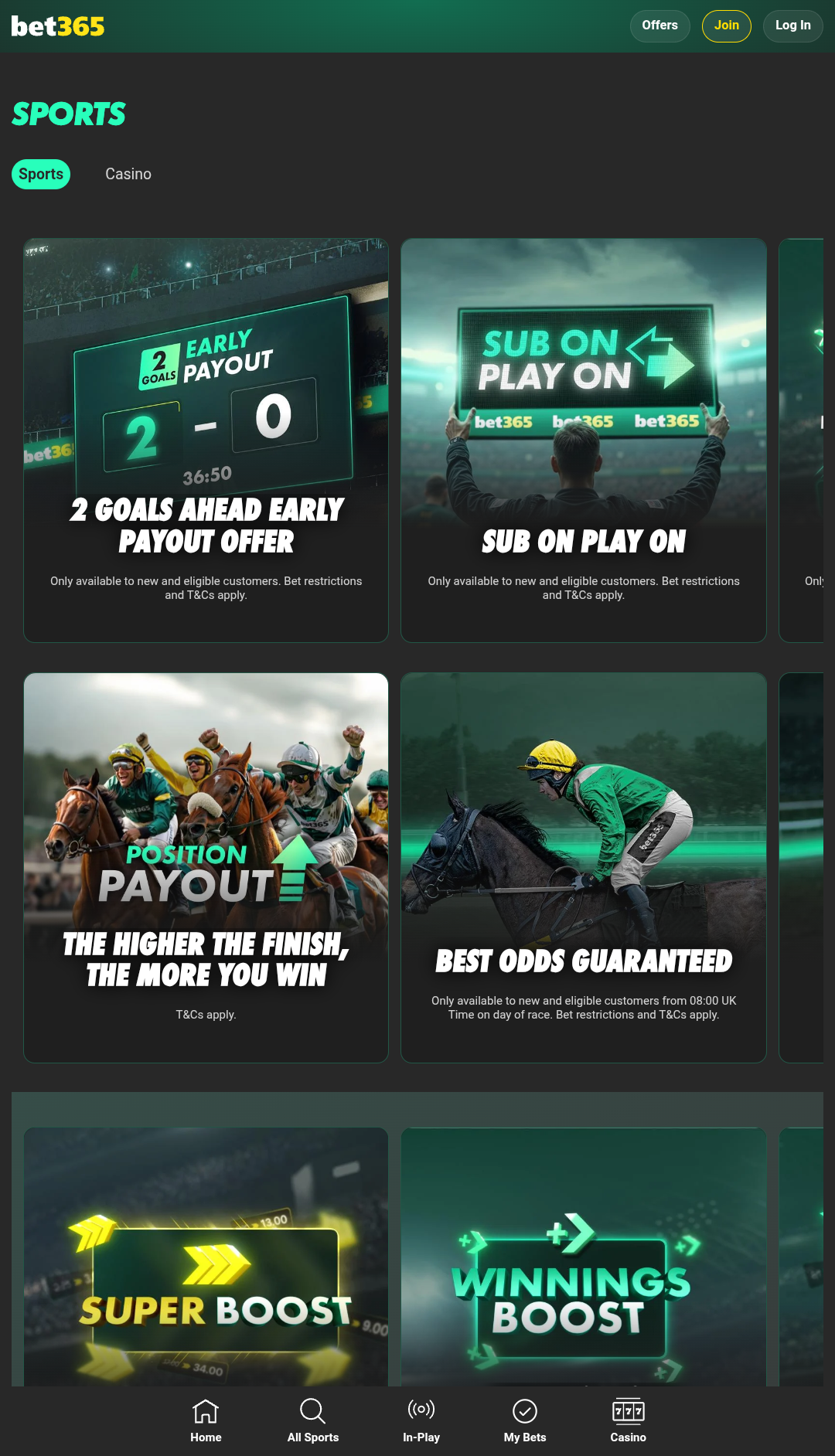
2 Goals Ahead Early Payout - If your team leads by 2 goals, your bet is paid out early. Applies to pre-match Full Time Result bets on select Soccer games.
Acca Boost - add between 2 and 20 events to your accumulator. The more outcomes you include, the higher the multiplier, up to a maximum of 100%.
Position Payout - place a bet on eligible horse races and receive a payout based on the horse's finishing position.
Best Odds Guaranteed - place a bet on an eligible horse race, and if the starting price is higher than the price you originally wagered, you'll receive a payout at the better odds.
Racing Value - bettors can get early prices on every race and payout on disqualified horses and greyhounds, when betting on eligible events.
Tennis Retirement Guarantee - if you bet on the "To Win Match" market in eligible ATP, WTA, or Grand Slam Singles matches, your bet may be paid as a winner if the opponent retires due to injury.
Extra Time Extra Chance - pre-match bets on full time or second half Rugby Union markets remain valid during extra time and are settled on the final result if unresolved in normal time.
Sub On Play On - bet on a player market with the Sub On Play On icon. If your player is substituted, your bet moves to their replacement.
365 Mid+ - for betting on eligible greyhound races, the platform pays the middle dividend from three national Tote tools and adds an extra 5% to the potential winnings.
Winnings Boost - increase your potential winnings on eligible Bet Builders and single bets, without increasing the original stake.
Super Boost - this promotion offers significantly increased odds for single bets on selected markets and is available for specific events.
Free Spins Giveaway - promotion available for new users only. After making a deposit of $10 or more, visit the promotion page each day for the next 20 days and click any of the three buttons to receive 5, 10, 20, or 50 Free Spins each time.
The available promotions, bonus amounts, and rules may change at any time. For the latest terms and conditions, visit the "Offers" section in the app or on the official website.
Registration & login
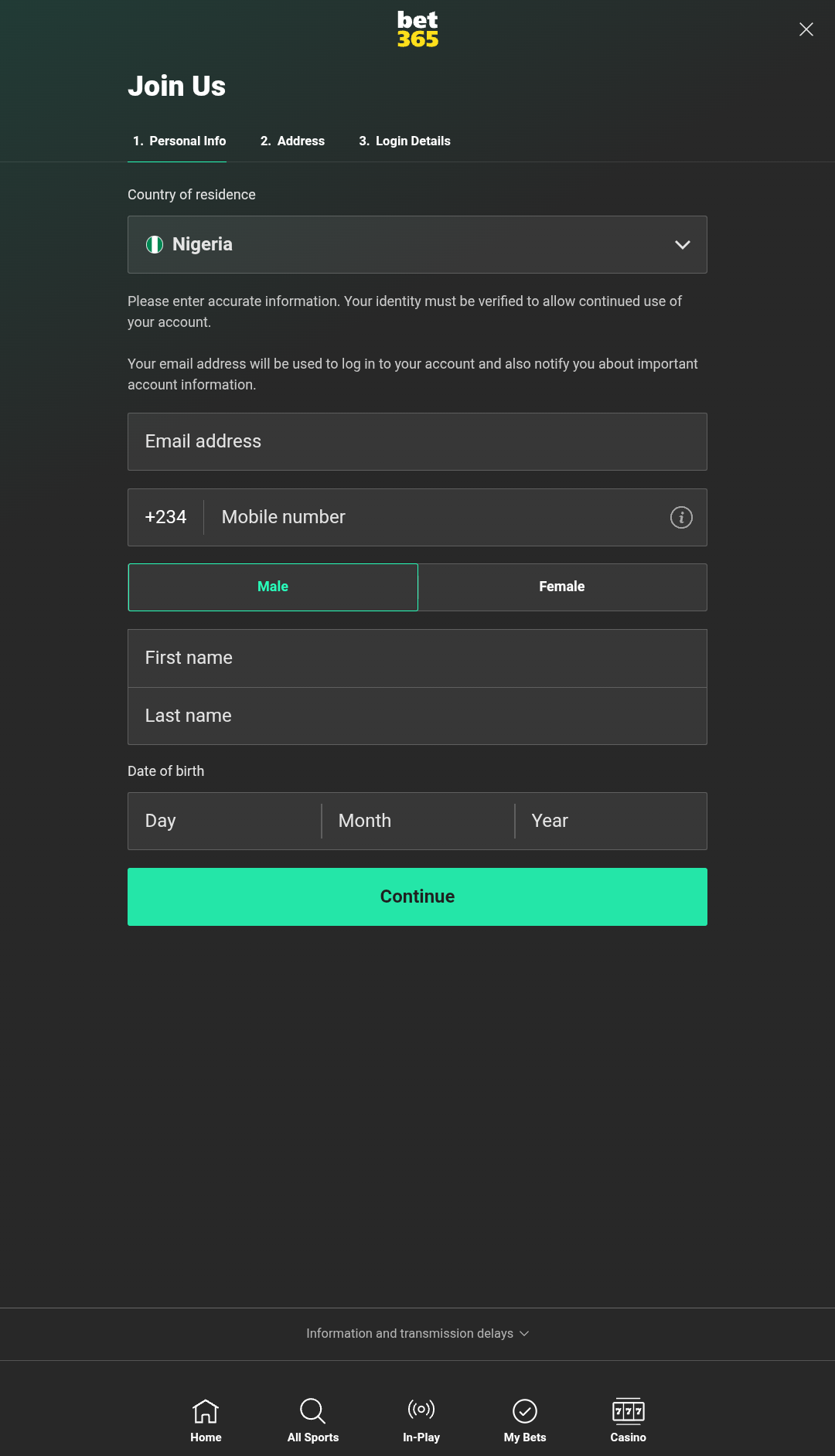
To begin using the Bet365 Android app, you need to register. Creating an account involves just a few simple steps:
Enter some personal information: specify your country of residence, email address, phone number, gender, first name, last name, and date of birth.
Enter your full address, including city, state and postcode.
To complete registration, create a password, accept the terms and conditions, and provide a bonus code if you have one.
After registering, you must complete KYC verification to gain full access to the betting platform, including the function to withdraw winnings.
It is important to note that although the platform may be available in certain countries, it might not support all local currencies. For example, while bettors from Nigeria can use the platform, accounts in Nigerian Naira are not supported. Instead, users must choose from other currencies such as USD or Euro.
Deposits & withdrawals
The betting app supports multiple payment systems, allowing users to deposit funds and withdraw winnings directly from their smartphones. Payment methods may differ depending on the region. For example, users in Nigeria can access the following options:
Bank cards - deposits and withdrawals: Visa, MasterCard, Maestro debit and credit cards, from $10 to $30000.
Wire transfer - Bank Transfer: deposits - $50 - $200000, withdrawals - $40 - $50000.
The available payment methods and their limits may change over time. Check the latest information in the app or on the official website before depositing funds.
Types of Bets
Standard bet types
Single bet - a traditional bet placed on the result of a single event. The payout is determined by multiplying your stake by the odds of your chosen outcome.
Accumulator - a type of bet that includes multiple selections from unrelated events. If at least one selection is incorrect, the entire bet is lost. If all selections are correct, the winnings are calculated by multiplying the odds and the stake together.
Multiple bets - betting on two or more separate outcomes within a single event.
Each Way bet - this bet combines both a win and a place bet. The place portion pays out if your selection finishes within the specified range of positions, even if your selection does not win.
Betting tools
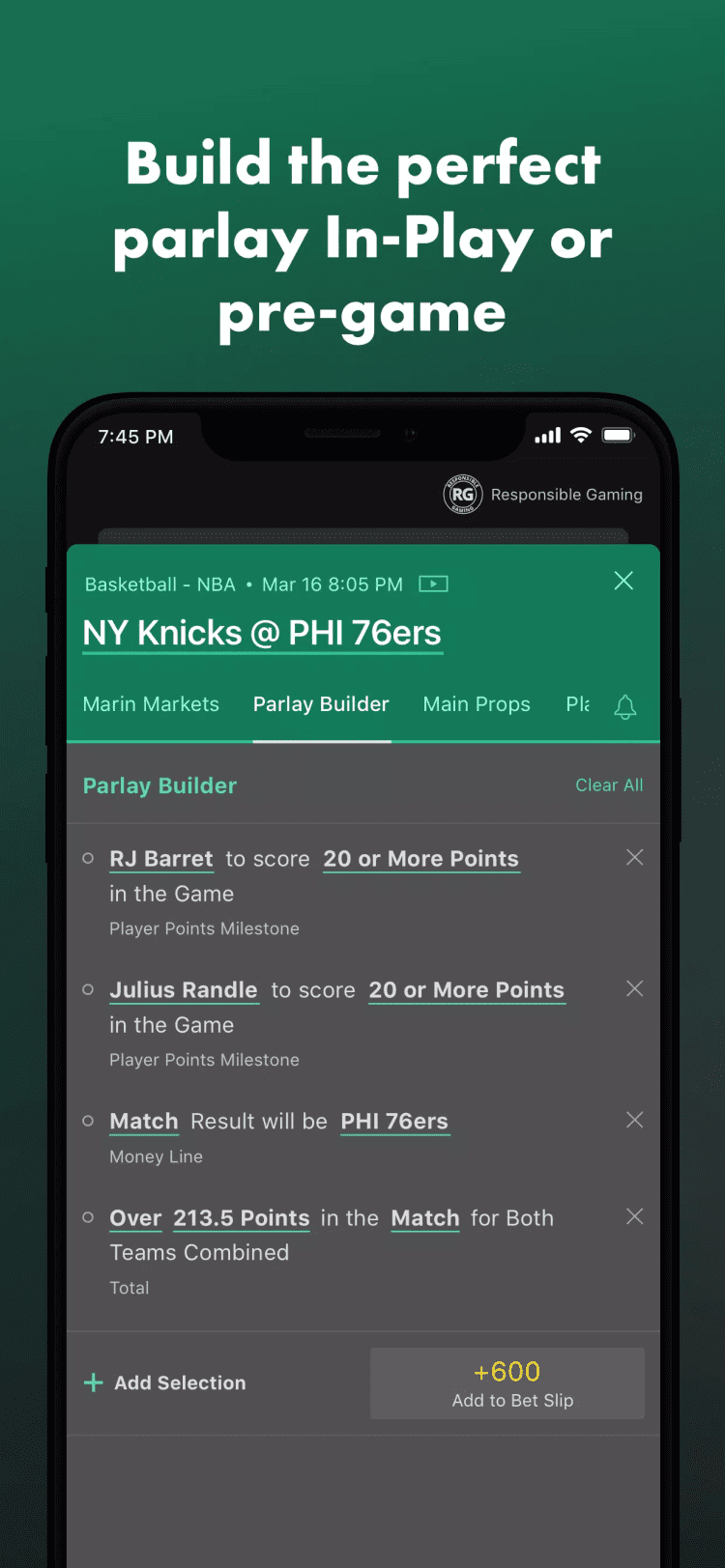
Bet Builder - allows users to create custom bets by combining multiple selections from a single event into one bet, with combined odds. These bets can also be added to multiples.
Bet Builder+ - this feature allows users to combine multiple selections from different events into a single bet, enabling the creation of a custom accumulator with a higher potential payout.
Cash Out - this feature allows app users to request the sale of a bet and return the stake amount to their gaming account before the bet is settled.
Edit Bet - allows you to add, swap, or remove selections, increase your stake, and change the bet type on unsettled bets.
Updating the Bet365 app on Android
It is recommended to always install new versions of the app to reduce security risks access all the new features as they are released. Updating process is almost similar to the initial installation. Download the bet365 APK from freesoft.net and open the file on your smartphone to install it. It won't take long or remove any user data.
What's new in the latest version
The latest update improves program stability on compatible Android versions and fixes known bugs.
Versions
If you have information about available versions of the software, you can . send it to us.
Q&A
How do I contact Bet365 support?
You can reach Bet365 support and receive assistance in English through the 24/7 in-app chat, by completing the feedback form, calling 1-888-8-BET-365, emailing support-eng@customerservices365.com. Alternatively, you can submit your question on the company's official social media pages.
What languages are supported?
The app is available in English, French, Spanish and other languages.
What currencies are supported?
The platform supports USD, EUR, JPY, GBP and multiple other currencies.
Can I watch live sports streams in the app?
Yes, registered users can watch live HD streams of some sports and esports matches in the app.
Are there any age restrictions for using the betting platform?
Yes, you must be at least 18 years old to register.
Pros and cons
Benefits
Wide coverage of sports and events, including over 20 disciplines and major international leagues
Rich casino section with slots, live dealer games, jackpots, bingo, crash games, and more
Built-in responsible gaming tools
24/7 customer support via live chat
Regular promotions
Disadvantages
Some features, payment methods, and bonuses may be unavailable based on location
Withdrawal processing times can take up to 5 days, depending on the method

 Русский
 Français