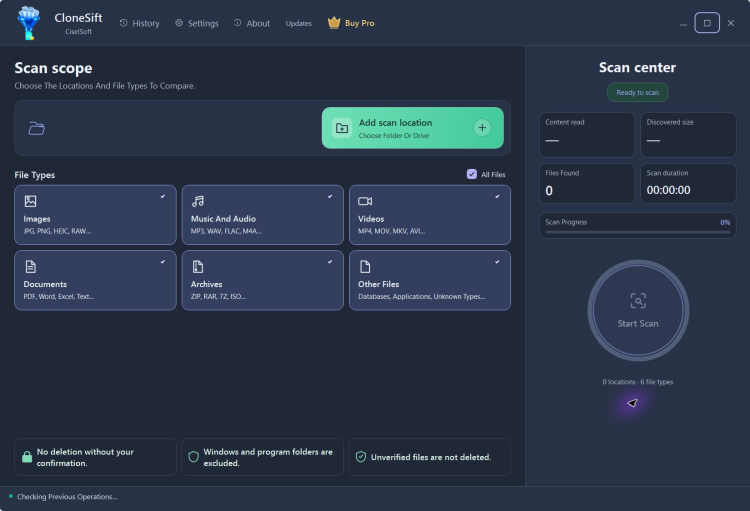
CloneSift is a duplicate file finder for Windows 11 that helps you locate and remove unnecessary copies of files stored on your computer. It can find identical photos, videos, documents, and other files scattered across different folders, helping you reclaim valuable disk space.
The program makes it much easier to find and remove duplicate files on your personal and work computers. It’s very easy to use: simply select the folders or drives you want to scan, and CloneSift will handle the rest. The program analyzes the contents of files, not just their names, so it can detect duplicates with high accuracy, even if they have been renamed or are located in different directories. Matches are verified using SHA-256 hashing and byte-by-byte comparison, allowing the program to distinguish identical files.
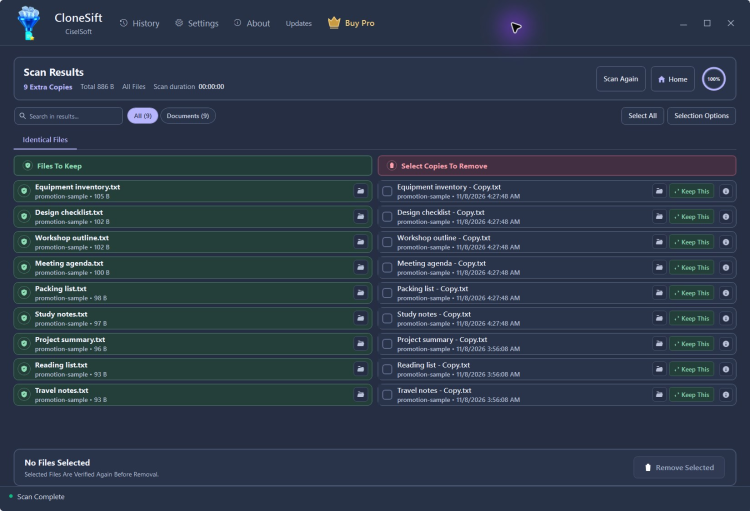
Once the scan is complete, CloneSift groups the duplicates it finds, allowing the user to compare the copies and decide which ones to keep. Unwanted files are moved to the Windows Recycle Bin only after you confirm their deletion. Searching and viewing results are available for free and without restrictions, while deletion in the free version is limited to 10 files per day.
Key Features of CloneSift for Windows
Looking for an easy way to get rid of duplicate files on your PC? Then download CloneSift for Windows for free from FreeSoft.
To rate CloneSift you need to register or log in on our website
All files provided on this site are original, we do not repackage or modify the files.
Mail domain must match the domain of the developer's site
A link to confirm registration was sent to your email

 Русский
 Français


