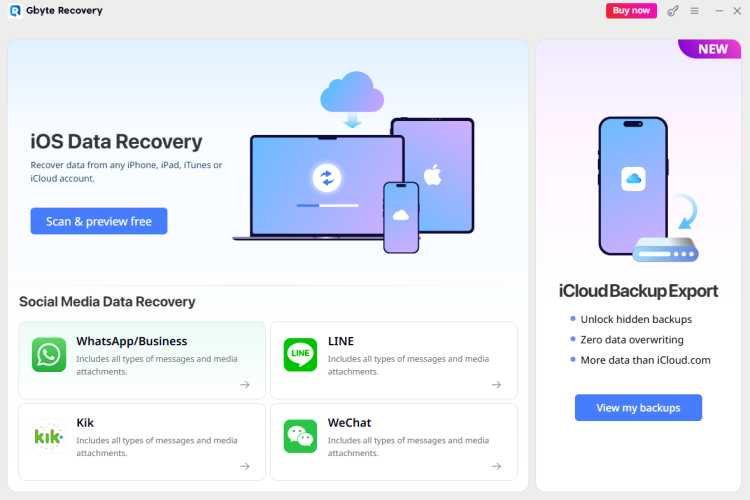
iPhone Data Recovery - a professional iOS data recovery tool supporting backup-free recovery.
Introduction
Data loss on iPhones is a common nightmare for users across all age groups. Mistaken deletion, system crashes, device damage, or factory resets can wipe out irreplaceable memories and work files. When searching for recovery solutions, most users find two mainstream choices: third-party tools based on iTunes backups or Apple’s official iCloud restore function. Both have obvious defects in actual use. This detailed review will introduce Gbyte Recovery, a differentiated iOS data recovery tool built around iCloud backup recovery, and break down its competitive strengths.
Drawbacks of Mainstream iPhone Recovery Solutions
iTunes Backup Limitation: Competitors require local computer backups, while few users actively create iTunes backups, leading to failed recovery for most people.
Mandatory PC Connection: Conventional recovery software requires an iPhone-to-computer connection for scanning. However, Apple’s iOS security updates in the 2010s disabled deep storage scanning for connected devices. PC scans can only view existing files on the phone and cannot recover deleted data at all. Such PC-dependent scanning is ineffective for data recovery and limits flexible use cases.
Risk of Official iCloud Recovery: Apple’s official solution overwrites the whole phone to restore backup data, destroying newly generated data on the device.
Core Competitive Strengths of Gbyte Recovery
To rate iPhone Data Recovery you need to register or log in on our website
All files provided on this site are original, we do not repackage or modify the files.
Mail domain must match the domain of the developer's site
A link to confirm registration was sent to your email

 Русский
 Français






 Download