RemIP - Remote IP Control
Universal Remote PC Management Tool over IP
Portable application, no installation required.
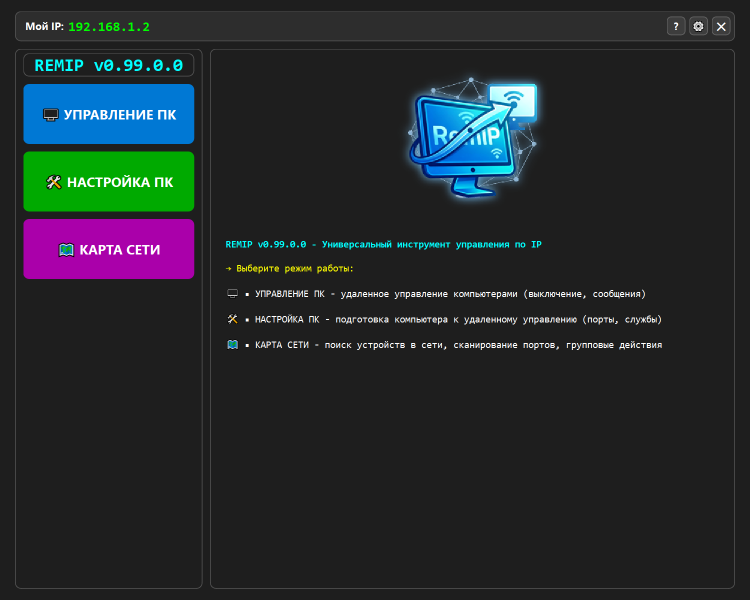
MAIN OPERATION MODES
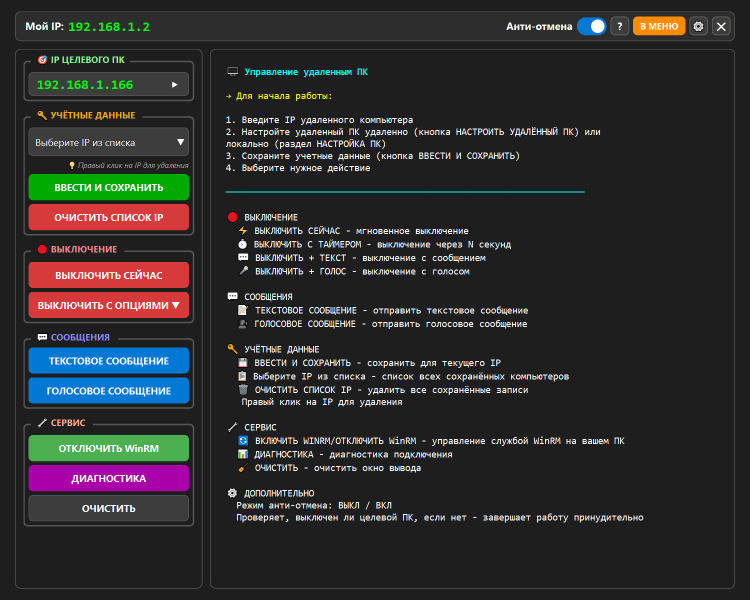
[1] PC CONTROL MODE
Remote management of computers with pre-configured WinRM.
• Credential Management:
◦ Save username and password for each IP address.
◦ Visual indication of verified and working credentials (green checkmark).
◦ Preliminary PC availability check via ping with color status indication.
◦ Option to mass clear saved credentials and TrustedHosts list.
• Power Management (Shutdown):
◦ Instant shutdown (shutdown /s /f /t 0).
◦ Shutdown with a configurable timer delay.
◦ Shutdown with a preliminary text message display.
◦ Shutdown with voice announcement via speech synthesizer.
• Sending Messages:
◦ Send text message to remote PC (msg command).
◦ Voice text-to-speech playback on remote PC (System.Speech).
• Shutdown Modes (Anti-Cancel Protection):
◦ Normal: standard command allowing user cancellation (shutdown /a).
◦ Protected: monitors actual PC state after command execution and retries shutdown if necessary (up to 2 attempts).
• Service Functions:
◦ Enable/disable WinRM service on the local PC.
◦ Comprehensive diagnostics of remote PC (checks ping, port 5985, WinRM, access rights, UAC, and file creation capability).
◦ Clear output log window.
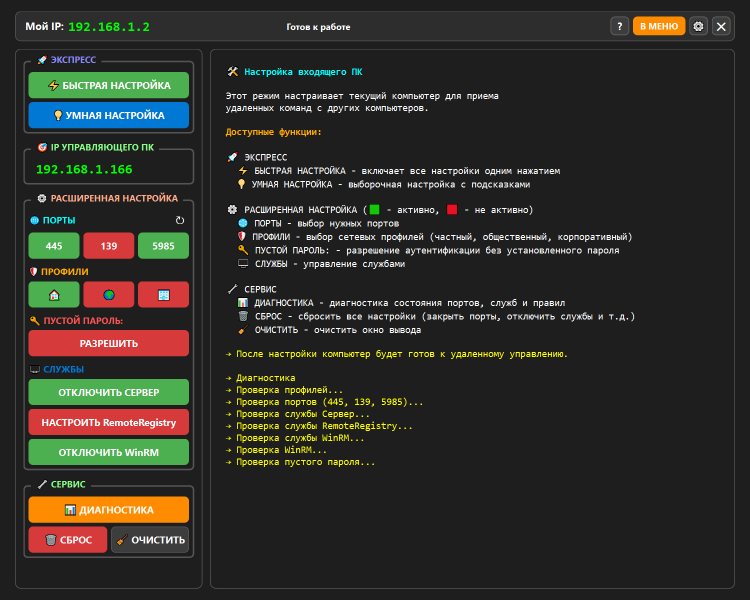
[2] PC SETUP MODE (INSTALL)
Prepares the current computer for remote management capability.
• Express Setup:
◦ Fast Setup: automatic opening of ports (445, 139, 5985), enabling services (Server, RemoteRegistry, WinRM), and allowing blank passwords.
◦ Smart Setup: preliminary diagnostics with user-selectable options for specific fixes.
• Advanced Configuration Management (with color status indication):
◦ Firewall port management: 445 (SMB), 139 (NetBIOS), 5985 (WinRM).
◦ Network profile selection for rule application: Private, Public, Domain.
◦ LimitBlankPasswordUse policy management (Allow/Deny blank password).
◦ Service management: Server, RemoteRegistry, WinRM (enable/disable and startup configuration).
• Mode Service Functions:
◦ Local diagnostics: checks network profile, firewall rules, service status, and registry settings.
◦ Full settings reset: removes created firewall rules, stops services, and clears TrustedHosts.
◦ Clear output window.
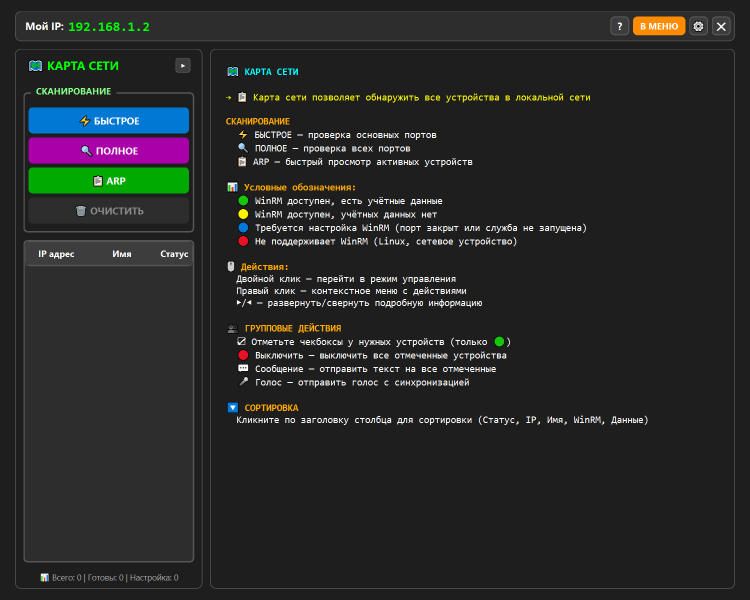
[3] NETWORK MAP MODE
Scans the local network and displays discovered devices.
• Scanning Modes:
◦ Fast Scan: checks essential ports (135, 139, 445, 5985, 3389, 80, 443).
◦ Full Scan: checks extended port list (including 21, 22, 25, 110, 143, 3306, 5432, 8080).
◦ ARP Scan: retrieves device list from ARP table (fastest method).
◦ Ability to force stop scanning.
• Device Display and Sorting:
◦ Compact and Extended table view modes.
◦ Color-coded device status indication: Ready to manage, No credentials, Setup required, WinRM not supported.
◦ Display of IP address, hostname, open ports list, and WinRM status.
◦ Table sorting capability by clicking column headers (Status, IP, Name, WinRM, Credentials).
• Group Actions (for selected devices with "Ready" status):
◦ Mass shutdown of selected computers.
◦ Mass text message distribution.
◦ Mass voice announcement with adjustable playback synchronization.
• Per-Device Context Actions:
◦ Double-click to switch to "PC Control" mode with IP auto-fill.
◦ Right-click context menu (Use IP, Save credentials, Diagnostics, Details).
[4] APPLICATION SETTINGS WINDOW
Global application parameters.
• Shutdown verification delay setting (for Protected mode).
• Voice synchronization pause setting for group voice message delivery.
• Option to automatically run diagnostics when entering "PC Setup" mode.
• Option to automatically check for program updates on GitHub at startup.
• Interface language selection (Russian / English).
• Theme selection (Light / Dark).
• Enable/disable log file writing and quick access to log folder.
[5] AUTO-UPDATE SYSTEM
• Automatic check for new versions on GitHub.
• Visual notification (bell icon) of available updates.
• Download new EXE file to the program folder.
• Application restart function to apply updates.
[6] DIAGNOSTICS AND DEBUGGING
• Built-in feedback tool with automatic attachment of system information and last 500 log lines.
SYSTEM REQUIREMENTS
• Operating System: Windows 10/11, Windows Server 2019/2022.
• Privileges: Administrator (for full functionality).
• Components: PowerShell 5.1+ and .NET Framework 4.8+.
To rate Remip you need to register or log in on our website
All files provided on this site are original, we do not repackage or modify the files.

 Русский
 Français