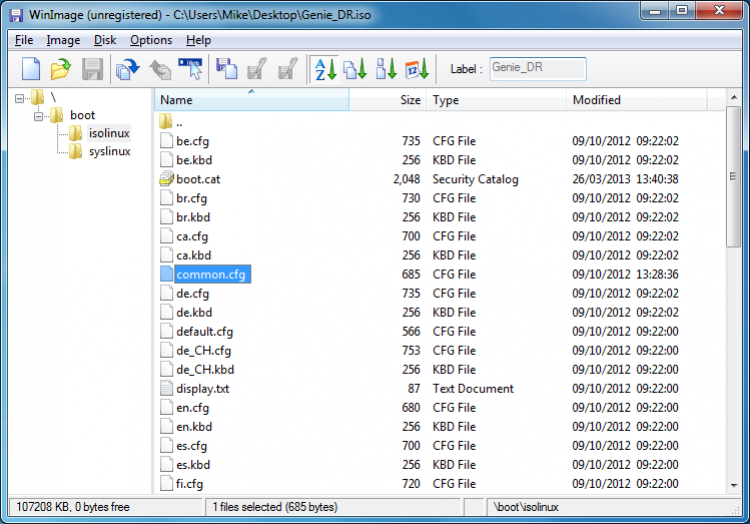
It is a small, easy-to-use utility for creating virtual images of CD/DVDs, hard drives, USB drives, floppy disks and other media, while preserving the original file structure.
With WinImage you can create exact images of various physical media, view the contents of images, add and extract files and folders from them, and defragment images. The program also allows you to change the format of the virtual image. WinImage has a user-friendly, clear user interface.
File size: 0.89 MB. Compatible with Windows XP, Windows Vista, Windows 7, Windows 8.
Last updated: August 27, 2023
WinImage Portable is shareware with a license price of $30.00. You can download the trial version from this page at no charge and evaluate its features before purchasing. The portable edition does not require installation, so you can test it without modifying your system.
Yes, every file hosted on freesoft.net is scanned for viruses using VirusTotal before being made available. The download is the original, unmodified build provided by developer Gilles Vollant. The file weighs just 0.89 MB, making it a quick and low-risk download.
The program runs on Windows XP, Windows Vista, Windows 7, and Windows 8. Both 32-bit and 64-bit builds are available: the x64 version is 0.89 MB, while the x32 version is 0.8 MB. No additional frameworks or runtimes are needed to run the portable edition.
There is no traditional installer. Download the archive, extract it to any folder on your hard drive or a USB stick, and launch the executable directly. Because it is portable, the program does not write to the Windows registry and can be removed by simply deleting its folder.
Several disk imaging tools serve similar purposes. DAEMON Tools Lite and DAEMON Tools Ultra focus on virtual drive mounting, Alcohol 120% offers image creation and disc burning, and ISO Master is a free editor for ISO files. IsoBuster is another option, specializing in data recovery from damaged disc images.
To rate WinImage Portable you need to register or log in on our website
All files provided on this site are original, we do not repackage or modify the files.
Mail domain must match the domain of the developer's site
A link to confirm registration was sent to your email

 Русский
 Français



 Download