Personal data is stored on secure servers and is not shared with third parties.
The platform operates under an international license from the Curaçao Gaming Board (license number OGL/2024/341/0759), ensuring fair play and secure financial transactions, though betting may be illegal in certain countries or regions. It is recommended to review the current terms and conditions and ensure compliance with local laws before registering to avoid potential issues. This service is only available to adults (18+).
Functionality of the BetWinner app
Capabilities of the app for sports betting
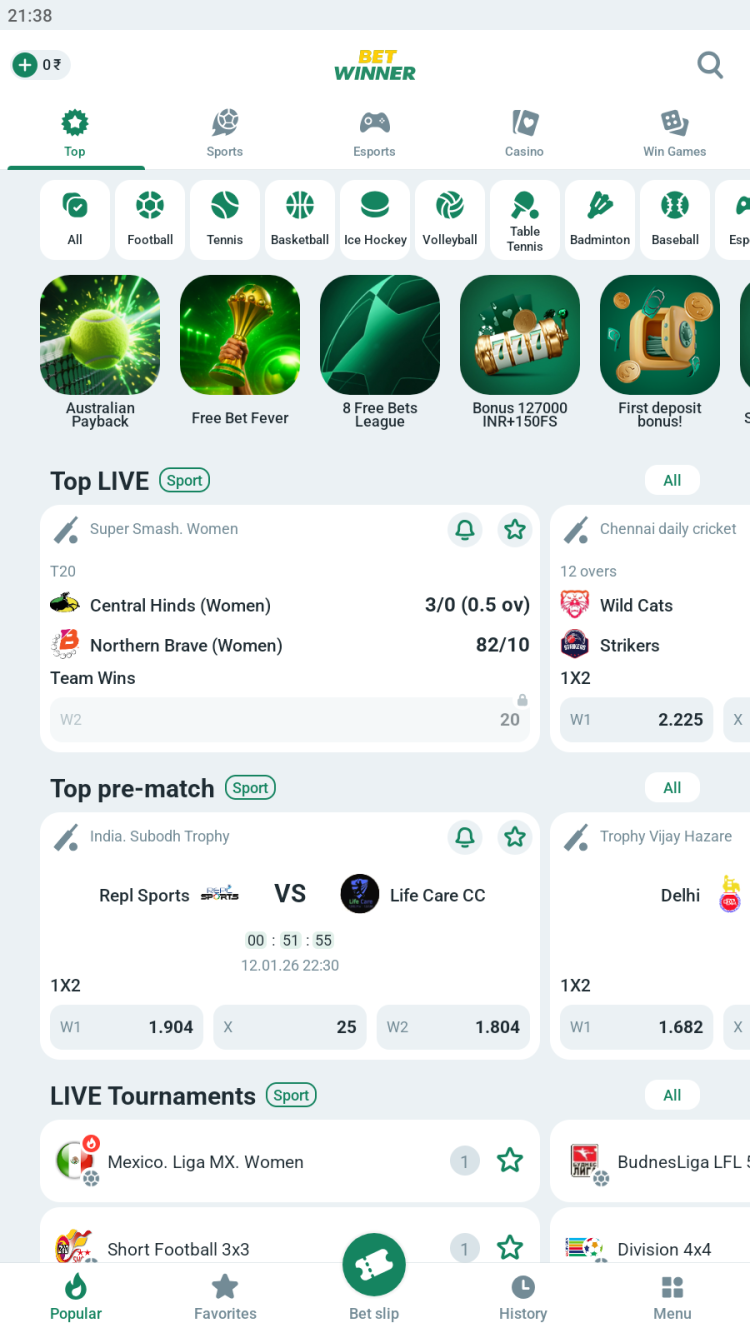
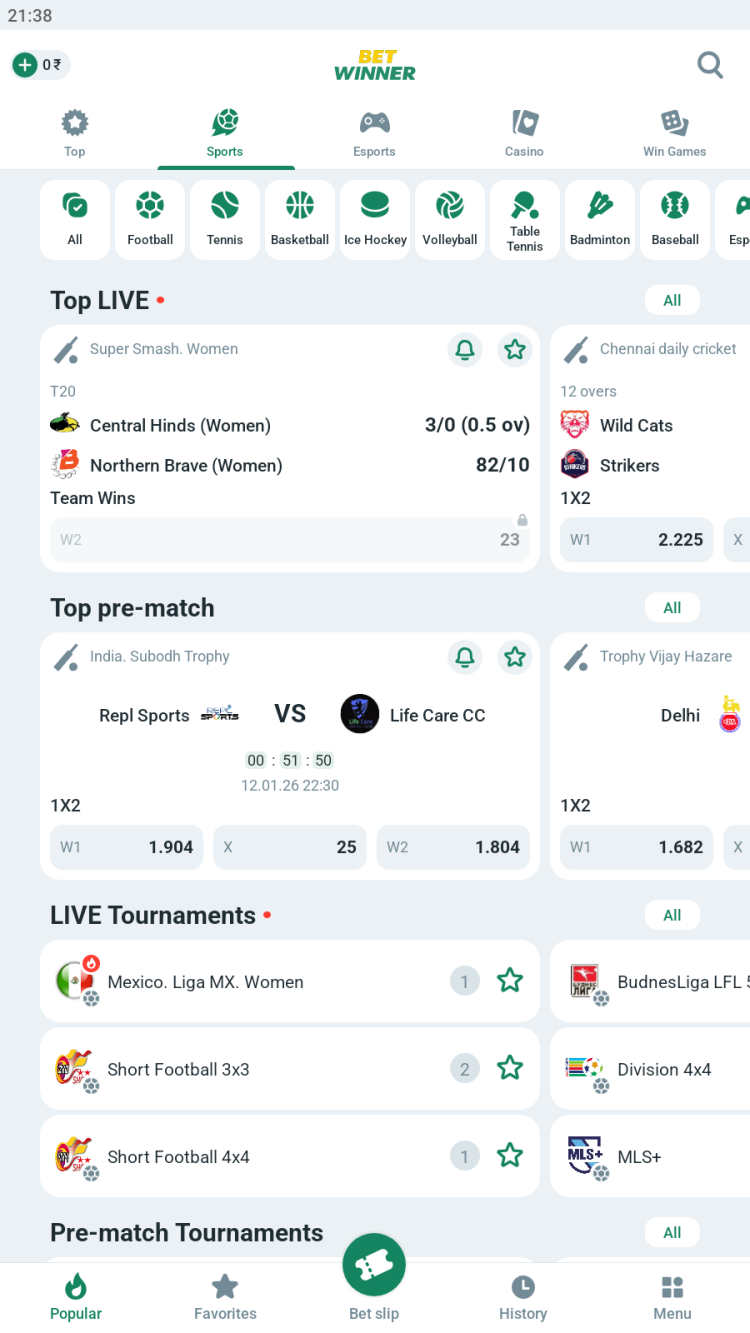
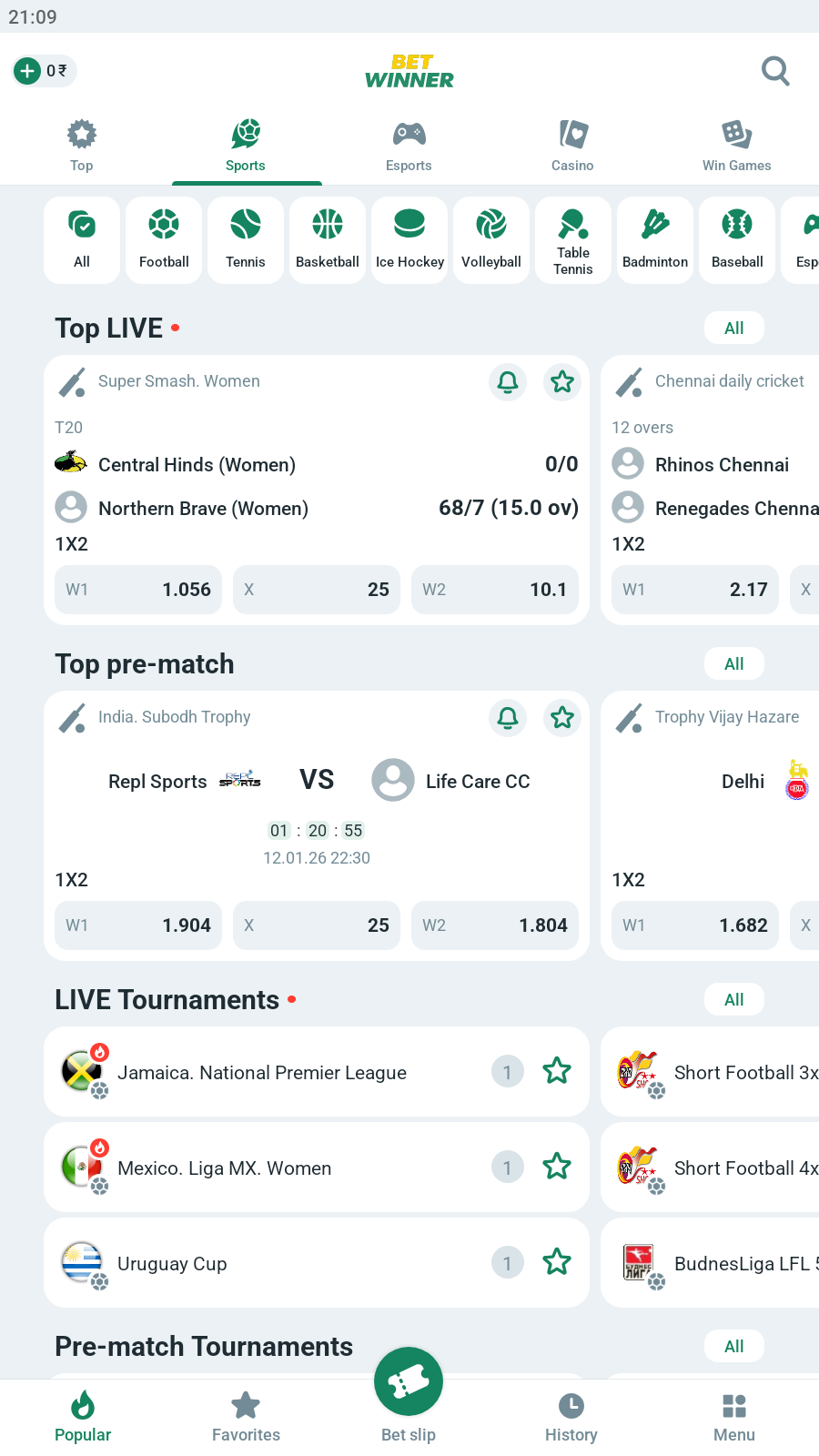
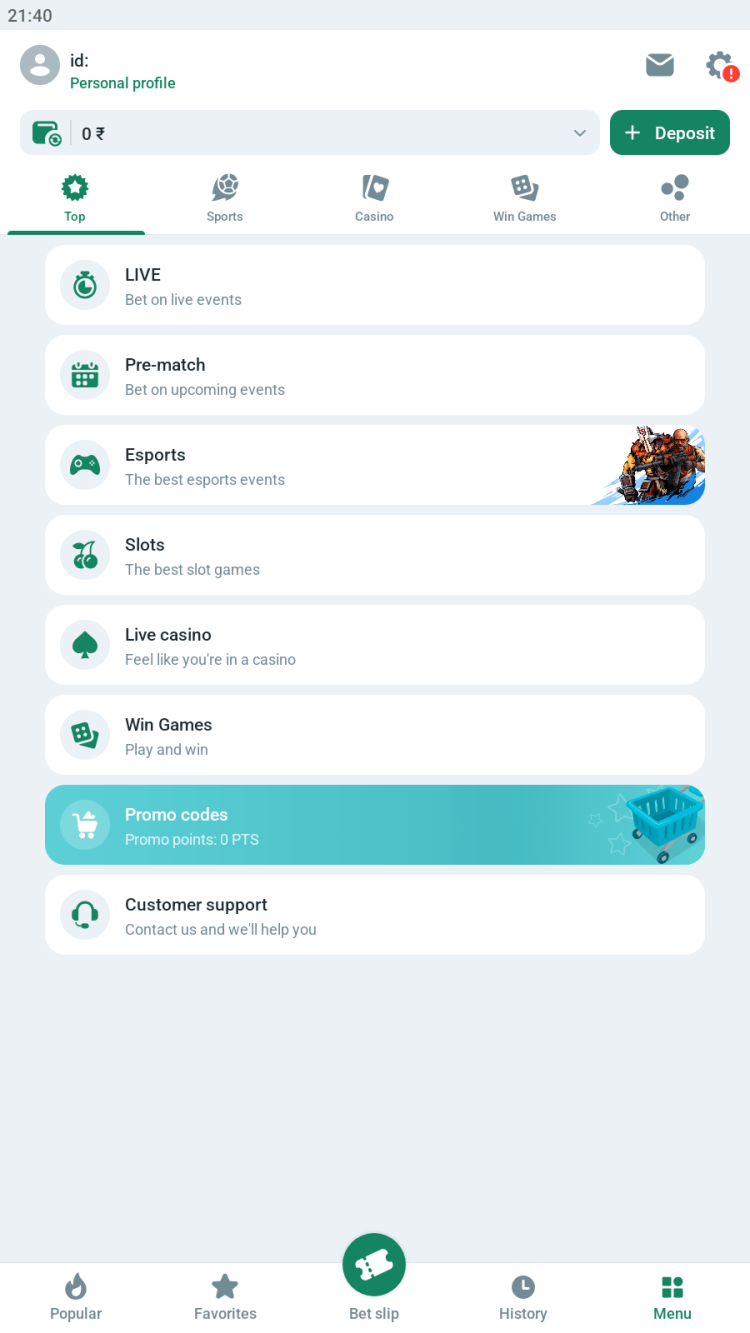
The Bet Winner android app provides access to all the website features for both betting and entertainment. Users can place bets on more than 30 sports: football, basketball, tennis, baseball, cricket and more, including major leagues such as the NHL, NBA, and La Liga. Popular events are easily accessible through the "Top Games" or "Recommended" sections. Additionally, the app supports betting on weather, politics, and various other events.
Prematch section advantages
Over 1,000 sporting events available for betting every day
Wide selection of bets:
main outcomes (handicaps, totals, double chance)
special bets (how a goal will be scored, corners, exact score, penalties, and red cards)
individual player stats
combined outcomes (at least one team not to score + total)
Esports
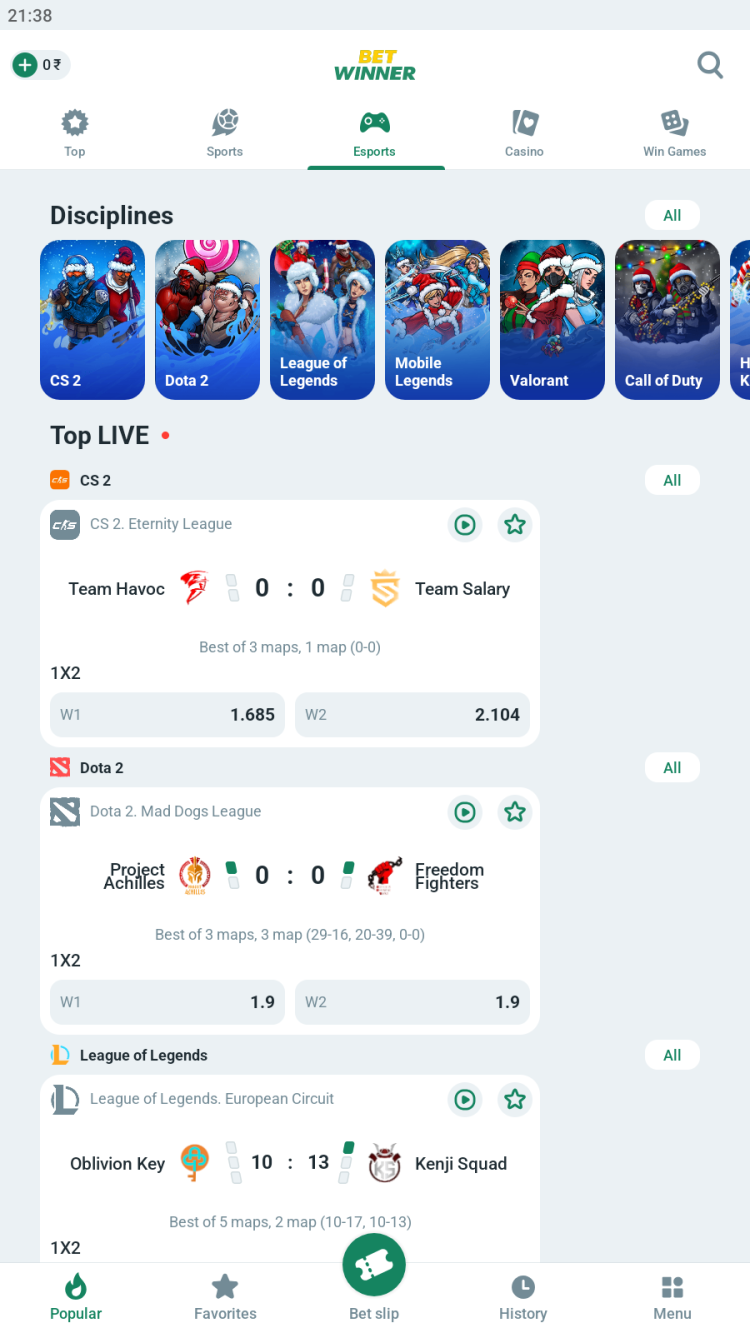
BetWinner also provides the chance to participate in esports betting. Within the official app, users will find several sections dedicated to various types of virtual matches:
Real – for bets placed on tournaments in Dota 2, CS2, Mobile Legends, PUBG, Crossfire and other disciplines involving matches between real players.
Virtual - this section features virtual sports matches and simulations of games such as Call of Duty, League of Legends, Mortal Kombat, Need For Speed, etc. Match results are generated randomly.
Cyber - place bets on virtual football, cricket, kabaddi, and other esports, featuring real teams and running 24/7.
The platform also provides users with detailed team statistics, past event results, and live broadcasts for real esports competitions.
Esports pre-match features:
frag totals
first blood
correct score
match result + total rounds
BetWinner for Android app features
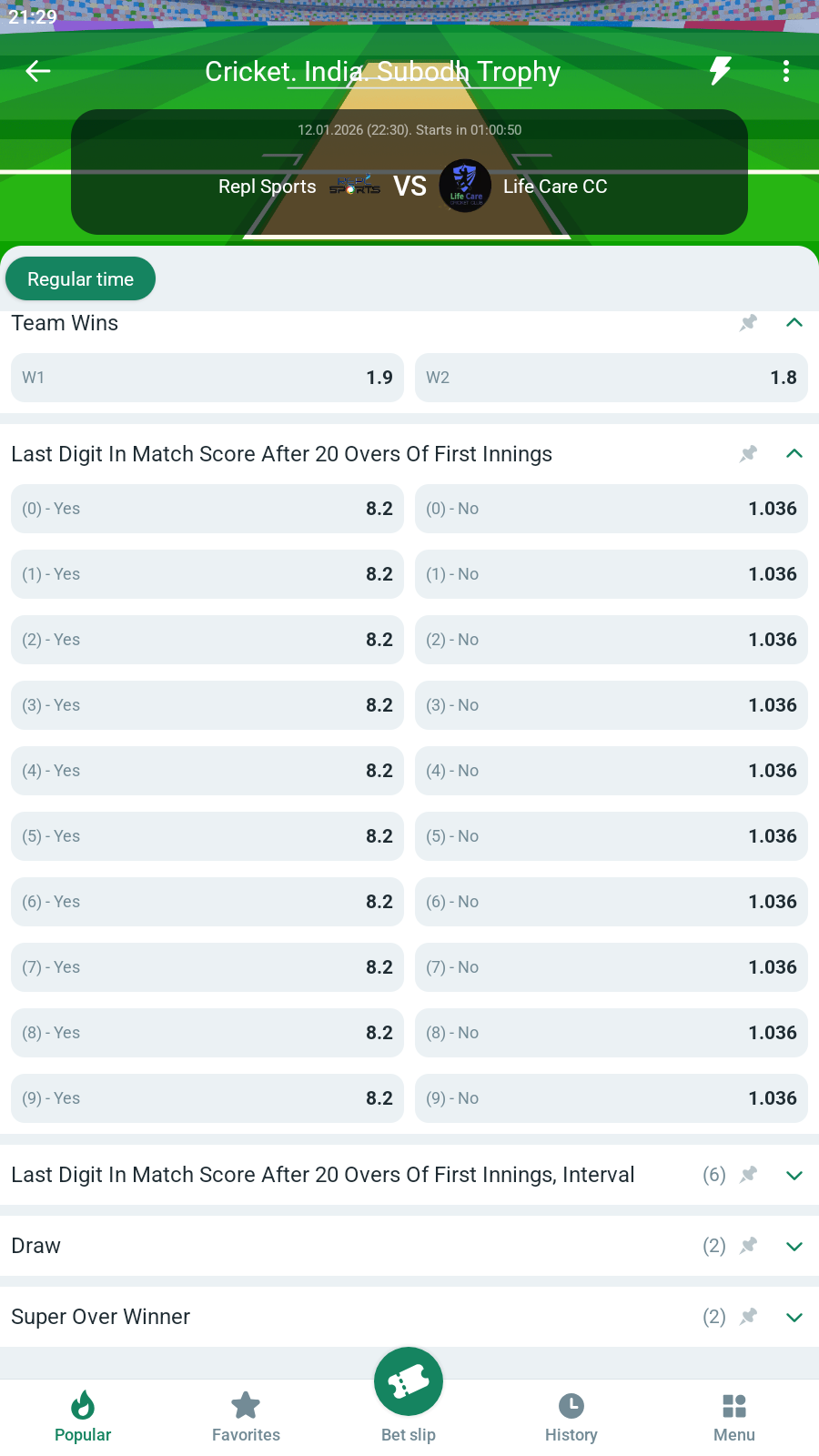
Pre-match - place bets in the sports and esports sections before the selected events begin.
Live - place bets on different events after the match has begun, with odds that update in real time.
Stream - a dedicated section featuring live broadcasts of matches in real time, directly on the event's page. No subscriptions or third-party app installations are required.
Infographics – a graphic visual representation of the situation on the field with partial statistics, especially helpful when live streaming is not available.
Results - view recent match results to analyze any preferred team performance and improve prediction accuracy.
Accumulator of the day - the curated collection of the most profitable accumulator bets, updated daily. If the selected accumulator wins, the odds will be increased by 10%.
Bet on your national team - a selection of matches involving athletes or teams from the selected country.
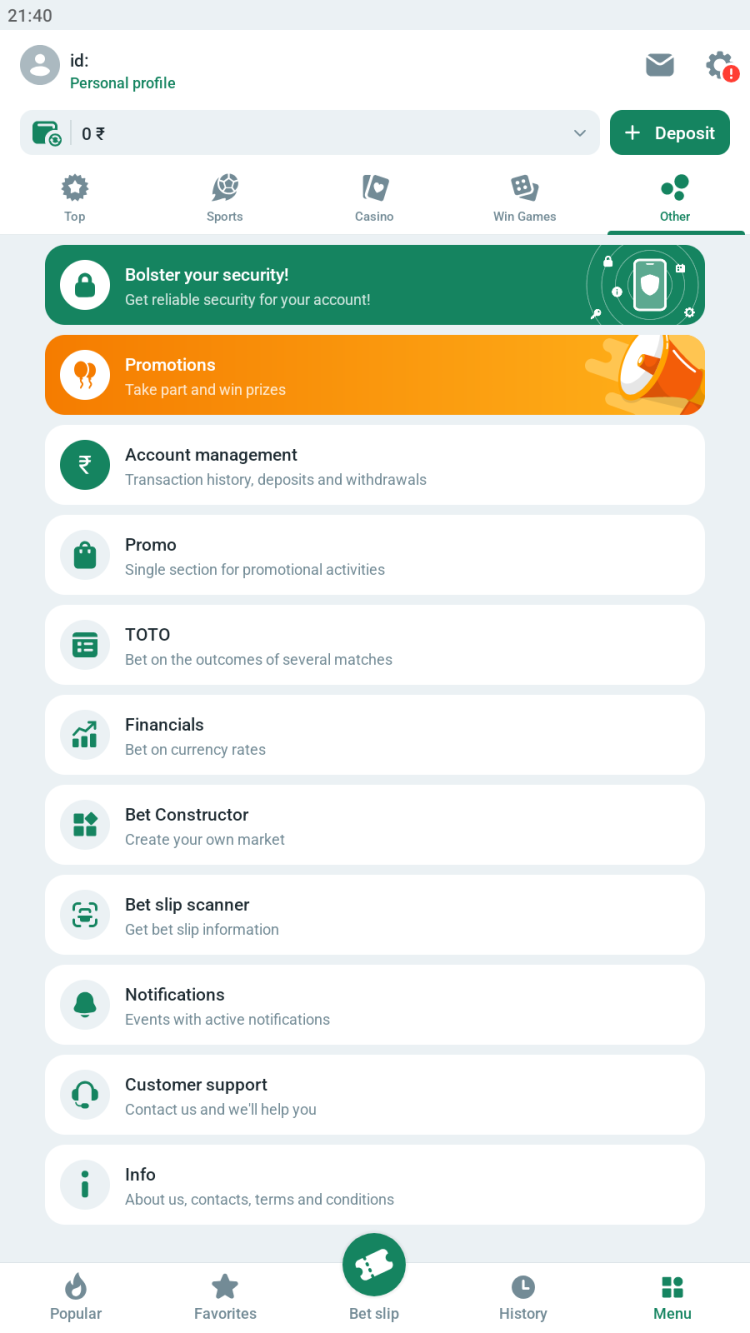
Financials - a section for betting on changes in currency exchange rates.
Customization - allows users to switch between light and dark themes and choose from the following odds types: decimal, Hong Kong, US, UK, Indonesian, or Malay.
Favorites - saving certain events, teams or leagues into the personal favorites list for quick access.
Widget - function to add a customizable widget to the smartphone's homescreen to access the selected sections of the app in a single tap.
One click bet - place bets on any event with just one tap.. Requires to specify the preferred stake amount beforehand.
Casino
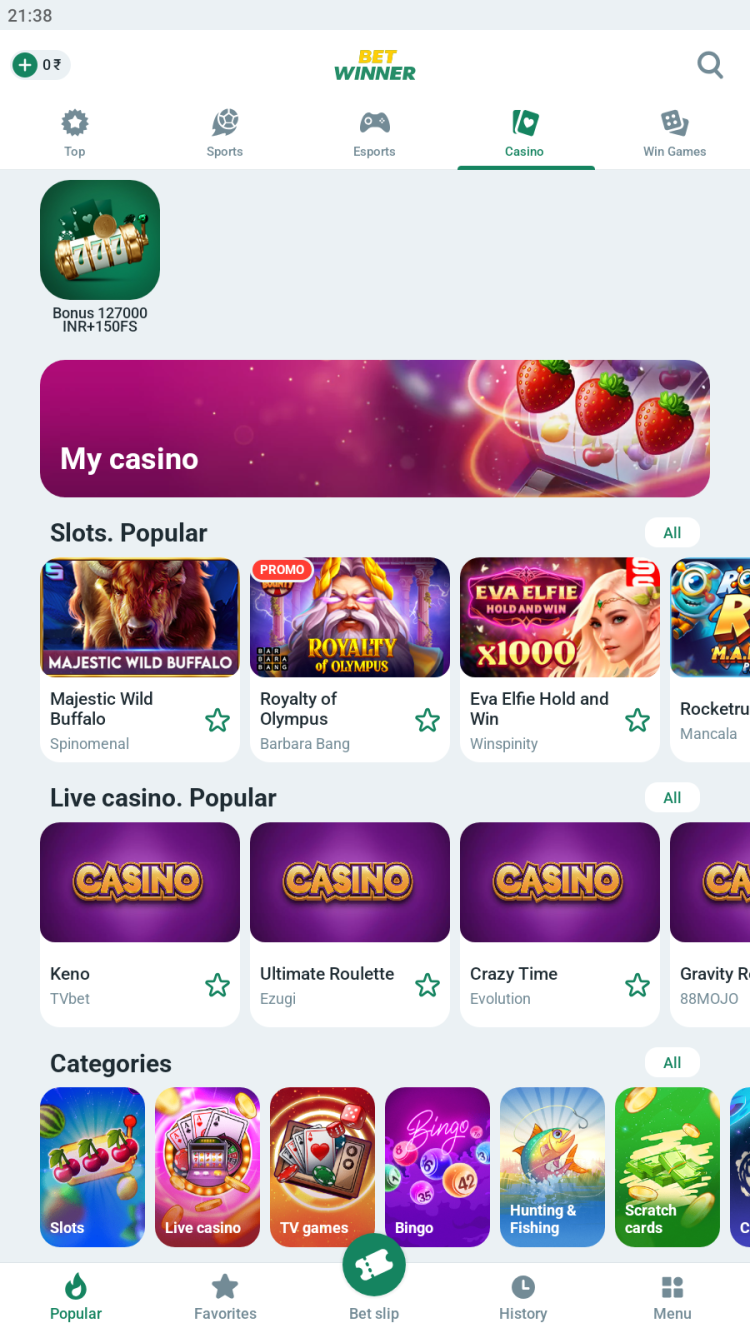
The BetWinner app provides a dedicated section for gambling enthusiasts, showcasing hundreds of slot machines and other games. These games are supplied by both renowned providers and niche studios from around the world, such as Winfinity, EvoPlay, Spinomenal, Evolution, and others. Users can access the following categories of games:
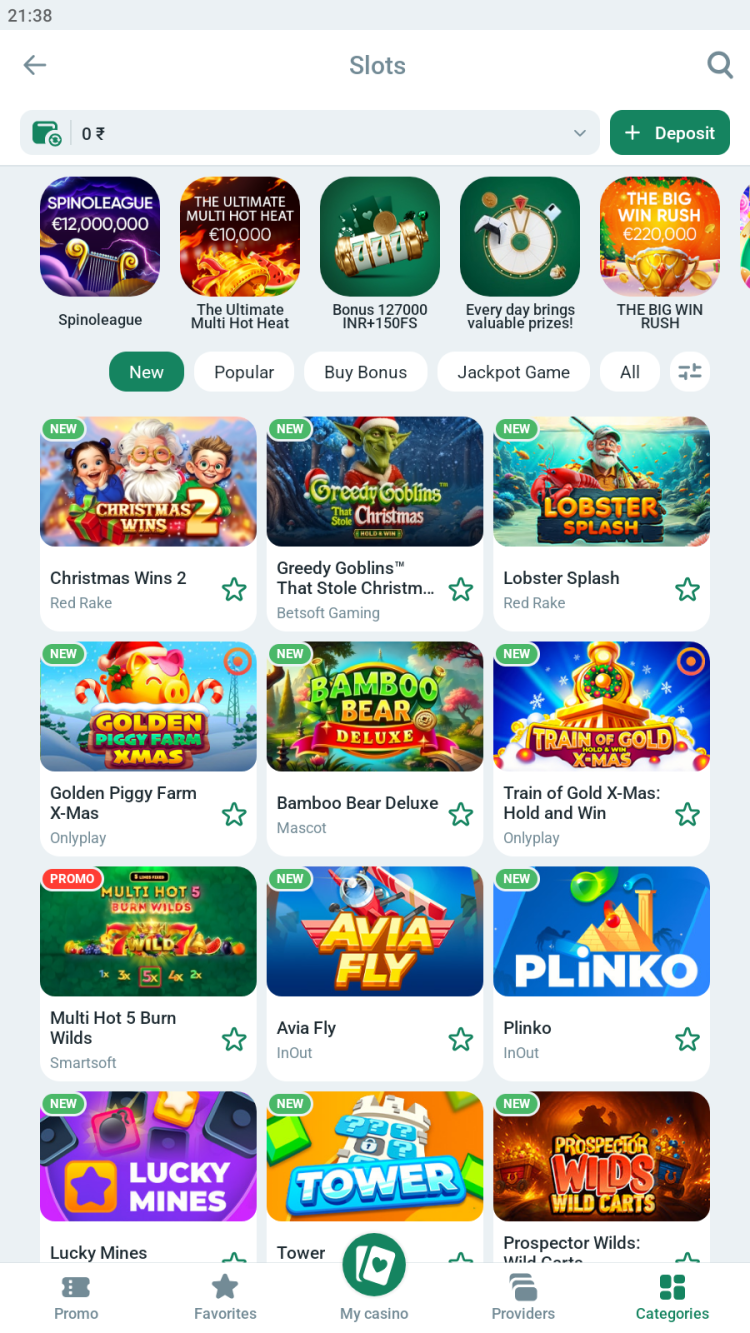
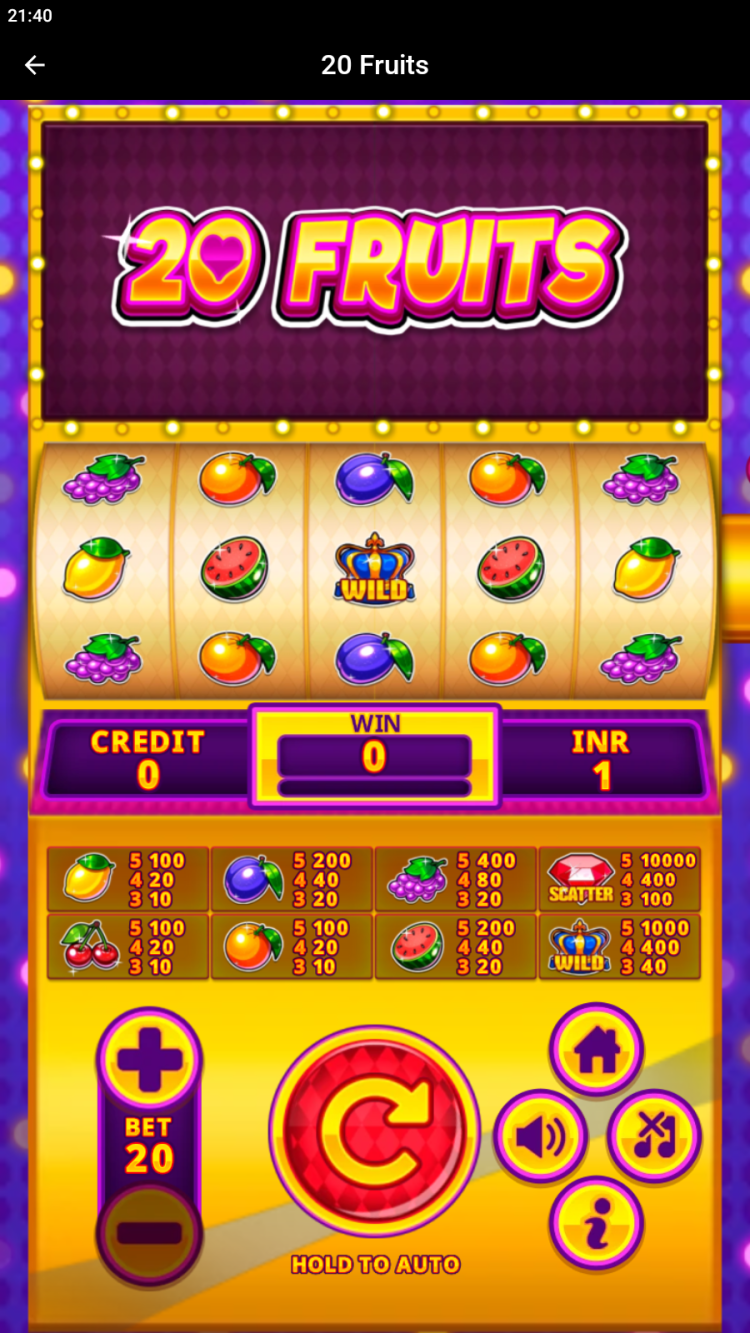
Slots - virtual slot machines with various themes and mechanics, including classics like Hot Slot, 3D games like Combo Seven, and modern titles like Sweet Fortune and Megaways with thousands of winning combinations.
Live casino - baccarat, roulette, blackjack, poker, and other games are available with real dealers via live video broadcasts. The availability of rooms with dealers speaking languages other than English depends on the user's location.
TV games - such games as Wheel, Andar Bahar and Teen Patti, presented in a TV show format with real dealers.
Bingo - variations of Bingo, Lotto and other games with fast rounds, where results are generated automatically.
Hunting & Fishing - Fast-paced games where quick tapping on targets boosts your multiplier and winnings. Popular titles include Dragon Fortune, Fishing Expedition, and Dragon Palace.
Scratch cards - luck-based games where you scratch a virtual card to reveal your prize. Examples include The Perfect Scratch, Football Scratch, and Go Panda.
Crash - games like Aviatrix, Astronaut, or Aviator, where odds change randomly and players must cash out at the best moment before the round ends.
Virtual sports - contains mini sports simulators (soccer, motorcycle racing, dog racing, etc.) with quick rounds and results determined by a random number generator.
Tournaments - regular competitions with big prizes for playing certain games, such as Crash Royale or slots from certain providers: like the Lucky Rush tournament for fans of Playtech slots.
Certain sections, such as TV games, may be unavailable in certain countries due to local legal requirements.
Win Games
A collection of mini-games with quick rounds, instant results, and simple rules. The following game categories are available in the BetWinners app:
Climb to victory - a collection of ladder-like games, like Apple of Fortune, Treasure Tomb or Wild West Gold. The player's goal is to climb to the highest level possible, by tapping tiles with rewards.
Card Games - a dedicated section featuring both traditional games, such as "21" (including versions with unique Dota 2 or Heroes of the Storm themes) or "Triple Pocket Hold'em Poker", and new titles like "Truth or Lie".
Dice - fast-paced games involving dice. Available titles include Yahtzee, Five Dice Poker, and Under and Over 7, where players predict whether the total of the dice rolled will be above, below, or exactly 7.
Lotteries - games with instant results. The mechanics may vary: for example, in Pirate's Chest, you need to guess the correct keys to the chest, and in Spin and Win, you need to spin the reel with prizes.
Other Games – a selection of various arcade games that do not fit into other categories. Here, you can find Plinko, inspired by the popular TV show, as well as Heads or Tails, Russian Roulette, and several other titles.
Exclusive bonuses:
Weekly rewards for those who play 7 days in a row.
Daily tournaments with prizes are held for those who top the leaderboard in certain games.
Lucky Wheel is a free mini-game where players receive one spin each day, with the chance to win cashback, double their bets, or earn other bonuses.
Mobile-app vs mobile-site comparison
Both the mobile Bet Winners app and the mobile website allow users to place bets online, but they differ in technical features, and have their own pros and cons.
The app offers faster performance, lower data usage, and enhanced security with biometric authentication. It allows limited offline access to recent bet history, supports push notifications, auto-connects to mirrors, and provides more personalization. However, it requires installation, takes up some space in the device's memory, and requires Android version 4.1 or higher.
The web version is accessible on any device via a browser, requires no installation, does not take up device storage and updates automatically. On the other hand, it lacks some features, depends on browser optimization and may be inaccessible in some regions without a working mirror or VPN.
In total, the BetWinner app is ideal for frequent users who value speed, while the website is better suited for occasional bettors or those with devices that have limited storage space.
Bonuses & promotions for the BetWinner app users
Welcome bonus for sports
India
Pakistan
Bangladesh
Nigeria
Welcome bonus for sports betting
100% bonus on the first deposit from 80 INR to 8,000 INR. The maximum bonus amount is 8,000 INR.
100% bonus on the first deposit from 328.19 PKR to 32,818.78 PKR. The maximum bonus amount is 32,818.78 PKR.
100% bonus on the first deposit from 100 BDT to 10,000 BDT. The maximum bonus amount is 10,000 BDT.
200% bonus on the first deposit from 400 NGN. The maximum bonus amount is 100,000 NGN.
Wager
The bonus must be wagered five times on accumulator bets with at least three selections, each at odds of 1.40 or higher.
Welcome bonus for Casino
India
Pakistan
Bangladesh
Nigeria
Welcome bonus for Casino and Win Games
1-st deposit from 850 INR - 100% bonus and 30 FS, but not more than 25500 INR
2-nd deposit from 1270 INR - 50% bonus and 35 FS, but not more than 29500 INR
3-rd deposit from 1270 INR - 25% bonus and 40 FS, but not more than 34000 INR
4-th deposit from 1270 INR - 25% bonus and 45 FS, but not more than 38000 INR
1-st deposit from 3282 PKR - 100% bonus and 30 FS, but not more than 98456 PKR
2-nd deposit from 4923 PKR - 50% bonus and 35 FS, but not more than 114865 PKR
3-rd deposit from 4923 PKR - 25% bonus and 40 FS, but not more than 131275 PKR
4-th deposit from 4923 PKR - 25% bonus and 45 FS, but not more than 147684 PKR
1-st deposit from 1000 BDT - 100% bonus and 30 FS, but not more than 30000 BDT
2-nd deposit from 1500 BDT - 50% bonus and 35 FS, but not more than 33000 BDT
3-rd deposit from 1500 BDT - 25% bonus and 40 FS, but not more than 38000 BDT
4-th deposit from 1500 BDT - 25% bonus and 45 FS, but not more than 43000 BDT
1-st deposit from 4000 NGN - 100% bonus and 30 FS, but not more than 130000 NGN
2-nd deposit from 6500 NGN - 50% bonus and 35 FS, but not more than 153000 NGN
3-rd deposit from 6500 NGN - 25% bonus and 40 FS, but not more than 175000 NGN
4-th deposit from 6500 NGN - 25% bonus and 45 FS, but not more than 197000 NGN
Wager
Bonuses require 35x wagering within 7 days. Maximum bet limits apply. Free spins are unlocked on select games after meeting the wagering requirement.
Regular promotions
Lucky 9 - If 9 out of 10 events in an accumulator bet are successful, the player receives a bonus equal to 9% of the winnings.
Bonus for a series of losing bets - the bookmaker offers a bonus if you have 20 consecutive losing bets on different sports events within the last 30 days. The reward amount is based on the total amount lost.
50% bonus on Monday - every Monday, the bookmaker offers a 50% deposit bonus.
100% Deposit Bonus every Thursday - get up to a 100% bonus on deposits every Thursday.
Birthday bonus from BetWinner - active players receive a promo code for a free bet on their birthday.
Loyalty Pays Off - for every tenth deposit, you will receive a reward of up to 50% of the deposit amount to use in the casino section, and 100 FS.
Sports Cashback - the bookmaker returns 3% of the amount lost on sports bets during the week.
Casino Cashback - BetWinner's eight-level loyalty program, that rewards active players with higher cashback, priority support, and other exclusive offers.
The availability of bonuses, reward amounts, and limits varies based on your location and the selected currency.
Registration
Access to the BetWiner betting platform requires mandatory registration. The following sign-up methods are available in the app:
One-click – the quickest registration method. Simply choose your country of residence and preferred currency. Your login and password will be generated automatically.
By phone - create an account and confirm your phone number with an SMS code.
By e-mail - complete the registration form and confirm your email address to create an account.
Social networks and messengers - use accounts from Telegram and other services to log in to the betting platform.
After signing up, fill in your profile with personal information and get ready to provide your ID. Regardless of the registration method you choose, the identity verification procedure remains mandatory for every player.
Deposits & withdrawals
India
Pakistan
Bangladesh
Nigeria
Payment cards
-
Withdrawals only: Visa - from 1000 to 500 500 PKR
Withdrawals only: Visa - from 440 to 222 000 BDT
Withdrawals only: Verve
Bank Transfers
Deposits and withdrawals: direct bank transfer, NEFT - from 1 000 to 100 000 INR
Deposits and withdrawals: direct bank transfer from 500 to 100 000 PKR
Deposits and withdrawals: direct bank transfer, Trust Axiata Pay, City Bank - 500 - 100 000 BDT
Deposits and withdrawals: Korapay Bank Transfer
Korapay Bank Card, Kuda Bank, PayStack bank transfer
OPay BT - from 100 to 10 000 000 NGN
E-vouchers
Deposits only: iCash.One, MoneyGo
Deposits and withdrawals: iCash.One - from 280 to 140 000 PKR
Deposits and withdrawals: MoneyGO, iCash.One
- from 125 to 63 000 BDT
-
E-wallets
Deposits and withdrawals: WebMoney, ecoPayz, Sticpay, AirTM, Skrill, PhonePe, IMPS, PayTM, BinancePay, MiFinity wallet - from 100 to 4 500 000 INR.
Deposits and withdrawals: EasyPaisa Fast, JazzCash Fast, Cashmaal, ecoPayz, AirTM, Skrill, Easypaisa, Jazz Cash, SadaPay, BinancePay - from 1 to 2 000 000 PKR
Deposits and withdrawals: Google Pay, Amazon Pay, Neteller, WhatsApp Pay - from 1 000 to 100 000.00 INR
Deposits and withdrawals: Neteller - from 1 640 PKR
Deposits and withdrawals: Neteller - from 740 BDT
Deposits and withdrawals: OPay, Cashonrails, Palm Pay - from 100 to 10 000 000 NGN
Internet banking
Deposits and withdrawals: NetBanking, UPI BW, MobiKwik, Jio, Jetonbank, GG Bnk - from 500 to 100 000 INR
Deposits and withdrawals: JetonBank, UPaisa - from 200 to 50 000 PKR
Deposits and withdrawals:GG Bank, Jetonbank - from 50 to 14 500 000 BDT
Deposits and withdrawals: Providus Bank, Pay with Bank, Monnify
USSD
-
-
-
Deposit only: USSD from PayStack
Cryptocurrency
Deposits and withdrawals: Bitcoin, Ethereum, Litecoin, etc.
-
Types of bets in the BetWinner app
Standard bet types
Single bet - basic wager on a specific outcome of a single event. Also known as a straight bet.
Accumulator - a complex bet that combines several single bets. All selections must win for a payout, and the odds multiply to boost potential winnings.
System - a combination of multiple accumulator bets of the same size. Does not require all the predictions to be correct to win.
Chain - a series of single bets on unrelated events, with winnings from each bet carried to the next. The final payout is based on the chain account's total balance.
Anti-Accumulator - the opposite of a traditional accumulator: the bet is considered won if at least one of the selected outcomes loses.
Lucky - a complex bet that includes singles and every possible combination of doubles, trebles, and accumulators on 2 to 8 events. You need at least one correct prediction to receive a payout.
Patent - a bet that includes all possible accumulator bets from selected markets (from 3 to 8 events), but, unlike Lucky, does not include single bets.
Conditional Bet - a combination of single bets or accumulators on independent events, where the winnings from the preceding selections are used to fund the next ones. The user can determine the order of outcomes.
Advantages of BetWinner for Android
Advancebet - a tool for placing a bet using potential winnings from unsettled bets.
Bet Constructor - create your own virtual teams from real players and bet on competitions against other bettors. The results of the simulated games depend on how many goals the selected players score in real matches.
Bet slip sale - a tool to sell the bet slip completely or only a part of it and get the money to the betting account right away.
Bet slip editing - edit single bets and manage accumulators: replace, add, or delete outcomes. The stake amount cannot be changed. This feature is available while bet slip sale is available.
TOTO - sports totalizator. Participants place bets on a series of matches and contribute fixed amounts to a common pool, which is then distributed among those who correctly predict the most outcomes.
Updating the BetWinner app
Keeping the app up to date ensures access to all betting tools, current promotions, and security improvements. Since it's not on the official app store, update manually by downloading the newest BetWinner APK from freesoft.net and installing it over your current version to keep your data and settings.
What's new in the latest version
The latest update includes bug fixes, improved stability, and enhanced app performance.
Use live chat in-app 24/7, in-app call or call back functions, email (support@betwinner.com), or call customer support at +442045772772.
What languages are available?
The app is available in English, Hindi, Bengali, and dozens of others.
Can I use the app without verification?
You can access basic features, but placing real bets and making withdrawals requires KYC verification.
Is live streaming available?
Yes, HD live streams are available to registered app users. Broadcasts are not available for all events.
Is the Betwinner app download safe?
Yes, if you're obtaining the original APK from the reliable source, like freesoft.net.
Can I use the BetWinner app on multiple devices?
Yes, you can install the BetWinner app on multiple devices. However, for security reasons, simultaneous logins from different devices may require additional verification.
Pros and cons
Benefits
Access sports and esports betting, casino, and mini-games in a single app.
Competitive odds and support for niche sports betting markets.
Multilingual support accessible through the app 24/7.
Rich bonuses and promotions for new and existing users.
Fast UI: intuitive menus, search, instant bets.
Disadvantages
Requires manual installation and updates.
High wagering requirements for some promotions.
Regional restrictions: varying promotions, payments, possible geo-blocks in certain regions.

 Русский
 Français





 Download