Download Honista

Honista APK - Instagram MOD with Privacy Features

Version:11.1
License: Free for Android
240 downloads
Checked for viruses
?
Tested on virustotal

Download Details

Note: Honista is a modified Instagram client — not available on Google Play. This is a third-party mod with features Instagram doesn't offer officially.

Latest Version 11.1
File Size 104.21 MB
Requires Android 9.0+ (Pie)
Updated September 29, 2025
Package Name cc.honista.app
Developer Community Mod
Base Version Instagram 367.0.0.43.91

Device Requirements

Will it run on your device? Honista needs Android 9 or newer — that's phones from 2018 onwards. For smooth scrolling through Reels and Stories, you'll want at least 2GB RAM. 4GB recommended if you're running multiple accounts or switching between apps often.

Architecture: The latest version is optimized for arm64-v8a (64-bit). Most modern phones use this. Older 32-bit devices may experience issues.

App Information

App Name Honista
Version 11.1 (Based on Instagram 367.0.0.43.91)
Size 104.21 MB
Category Social / Instagram Mod
Developer Honista Team (Unofficial)
Package Name cc.honista.app
Requires Android 9.0+
Architecture arm64-v8a (64-bit)
RAM Required 2GB minimum, 4GB recommended
License Free
Root Required No
Last Updated January 2026
Downloads on FreeSoft 240

How to Install Honista APK

Installing Honista takes about 2-3 minutes. Here's how to get it running on your phone.

Before You Start

  • Back up your Instagram data — Export your data from official Instagram first (Settings → Account → Download Data)
  • Decide on accounts — You can use Honista alongside official Instagram, or replace it entirely
  • Check your Android version — You need Android 9.0 or newer

Installation Steps

  1. Download the APK — Tap the Download button above. The file is about 104 MB, so it'll take a minute on slower connections.
  2. Find the downloaded file — Open your file manager and go to the Downloads folder. Look for honista-v11.1.apk or similar.
  3. Allow installation from this source — Android 9+ asks permission per-app now. When you tap the APK, you'll see a prompt to allow your browser or file manager to install apps. Tap "Settings" → enable "Allow from this source" → go back.
  4. Install the app — Tap Install. Android might show a Play Protect warning — that's standard for any APK outside the Play Store. Tap "Install anyway" to continue.
  5. Open Honista — Find the Honista icon in your app drawer. First launch takes a moment to set up.
  6. Log in to Instagram — Use your Instagram credentials. Honista connects to Instagram's servers — same as the official app, just with extra features unlocked.

Running Honista Alongside Official Instagram

Good news: Honista uses a different package name, so it installs separately from the official Instagram app. You can run both simultaneously — useful if you want to keep the official app as backup or for certain features.

First-Time Setup Tips

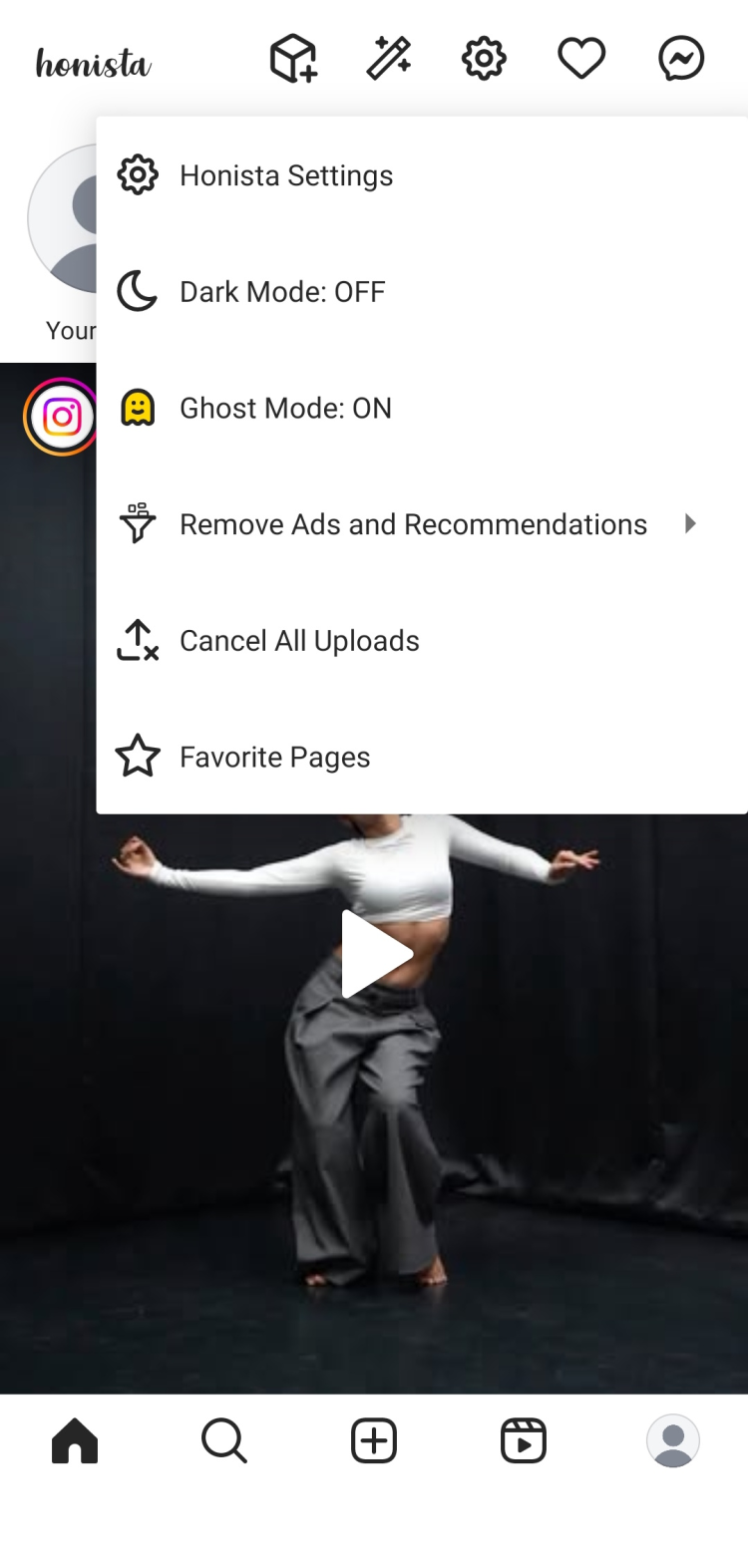
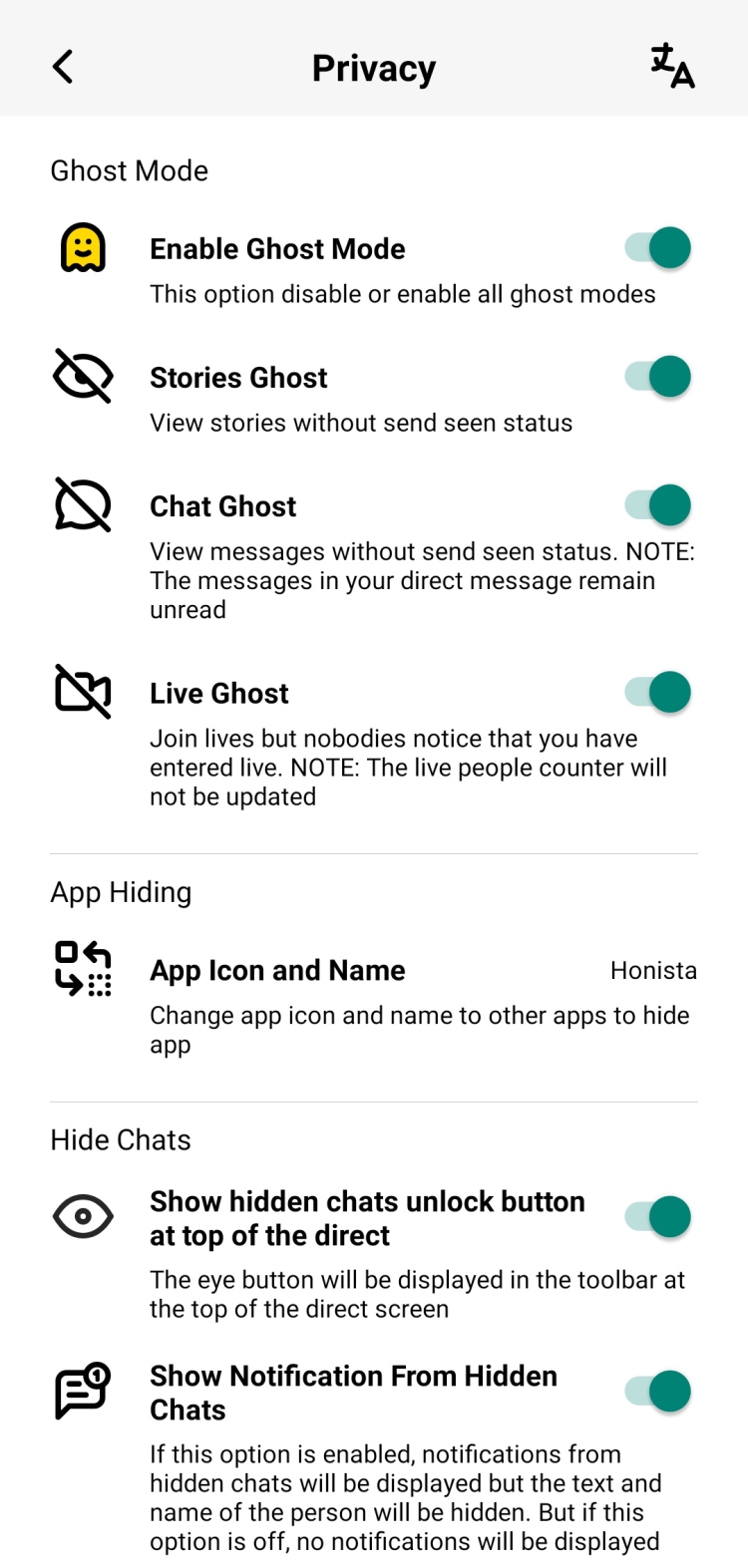
  • Enable Ghost Mode — Settings → Privacy → Ghost Mode. This hides your activity from others.
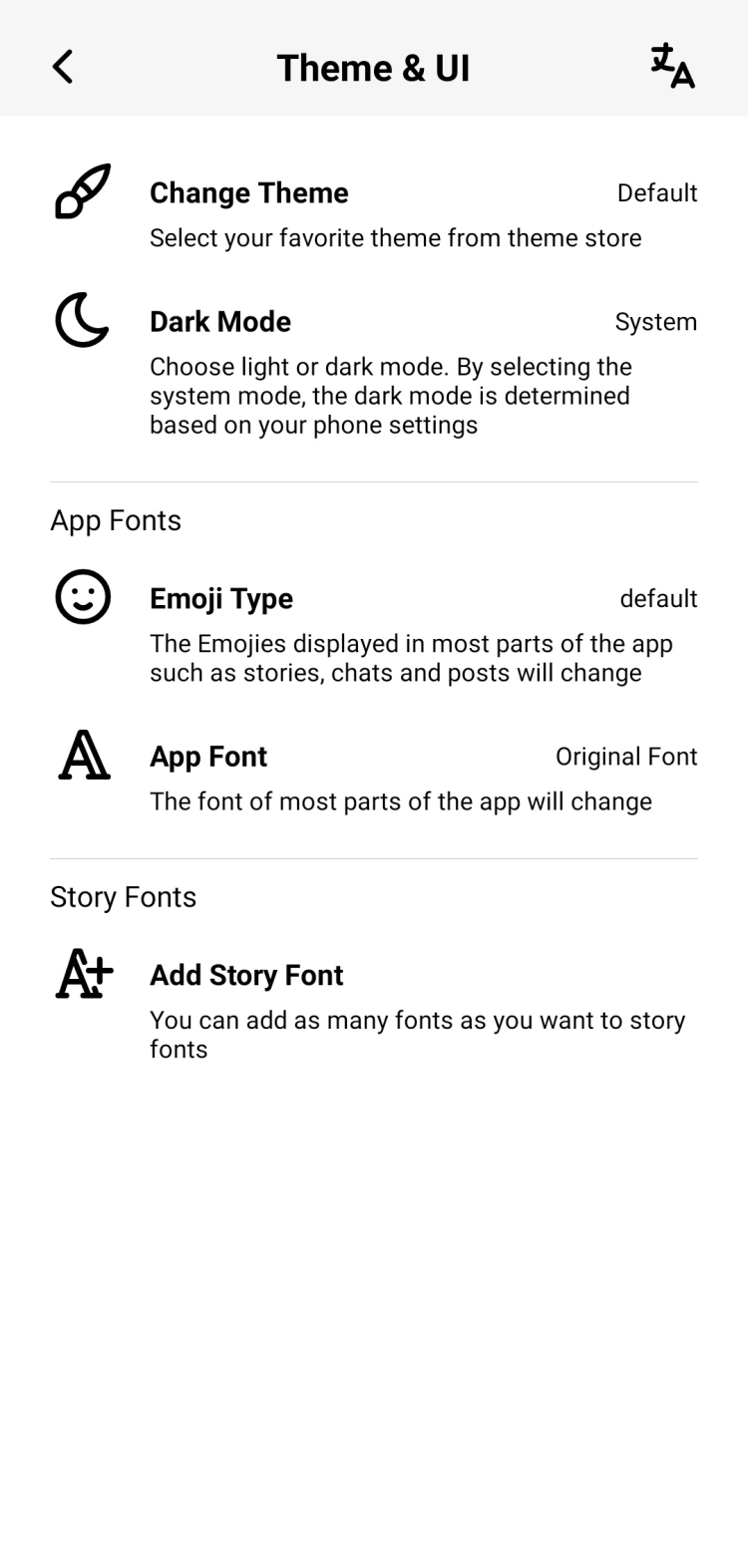
  • Pick a theme — Settings → Themes. Choose from 50+ color schemes.
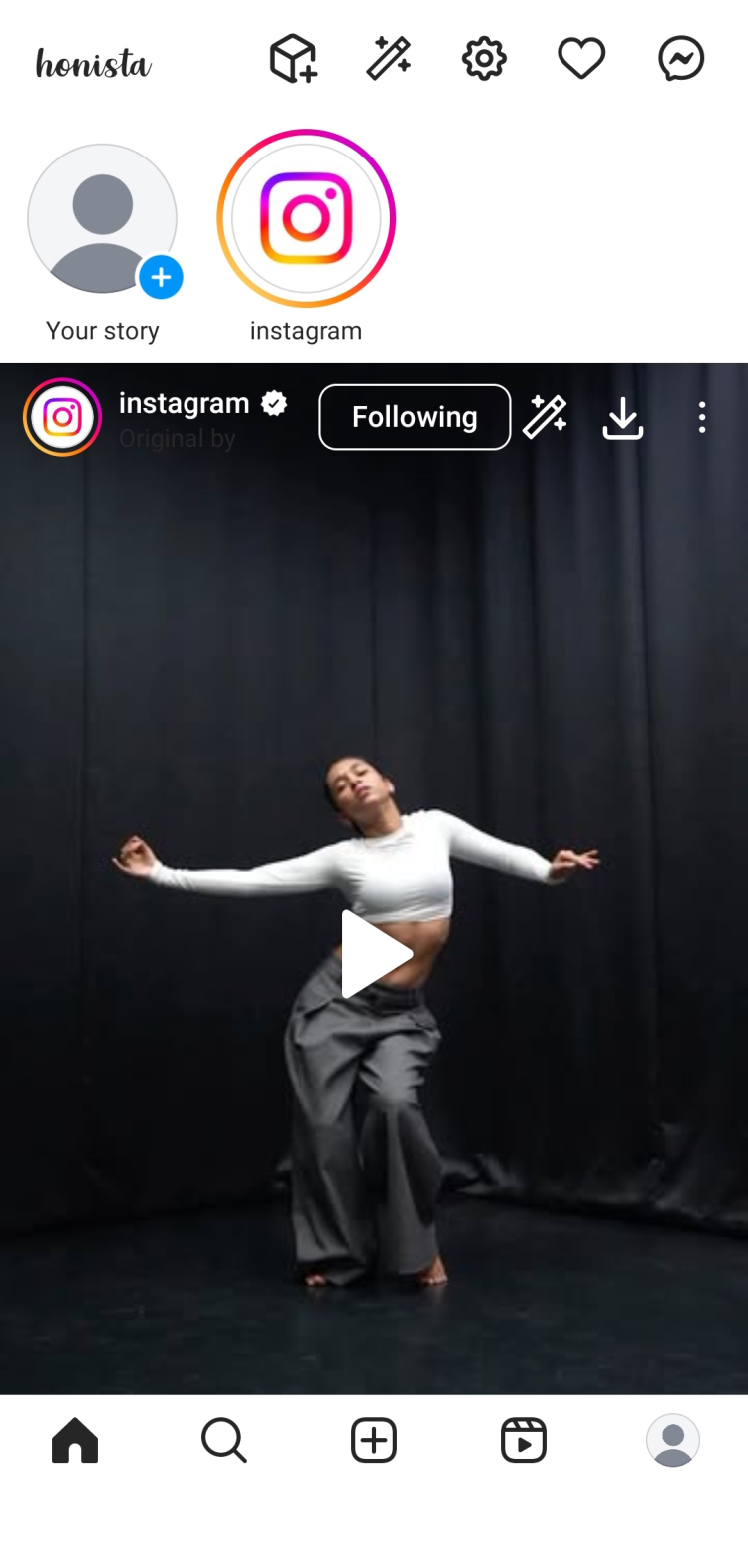
  • Download button location — The download button appears automatically on posts, Reels, and Stories. Just tap it.

Pro tip: After installing, go to Settings → Privacy and review all the options. Honista has way more privacy controls than official Instagram — take a few minutes to set them up the way you like.

Installation Problems?

"App not installed" error

  • Storage space — Honista needs about 150-200 MB total (104 MB download + installation overhead + cache space). Free up some space and try again.
  • Previous version conflict — If you had an older Honista version, uninstall it completely first. Go to Settings → Apps → Honista → Uninstall, then try installing the new version.
  • Signature mismatch — If you previously installed Honista from a different source, the signatures won't match. Uninstall old version first.

"Parse error" or "There was a problem parsing the package"

  • Incomplete download — The file got corrupted during download. Delete it and download again. Full file should be ~104 MB.
  • Wrong architecture — Version 11.1 is optimized for 64-bit (arm64-v8a). If you have an old 32-bit phone, you may need an older Honista version.
  • Android version — Honista 11.1 requires Android 9+. Check your version in Settings → About Phone.

Google Play Protect blocks installation

  • This is normal for modded apps — Play Protect flags anything that modifies official apps.
  • To proceed: Tap "More details" → "Install anyway"
  • Alternative: Temporarily disable Play Protect: Play Store → Profile → Play Protect → Settings → Turn off "Scan apps with Play Protect". Remember to turn it back on after.

Login issues — "Challenge required" or "Suspicious login"

  • Instagram's security check — Instagram sometimes flags logins from new apps. This isn't Honista-specific.
  • Verify via email/SMS — Complete the verification Instagram asks for.
  • Wait and retry — If verification fails, wait 24 hours and try again.
  • Two-factor authentication — If you have 2FA enabled, you'll need to enter the code. This works normally in Honista.

App crashes on launch

  • Clear cache — Settings → Apps → Honista → Storage → Clear Cache
  • RAM issue — Close other apps before launching. Honista needs breathing room.
  • Reinstall — Sometimes a fresh install fixes random crashes. Uninstall, download fresh, install again.

Features not working (downloads, Ghost Mode, etc.)

  • Check permissions — Settings → Apps → Honista → Permissions. Enable Storage permission for downloads to work.
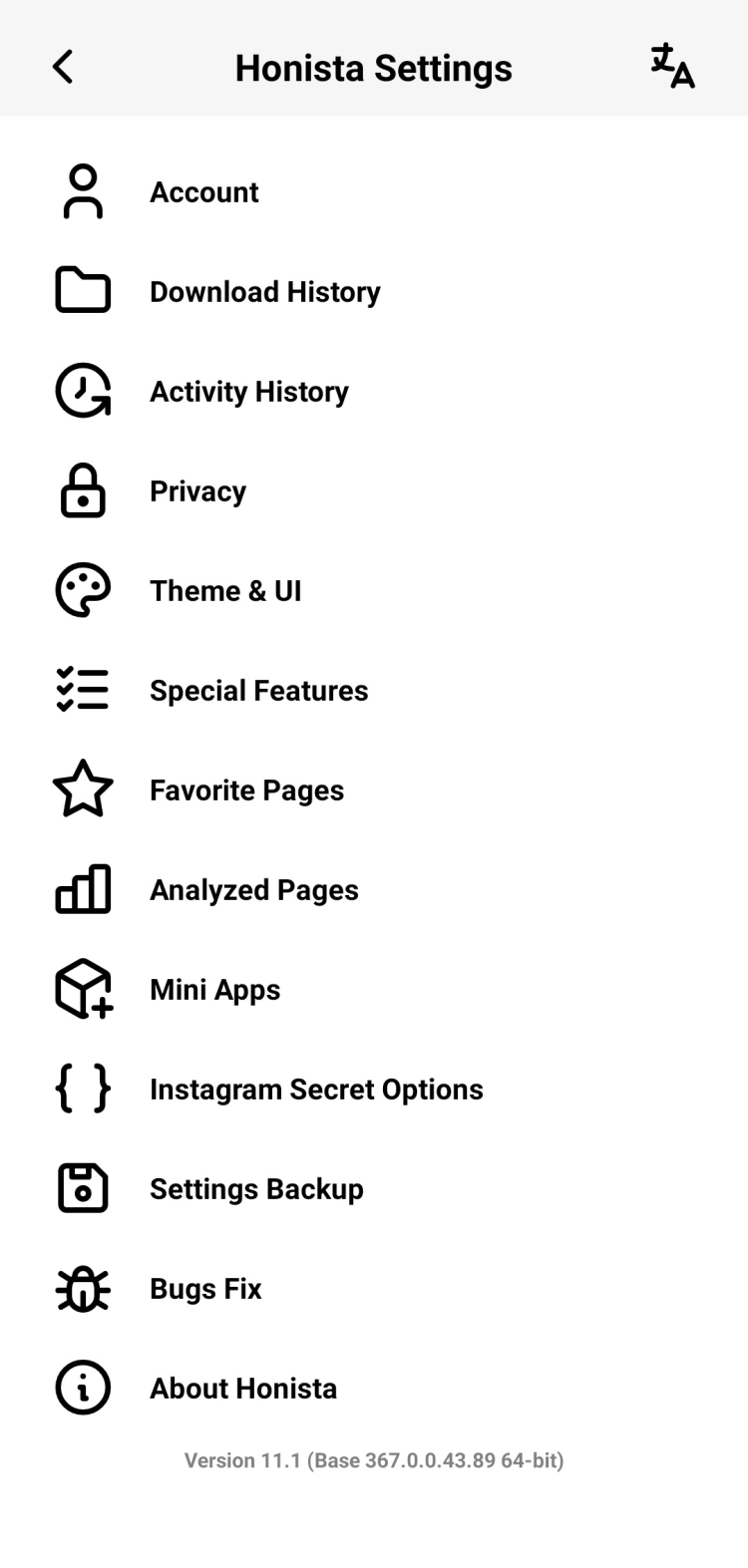
  • Feature location — Most features are in Honista Settings (inside the app), not Android settings.
  • Instagram updated — Sometimes Instagram server-side changes break mod features temporarily. Check for Honista updates.

Still having issues? Honista has active community support. Check Telegram groups or XDA forums for device-specific solutions. The comments section below may also have answers for your specific problem.

Security & Verification

VirusTotal Scan

Result 0/70+ engines
Scan Date January 15, 2026
File Name Honista_v11.1__x64

File Verification Hashes

Verify your download matches our scanned file:

SHA-256 2283b1163edb990a6011fd92a49223ea17a5fb67690c390e2244ba481890f43e
MD5 b142bd767b9360d215372bebfe674fa0

How to check: On Android, use apps like "Hash Checker". On PC, use certutil -hashfile filename.apk SHA256

APK Signature

Package cc.honista.app
Signature Community Mod signature (consistent across versions)

Important: Modified App Disclaimer

Honista is a modified version of Instagram. Here's what you should know:

  • Not official — This is not made by Meta/Instagram. It's a community modification.
  • Terms of Service — Using modified clients technically violates Instagram's ToS. However, millions use mods like Honista daily without issues.
  • Account risk — There's a small risk of account restrictions. Most users never experience problems with normal usage. Avoid spammy behavior.
  • Data handling — Honista connects to Instagram's servers directly. Your login credentials go to Instagram, not third parties.
  • Source matters — Only download from trusted sources. Fake Honista APKs with malware exist. Verify the hash matches ours.

How FreeSoft Verifies Files

Every file on FreeSoft goes through our verification process before listing:

  1. VirusTotal Scan — We run every file through 70+ antivirus engines
  2. Hash Recording — We record SHA-256 and MD5 hashes so you can verify your download
  3. Signature Check — We verify the APK signature is consistent with known Honista releases
  4. Manual Review — Mod apps get extra scrutiny before approval

We've been doing this since 1998. If something looks suspicious, it doesn't get listed.

What's New in Honista 11.1

Version 11.1 is the latest Honista release, built on Instagram 367.0.0.43.91. Released September 29, 2025. Here's what changed.

Base Update

Honista 11.1 updates the underlying Instagram codebase to version 367.0.0.43.91. This means you get all the official Instagram features and fixes, plus Honista's extras on top. The build is optimized for arm64-v8a (64-bit devices) for better performance.

New Features

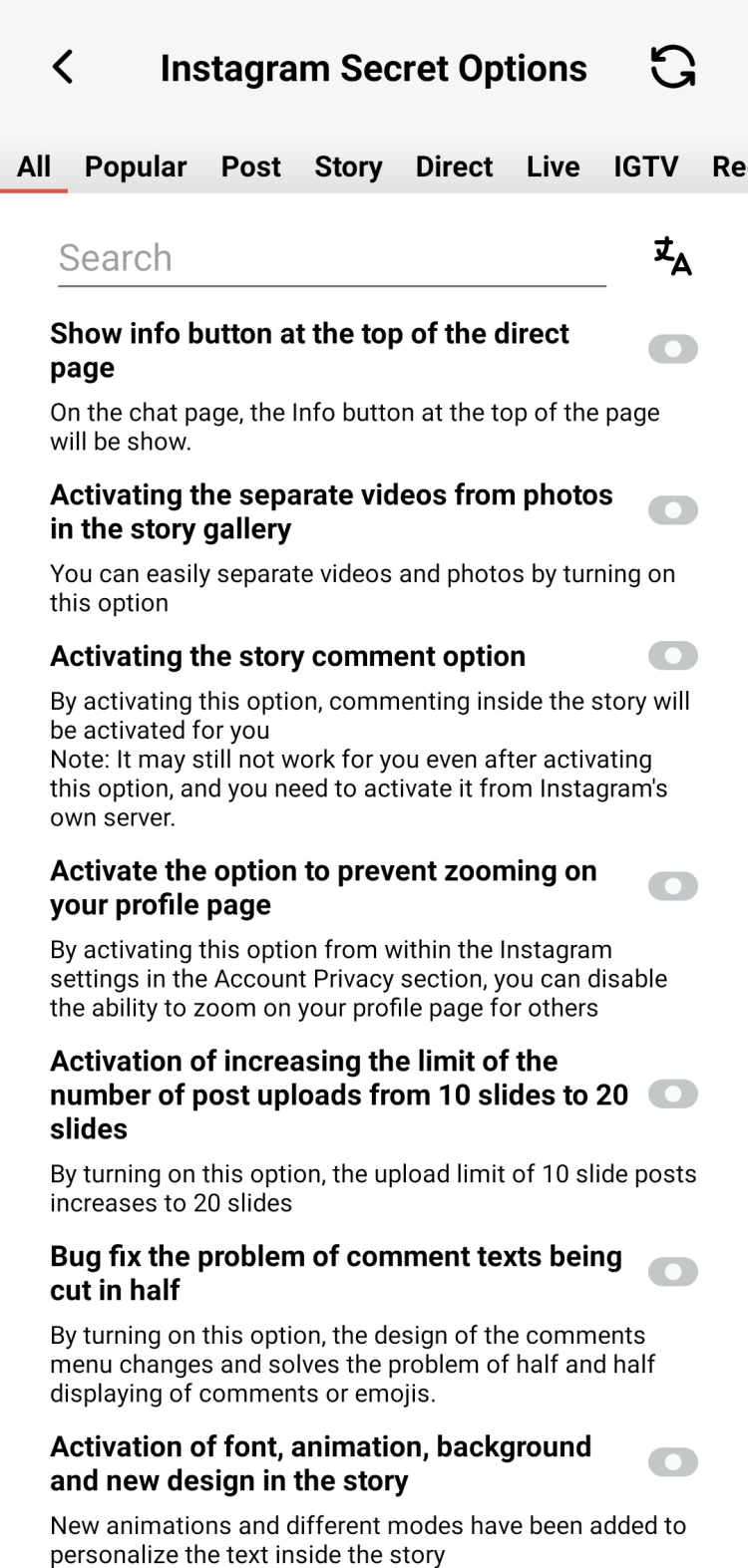
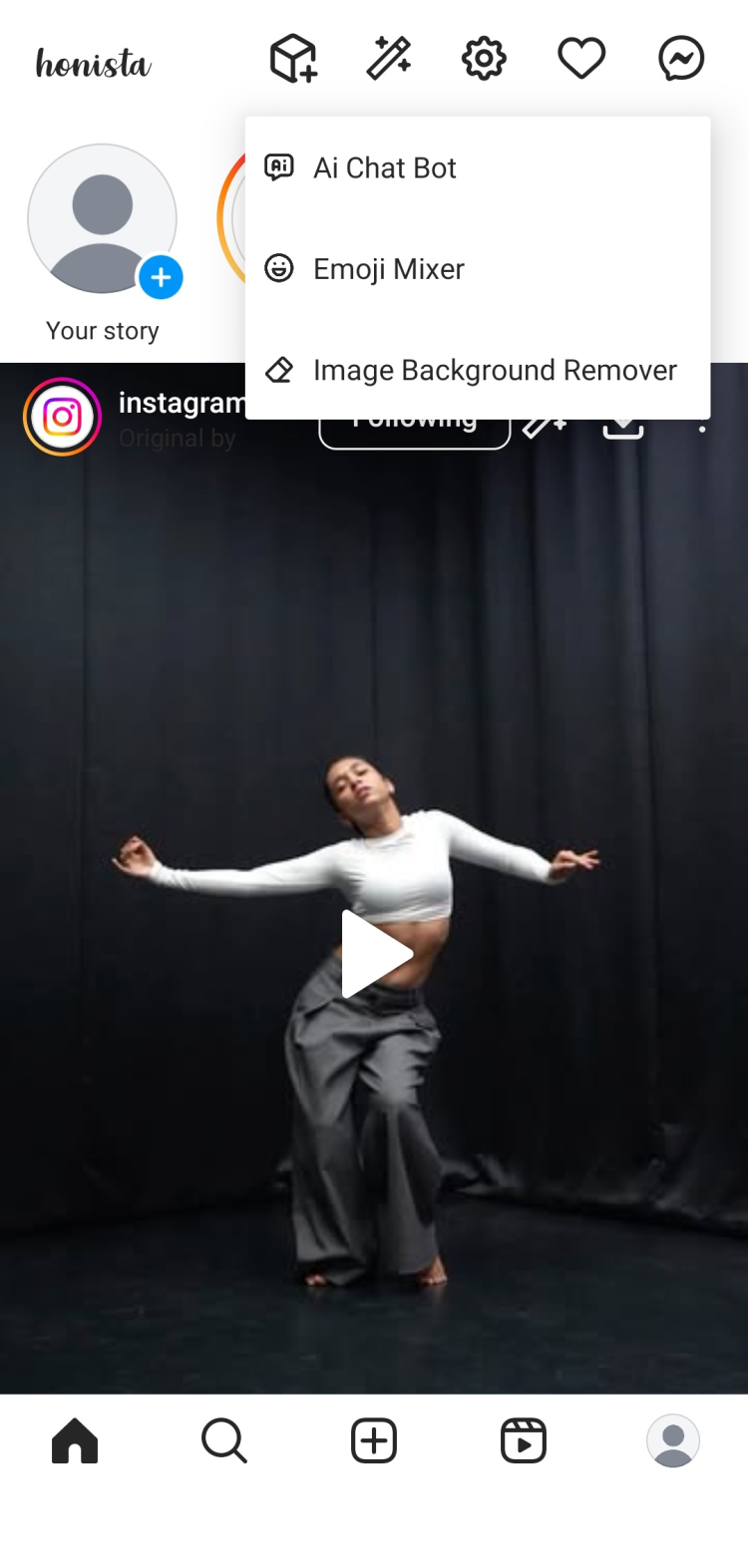
  • Infrastructure Overhaul — Complete overhaul unifying "magic button" capabilities across all sections.
  • Message Edit History — See all previous edits to any message. No more wondering what was changed.
  • Followship Status Display — Full details showing who follows whom.
  • Post Mentions Extraction — Display and copy mentions even from captions, not just comments.
  • Story Links — Display and copy links shared in stories.
  • JSON Data Copy — Copy raw JSON data in all sections (for advanced users).
  • Page/Unique ID Copy — Quick copy of page and unique IDs via magic buttons.
  • Media Download Links — Copy download links, covers, and audio directly.
  • Comment Timestamps — Precision posting timestamp display on comments.
  • Telegram Media Sharing — Share media directly to Telegram.
  • GIF Downloads — Download GIFs in comments and messages.
  • Reels Full-Screen Button — Quick toggle for full-screen Reels viewing.
  • Story Effects — Font animation and effects support in stories.

Privacy & Control

  • Activity History Recording — Control whether your activity history is recorded.
  • History Deletion — Methods to delete download and activity history.

Bug Fixes

  • Commenting issues resolved — Fixed problems with comment posting from earlier versions.
  • General stability improvements — Various crash fixes and smoother performance.

Core Honista Features (All Versions)

These features have been in Honista for a while and continue working in 11.1:

  • Download any post, Story, Reel, or IGTV with one tap
  • Ghost Mode — browse anonymously, hide read receipts, online status
  • 50+ themes and full UI customization
  • Ad-free experience — no sponsored posts or ads
  • Multiple accounts without logging out
  • Change app icon and name (disguise as calculator, calendar, etc.)
  • See who unfollowed you
  • Copy bios and comments
  • Zoom profile pictures
  • Disable read receipts for DMs

Previous Versions

  • v11.0 (May 27, 2025) — Base 367.0.0.43.89, bug fixes
  • v10.3 (Feb 15, 2025) — Page Analyzer feature added
  • v10.0 — Telegram Bot login, subscription options, direct Telegram downloads

Version 11.1 released September 29, 2025.

Frequently Asked Questions

Is Honista safe to use?

The APK itself passes VirusTotal scans — no malware detected. The real question is account safety. Honista connects directly to Instagram's servers using your credentials, same as the official app. The risk is Instagram detecting you're using a modified client and restricting your account. In practice, millions use Honista daily without issues. The key is avoiding spammy behavior — mass liking, aggressive following, automation. Normal usage is generally fine. That said, if your account is critical for business, consider using a secondary account first to test.

Can I get banned from Instagram for using Honista?

Technically possible, but rare with normal usage. Instagram's ToS prohibit modified clients, and they can detect them. However, enforcement is inconsistent. Most Honista users never face bans. The risk increases if you: use automation features aggressively, engage in spam-like behavior, or your account already has warnings. For maximum safety, some users recommend using Honista with a secondary account rather than your main one. But plenty of people use it as their daily driver without problems.

What is Ghost Mode in Honista?

Ghost Mode lets you browse Instagram without leaving traces. When enabled, you can: view Stories without appearing in the viewers list, read DMs without showing "seen" receipts, hide your online status, and disable typing indicators. Other users won't know you've seen their content or messages. It's basically stealth mode for Instagram. You can toggle specific features — maybe you want to hide Story views but still show DM read receipts. Honista gives you granular control.

How do I download Stories and Reels with Honista?

It's built right in — no extra steps. When you view a Story, you'll see a download button (usually a down arrow icon). Tap it, and the Story saves to your phone's gallery. Same for Reels — the download option appears right on the video. For regular posts, tap the three-dot menu and you'll find the download option there. Everything saves to a Honista folder in your gallery. Make sure you've granted Storage permission to the app, or downloads won't work.

Can I use Honista with my existing Instagram account?

Yes. You log in with your regular Instagram username and password. Honista doesn't create separate accounts — it's just a different app for accessing your existing Instagram account. Your followers, following, posts, DMs — everything stays the same. You're essentially using Instagram through a different interface that has more features. You can even use the official Instagram app and Honista simultaneously since they have different package names.

What's the difference between Honista and Instander?

Both are Instagram mods with similar core features — downloads, ad blocking, privacy options. The main differences: Honista focuses heavily on customization (50+ themes, fonts, UI tweaks) and has more privacy granularity in Ghost Mode. Instander tends to have more frequent updates and is considered slightly more stable by some users. Honista has occasional stability issues but offers more advanced customization. If you want maximum privacy and personalization, Honista. If you prefer stability and regular updates, Instander might suit you better.

Does Honista work without root?

Yes, no root required. Honista works on any standard Android device running Android 9 or newer. Just download the APK, install it, and you're good. Root access isn't needed for any of the features — downloads, Ghost Mode, themes, ad blocking — everything works without rooting your phone.

Which Version Should You Download?

Quick Answer

Most users: Download Honista 11.1 — it's the latest version with the newest features, bug fixes, and security patches.

Available Versions

Version Size Android Notes
11.1 (Latest) 104.21 MB 9.0+ Recommended. Base 367.0.0.43.91, newest features.
11.0 105 MB 9.0+ Previous stable. Use if 11.1 has issues on your device.
10.3 97.0 MB 9.0+ Page Analyzer feature. Good alternative.
9.x 94-99 MB 7.0+ For older devices. Works on Android 7.0+.
8.x 71-79 MB 7.0+ Smaller size, for limited storage devices.

When to Choose an Older Version

  • Device compatibility — If 11.1 crashes on your phone, try 11.0 or an earlier build.
  • 32-bit devices — Version 11.1 is 64-bit only. Older phones may need earlier versions.
  • Feature broke in update — Sometimes new versions break specific features. Rolling back can help while waiting for a fix.
  • Smaller file size — If storage is tight, some older versions were smaller.

Should You Update?

Generally, yes. Honista updates include:

  • Instagram base updates — Keeps you compatible with Instagram's servers
  • Security patches — Fixes potential vulnerabilities
  • New features — Each version adds or improves functionality
  • Bug fixes — Resolves crashes and broken features

Exception: If your current version works perfectly and you don't need new features, it's fine to wait. But don't stay on very old versions — Instagram may eventually stop working with outdated clients.

Important: When updating, you usually don't need to uninstall first — just install over the existing version. Your login and settings should be preserved. But if you're jumping multiple major versions, a clean install might be safer.

Advantages and Disadvantages

Advantages

  • Download anything — Stories, Reels, IGTV, posts, profile pictures — one tap saves them to your phone
  • Ghost Mode — View content anonymously, hide read receipts, online status, typing indicators
  • No ads — Completely ad-free experience, no sponsored posts in your feed
  • Massive customization — 50+ themes, custom fonts, change app icon and name
  • Multiple accounts — Switch between accounts without logging out
  • No root required — Works on any standard Android 9+ device
  • Free — All features included, no premium tiers or payments
  • Works alongside official app — Different package name, so both can coexist
  • Extra privacy controls — Hide chats, add notes to profiles, control what others see
  • See unfollowers — Track who stopped following you

Disadvantages

  • ToS violation — Using modified clients violates Instagram's Terms of Service
  • Account risk — Small chance of restrictions or ban (rare with normal usage)
  • Not on Play Store — Manual APK installation required
  • No official support — It's a community mod, not backed by a company
  • Update delays — May lag behind official Instagram features
  • Occasional stability issues — Some users report crashes; Instander is considered more stable
  • 64-bit only (v11.1) — Older 32-bit phones need previous versions
  • Trust required — You're running a third-party mod with your Instagram credentials

Who Is Honista For?

  • Content savers — If you regularly want to download Instagram content, Honista makes it effortless
  • Privacy-focused users — Ghost Mode gives you control over your digital footprint
  • Customization enthusiasts — If stock Instagram looks boring, Honista has 50+ themes
  • Ad-haters — Want Instagram without sponsored content? This is it.
  • Multi-account managers — Running multiple Instagram accounts is much smoother

Not recommended for: Business accounts with critical importance (use a test account first), users uncomfortable with APK installation, or anyone on 32-bit Android devices.

Alternatives to Honista

Looking for something different? Here are other popular Instagram mods:

Instander

Best for: Stability and regular updates

Instander offers similar features — downloads, ad blocking, privacy controls — but with more frequent updates and better stability. If Honista crashes on your device, Instander is the most common alternative. Slightly fewer customization options than Honista.

Instagram Gold

Best for: Different interface style

Another Instagram mod with downloads and privacy features. Different development team, different approach. Worth trying if neither Honista nor Instander works for you.

GB Instagram

Best for: Long-standing reputation

One of the older Instagram mods. Established track record but may not have the latest features. Good fallback option.

Official Instagram

Best for: Zero risk, full official support

If account safety is your top priority, stick with the official app. You won't get downloads or Ghost Mode, but there's no ToS violation risk. Available on Google Play Store.

Honista vs Instander — Quick Take: Honista has more themes and customization. Instander has better stability. Both block ads and enable downloads. Pick based on what matters more to you.

Rating

0
0 ratings
Click, for a quick estimate

Leave a review

Your name*
Your email*
Comment*

Reviews