MSport Nigeria is licensed by the Lagos State Lotteries and Gaming Authority (LSLGA) under License No. LSLGA/OP/OSB/MS181223. It may not be authorized to operate in other regions, so make sure that the company complies with your local regulations before registering. Always play responsibly and, if necessary, set your own limits and use available responsible gaming tools, such as one-week self-exclusion or permanent account closure. The platform is only accessible to individuals aged 18 and above (18+).
Advantages
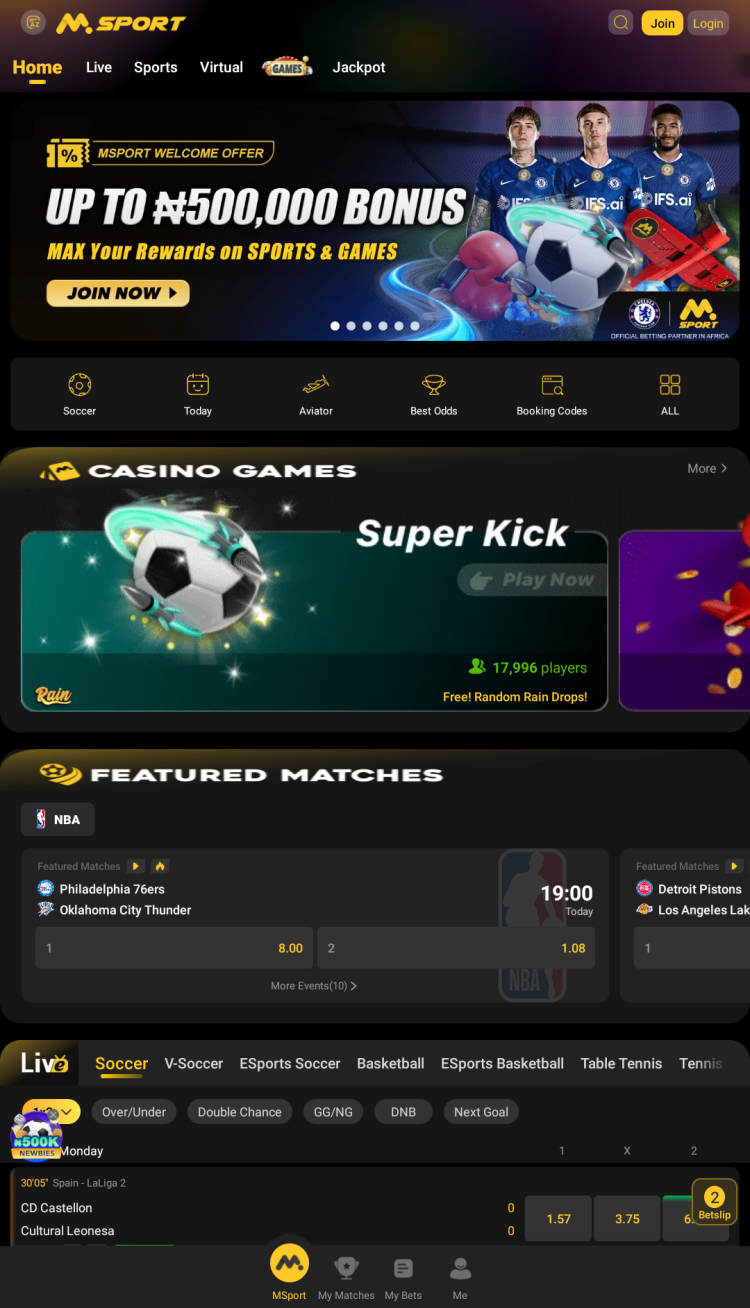
The MSport app caters to both sports enthusiasts and avid casino players, providing a wide variety of games and extensive betting options all in one application.
Sports Betting
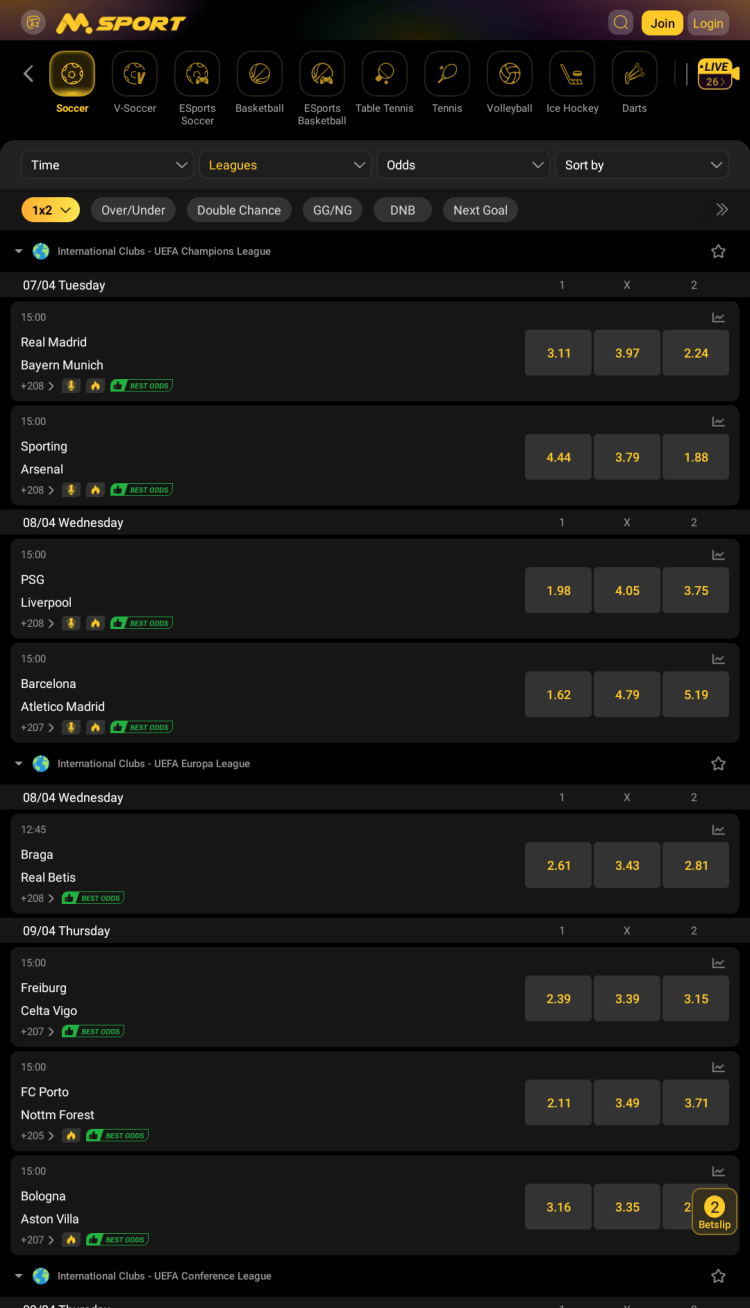
MSport offers a wide selection of sports, including soccer, basketball, tennis, cricket, rugby, boxing, baseball, handball, and more. Both pre-match and live betting options are available. You can bet on major leagues such as the Premier League, La Liga, Serie A, Bundesliga, Ligue 1, UEFA competitions, the NBA, and other global sports events.
The app offers a selection of esports, such as Dota2, Call of Duty, League of Legends, CS:GO and other popular video game leagues, as well as esports soccer and esports basketball. In addition, the app allows betting on v-soccer: simulated matches, based on algorithms and real stats. Virtual matches run continuously, available throughout the day. Results and simulated scores are visible in real time.
Esports betting features:
quick betting on the match winner
both pre-match and live betting supported
detailed match stats help to make informed bets
Key features of the app
Prematch - a section of the MSport app, where bettors can find the list of upcoming events. Lets users carefully check all the available markets and odds before placing a bet.
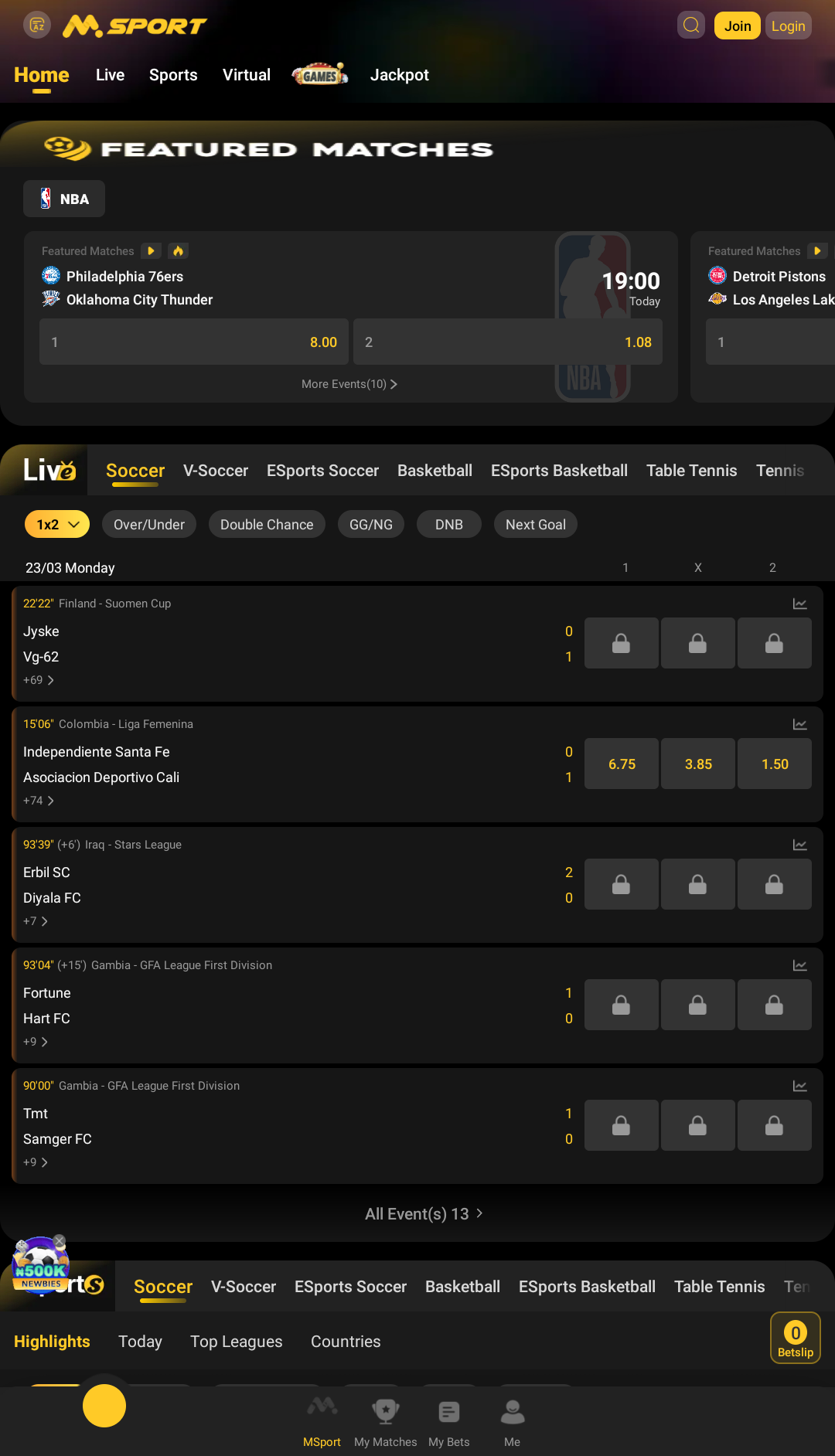
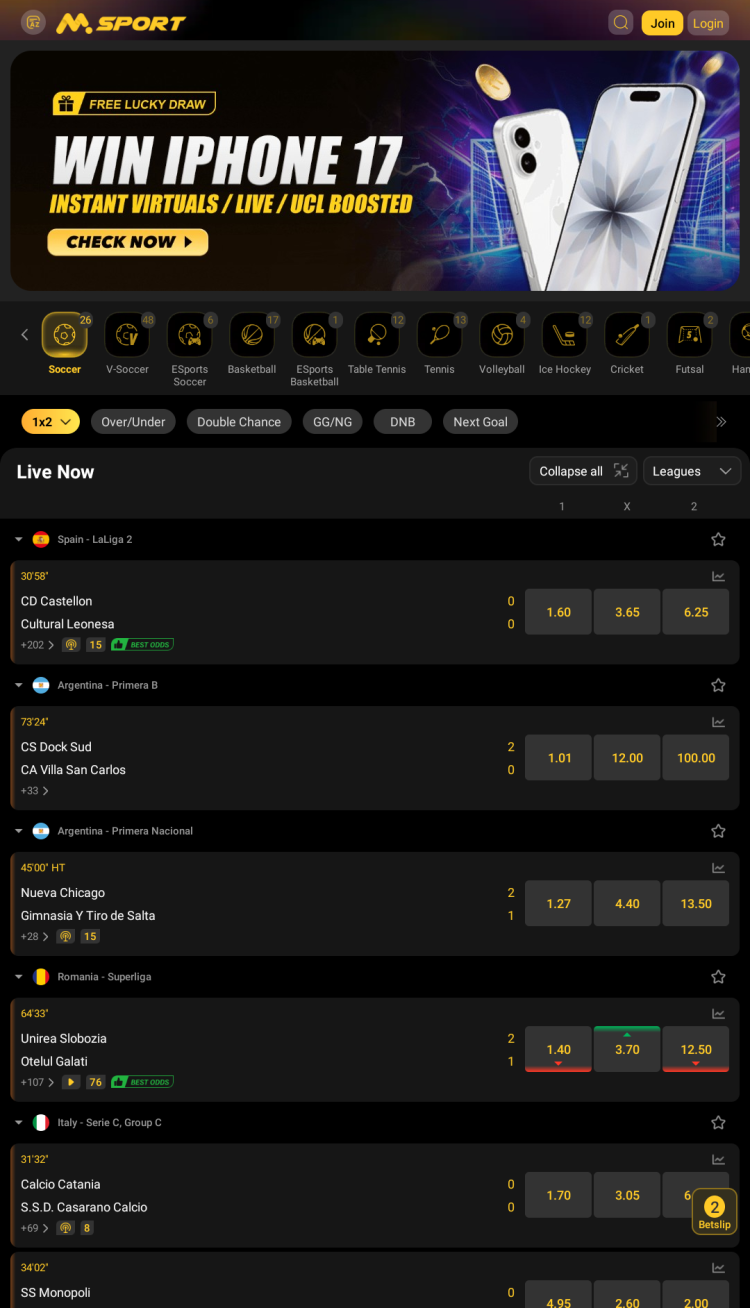
Live - this section features ongoing events with real-time updates to the odds.
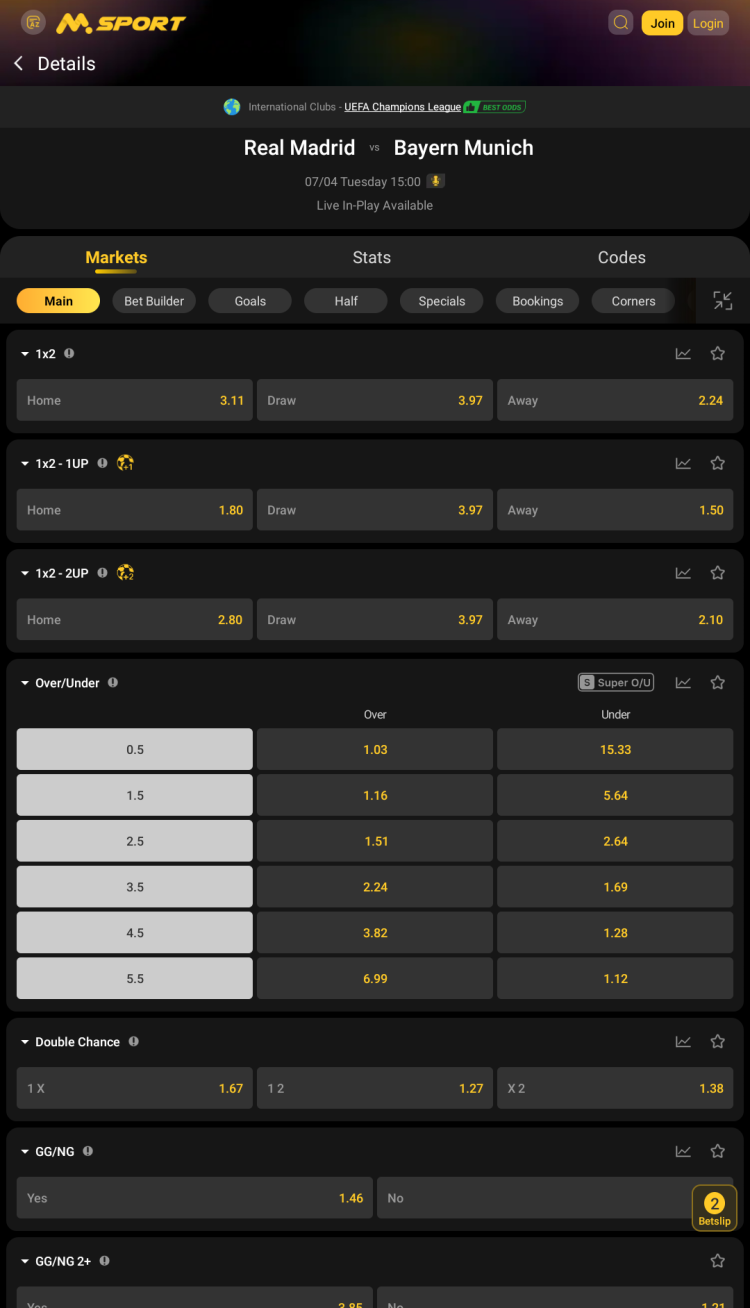
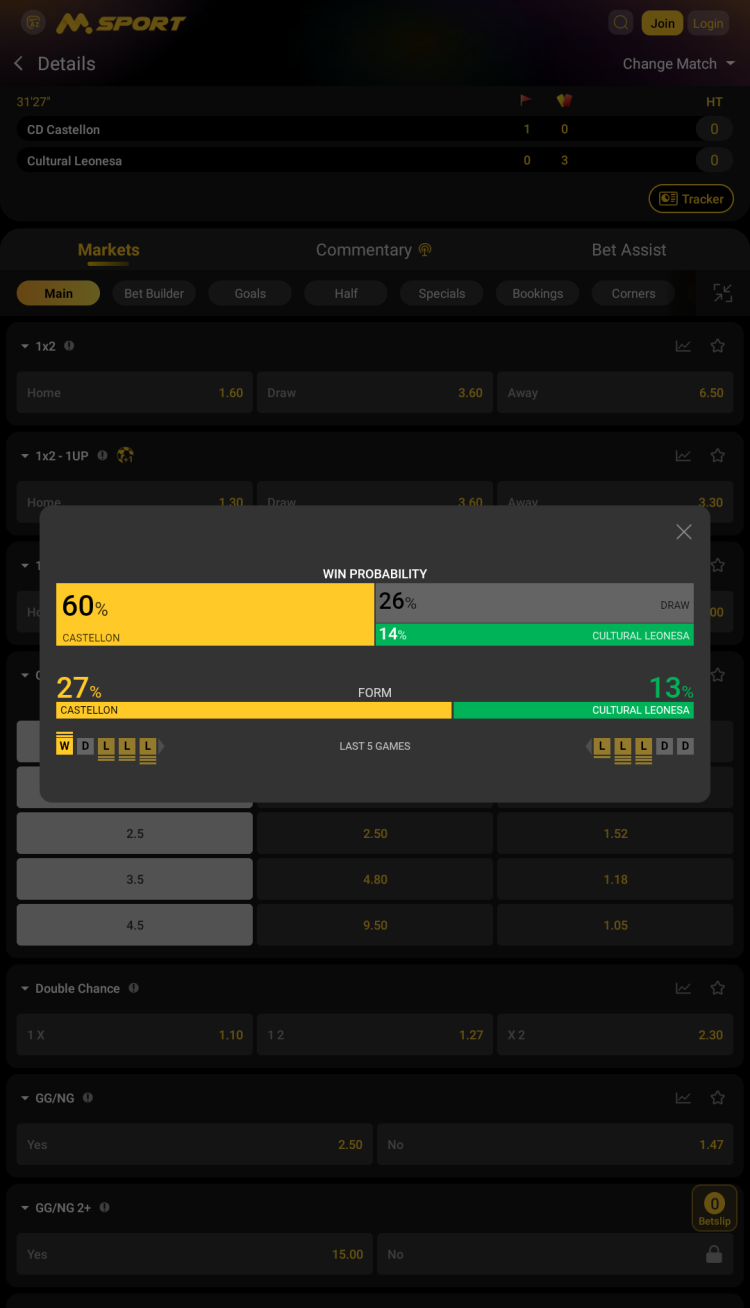
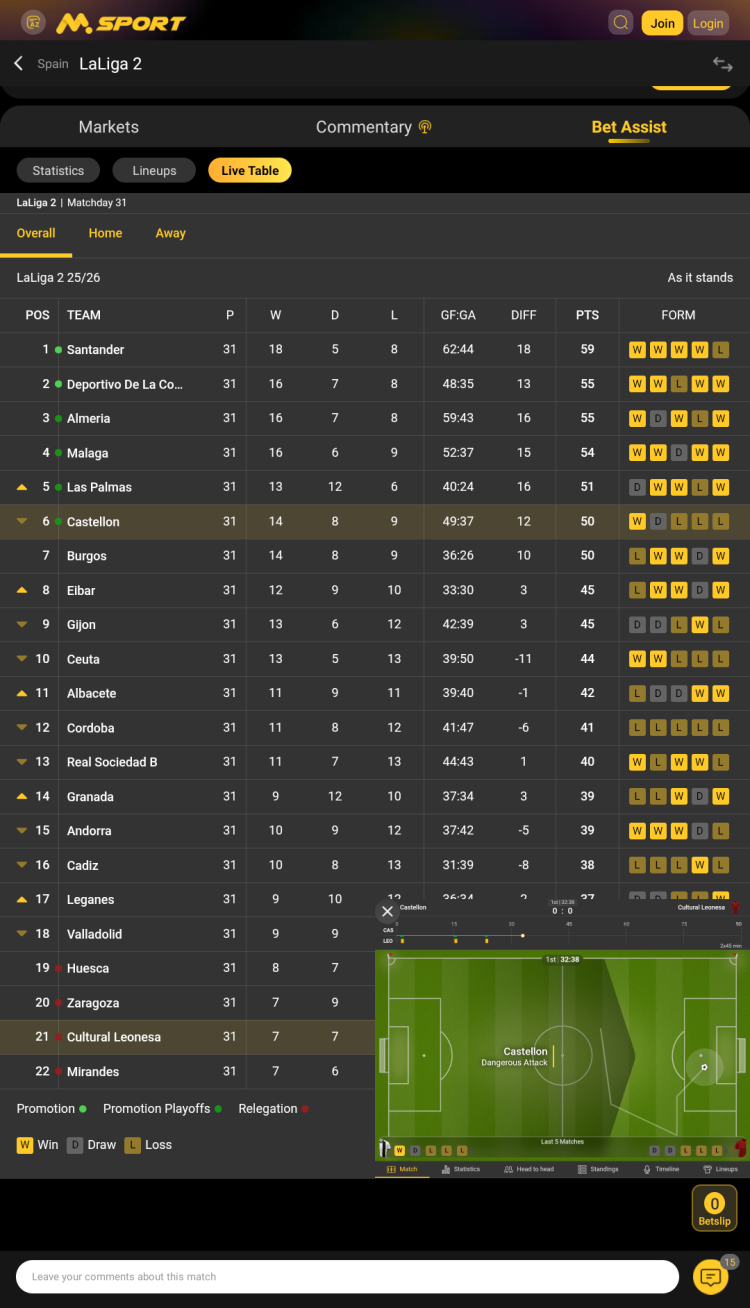
Bet Assist - on each match page, users can access detailed event information to help them place informed bets. This includes match statistics, lineups, and a live table.
Search - this tool helps users to find the right team, league, country or game right from the main menu.
Odds filter - a function, designed to sort out events with smaller potential winnings.
Countries - this tool allows bettors to view a list of events that only include those from the selected country.
Top 10 hottest matches in the past hour - the app creates a list of the most popular events among bettors. This ranking is updated every 10 minutes.
Top Leagues - this special list features matches from only the most popular leagues.
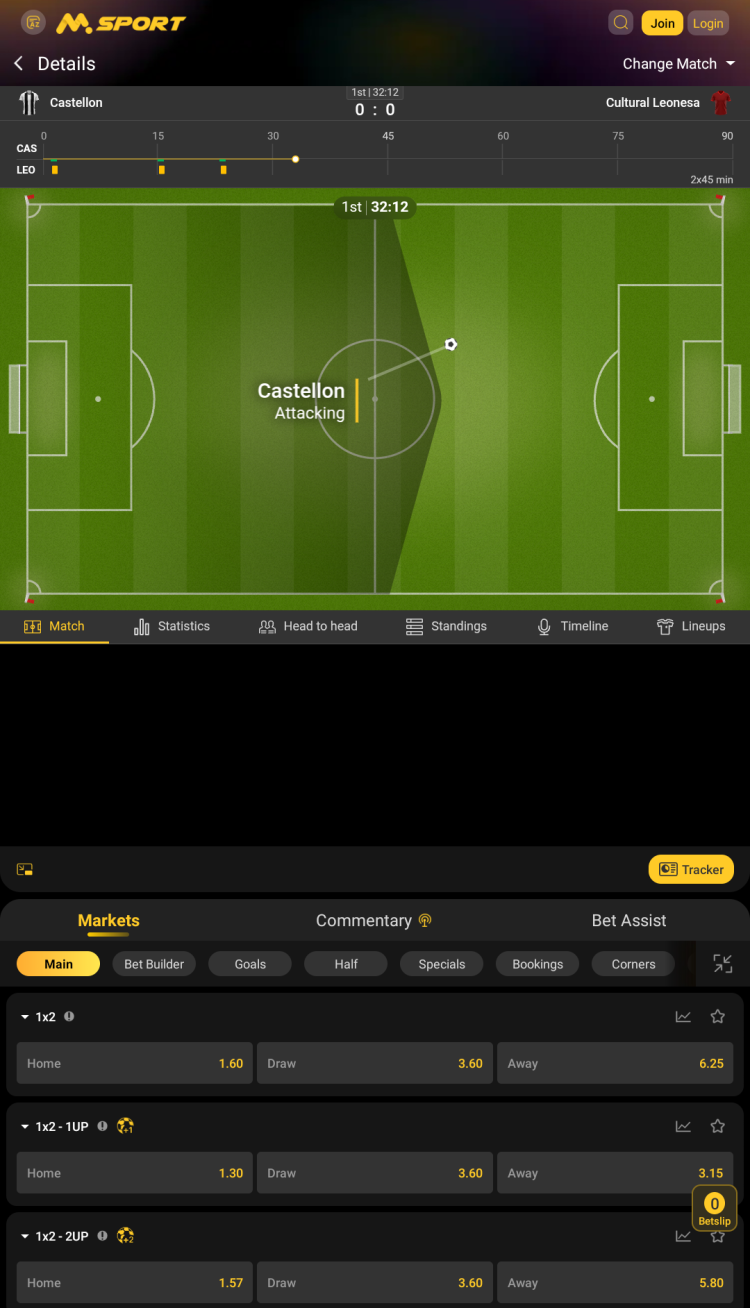
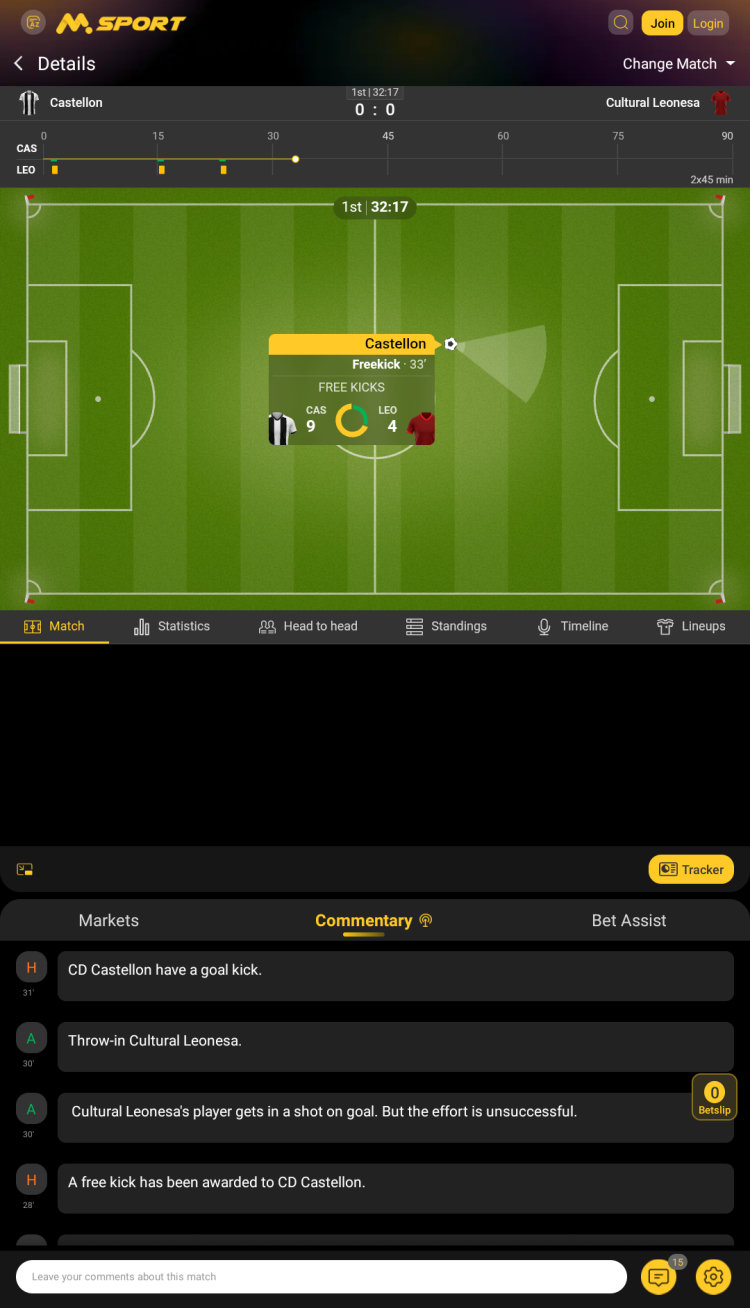
Tracker - even though live streaming is not available, bettors can follow the match using a convenient animated match tracker.
Commentary - matches feature live commentary, keeping users informed about the action on the field even without watching the live tracker.
Booking codes - a collection of pre-made betslips from other bettors. Can be activated by loading the unique code into the corresponding section.
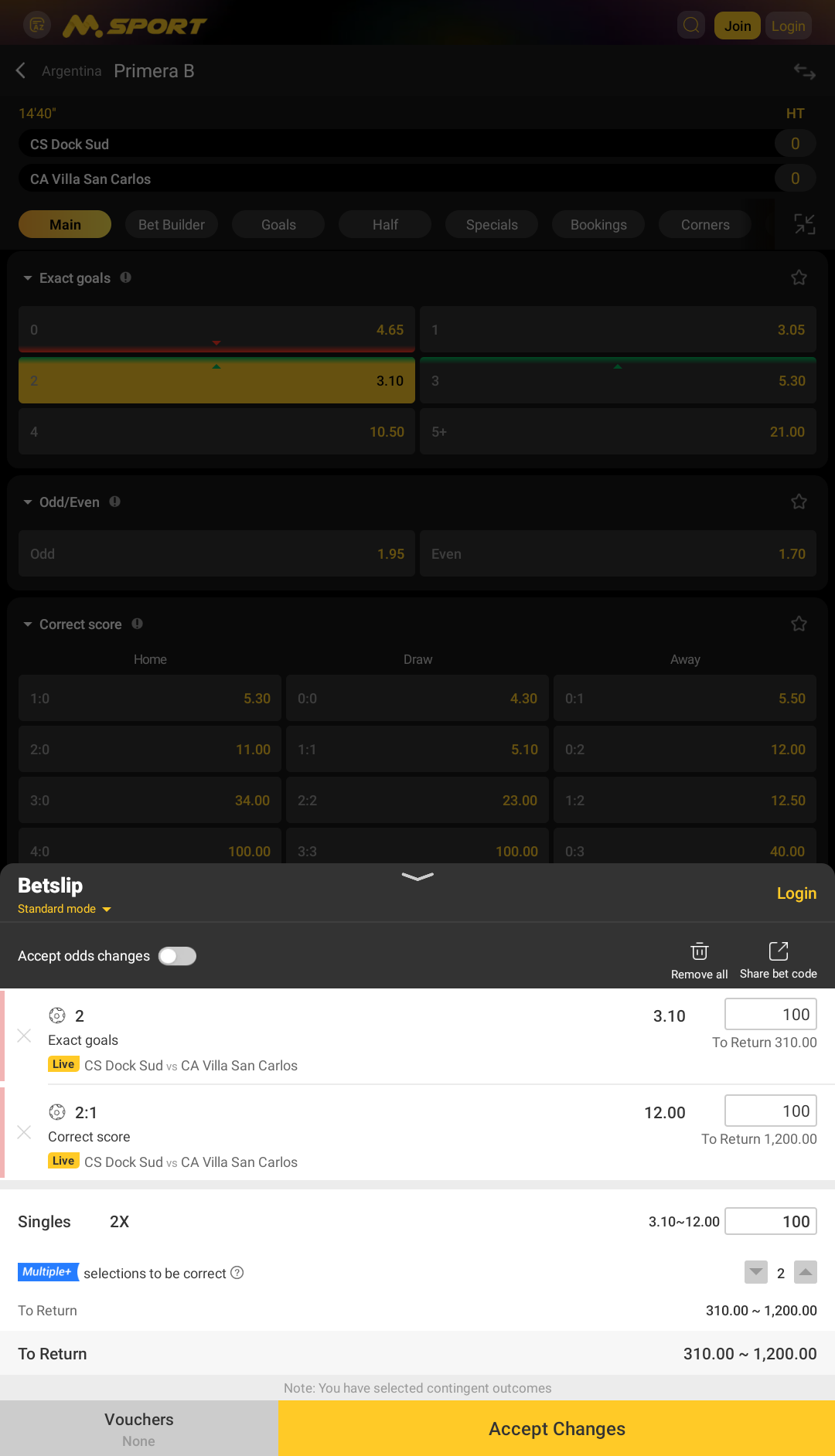
Sharing bet codes - the platform allows users to share booking codes with friends, by pressing a single button on the betslip.
Best odds - a selection of matches featuring increased odds.
Talk board - a built-in chat where users can communicate, exchange experience or booking codes.
My Matches - a special section of the app, where bettors can follow the fixtures of the preferred leagues.
Games
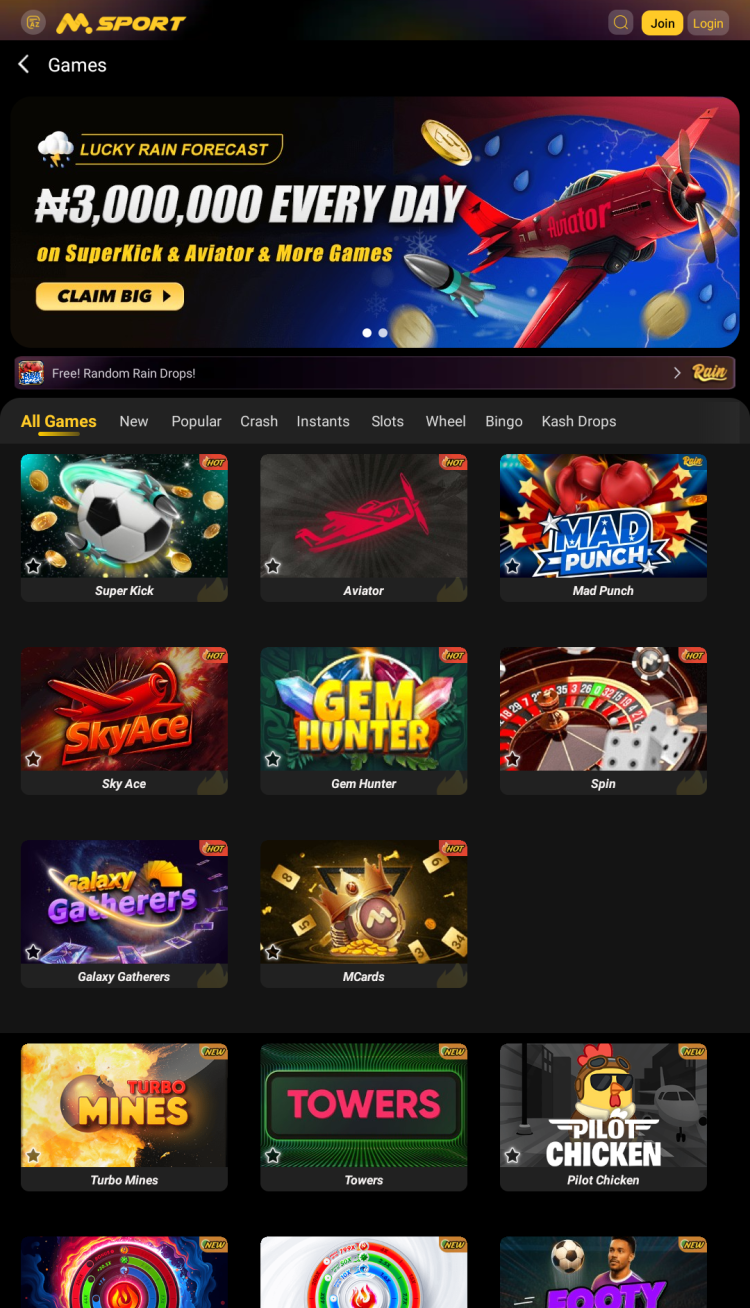
In addition to the betting section, the MSport app contains a collection of casino games. All titles are designed for short gaming sessions and fast payouts. Games are conveniently sorted into multiple categories:
Slots - a collection of video slots with unique themes and mechanics. Players make a bet, press spin to start. Potential winnings depend on the combination that has been drawn. This section includes games like Mango Express 7s, Hot to Burn, Gates of Olympus, and many others.
Wheel - Spin the Wheel and other Roulette variations, in which the player spins a virtual wheel and must guess which number will land.
Crash - popular luck-based games, where players place bets and need to cash out when the multiplier gets big enough, but before the round ends. Includes such titles as Aviator, Mad Punch, Super Kick, Pilot Chicken and more.
Bingo - this section contains traditional Bingo-style games. Players need to select multiple numbers. The more selections match the numbers chosen by the system, the higher your potential winnings.
When choosing a game, the MSport app offers a quick overview of the rules. Most games offer a demo mode, allowing you to try out different games and master the mechanics without spending real money.
Jackpot
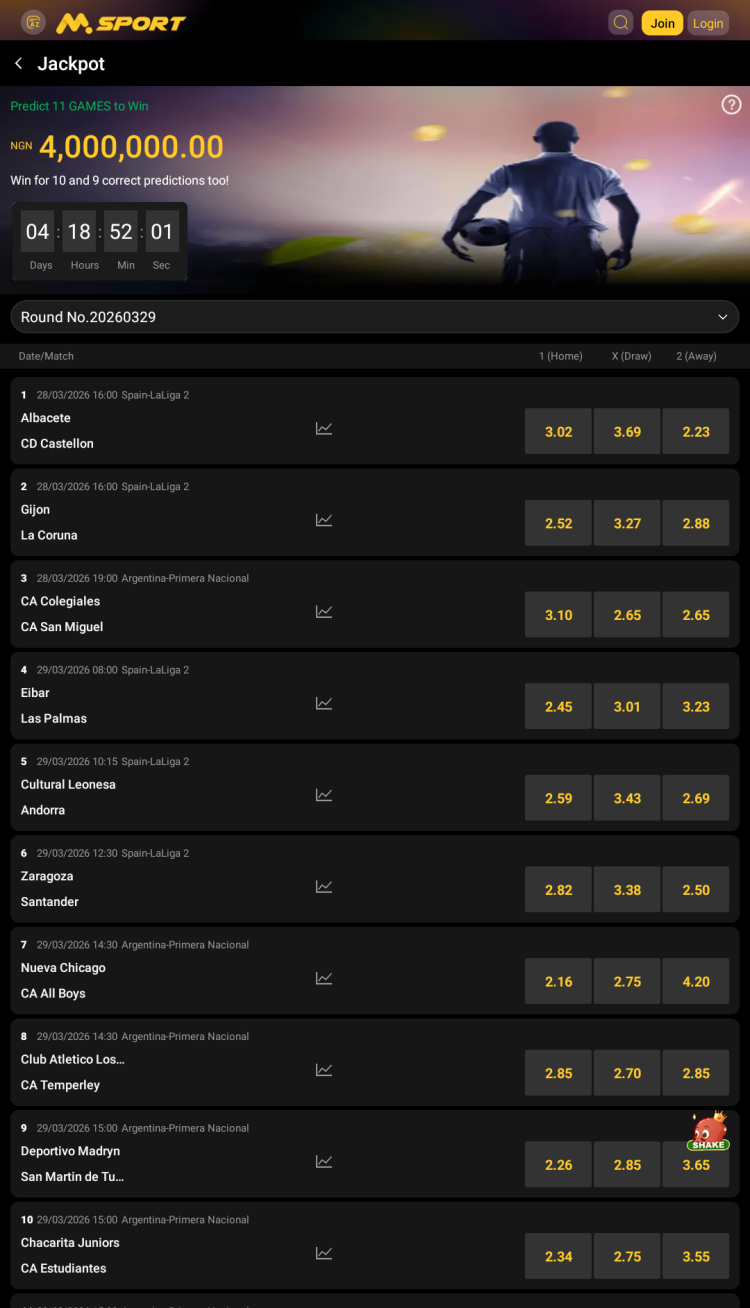
The MSport 11 platform offers a weekly Jackpot competition, inviting registered users to predict the outcomes of 11 matches chosen by the company and listed in the corresponding section. On the entry page, select your predictions (Home Win, Draw, Away Win) for each match. Each entry costs 100 NGN, and making extra predictions for a match increases your total stake. Predict all 11 results correctly to win the Super Jackpot, with smaller prizes for 10 or 9 correct predictions. Results and prizes are announced every Monday at 7:00 a.m. Nigeria Time on the "Jackpot" page.
Mobile-app vs mobile-site comparison
MSport provides two ways to access the platform on mobile devices: through the official app or the mobile website. Both options offer similar features, allowing each customer to choose the one that best suits their personal preferences.
Mobile App: The native Android app delivers fast loading speeds, push notifications, and easy login. It requires installation via APK and manual updates, but it provides smooth navigation for regular users.
Mobile Site Version: Accessible from any browser without installation, the mobile site automatically adapts to different screen sizes, requires no device storage, and updates on its own. Although it does not provide background alerts, it offers all essential betting features on any device.
In summary, the app is best for frequent bettors who value speed and extra features, while the mobile site is perfect for those seeking instant access without downloads.
Bonuses & promotions
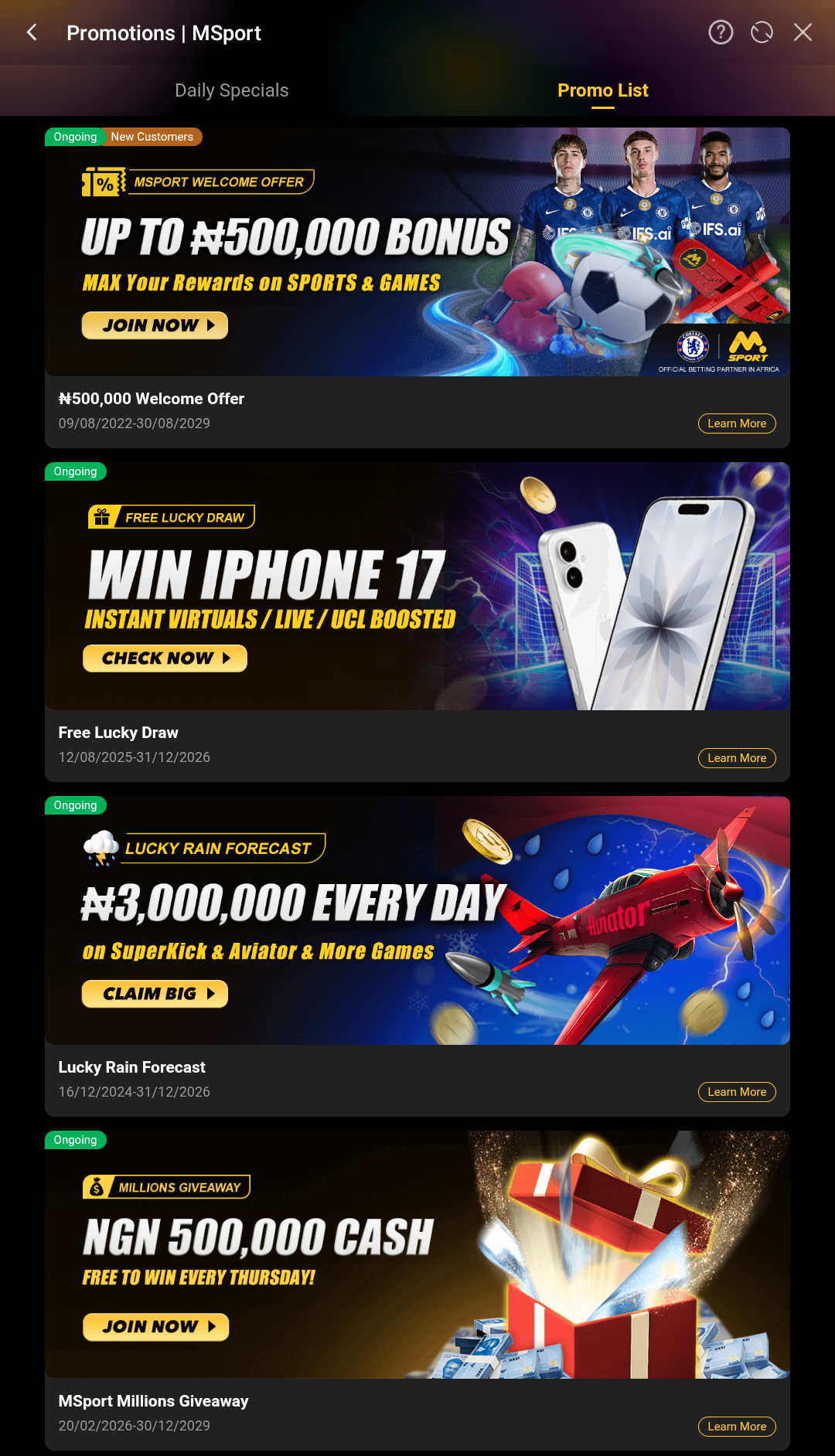
The bookmaker provides a variety of promotions with valuable prizes. Certain offers are exclusive to new customers, while others are available to active bettors and players in the "Games" section.
Welcome bonus for new users
To claim the welcome bonus, register and make your first deposit. The bonus amount is based on your deposit and can reach up to 300%, or a maximum of ₦500,000. The exact bonus may vary depending on your location and currency. Please note that wagering requirements and other terms and conditions apply.
Regular and time-limited promotions
Free Lucky Draw - place bets on instant virtuals or live events to earn points. These points can be used to enter prize draws for a chance to win cash prizes, free bet vouchers, or other rewards.
Lucky Rain Forecast - players can win free bets through two types of rain: Fixed Rain, distributed daily at 6PM (₦1,000,000 in Super Kick) and 10PM (₦500,000 in Mad Punch). Random Rain drops every hour with random amounts, possibly split into several distributions.
Msports Millions Giveaway - bet on sports or virtual events to receive random "MSport Millions Giveaway" vouchers after your bet settles. Each voucher qualifies you for a NGN 500,000.00 lucky draw held every Thursday at 12pm. Qualifications reset each round.
Live Commentary Goal Vouchers - MSport selects certain matches and distributes free vouchers as giveaways to all registered customers, using the "Live Commentary" feature.
Friday Aviator rebate - play the Aviator game every Friday and place qualifying bets to earn a share of the prize pool for your tier, which is determined by your total bet amount.
1x2 - 1UP & 2UP early payout - if the selected team leads is one goal ahead for bets on "1x2 - 1UP", or 2 goals ahead for bets on "1x2 - 2UP" market at any time during the game, your bet gets settled as won.
Up to 500% accumulator bonus - receive up to a 500% bonus on your winnings when you add between 2 and 50 selections to your multiple bets on sports or virtual events.
Best odds ever - this promotion offers bettors a range of events with boosted odds, increasing potential winnings if their bet is successful.
Multiple+ - allows users to set a certain number of outcomes that can be predicted incorrectly without losing the entire bet. Only available for multiple bets.
Availability of bonuses and their amounts are subject to change. Please note that wagering requirements and other terms and conditions apply. Be sure to review the "Promotions" section in the app or on the official website for the latest information before activating any offer.
Registration in the MSport app for Android
Creating an account gives full access to betting, casino games and account management in the mobile application. To create an account, follow these simple steps:
Open the MSport app and press "Join".
Enter your phone number and verify it using an SMS code, Telegram OTP or Voice OTP.
The platform may require uploading ID or other documents to complete KYC verification.
Deposits & withdrawals
The platform provides multiple payment options, and the app makes it easy to deposit funds and withdraw winnings while on the go, using:
Bank Card: Verve, Visa, and Mastercard.
Bank Transfer: United Bank For Africa, Sterling Bank, Zenith Bank, ALAT by WEMA, etc.
Payment systems: OPay, Palmpay.
Withdrawals are completed through bank transfers. Please be aware that, in most cases, deposits made with any supported method have limits between ₦100 and ₦9,999,999, while withdrawal limits range from ₦1 to ₦9,999,999. The available payment systems, as well as their limits, processing times, and any applicable fees, may change over time. Before making a transaction, always check the bookmaker's app or website for the latest information.
Types of Bets
Standard betting tools
Singles - these are the most common type of bets, consisting of only one selection within a specific event.
Multiple bets - this kind of a bet may contain more than 2 selections, combining different events and sports.
System - a complex bet that can include several "multiple bets" of a set size and may also have an optional banker. The banker is an outcome that, if predicted correctly, increases the winnings, but if predicted incorrectly, results in the loss of the bet.
Betting tools
Bet Builder - this function allows to combine different markets of the same match in a single bet. Cannot combine with other bets, and may not be available for all events and markets.
Cashout - this tool allows bettors to request selling their bet, either fully or partially, before it is settled. Note that some markets, matches, and sports may not be available for cashout. Bets under ₦5 or those placed with a voucher cannot be cashed out.
Updating the MSport APK
The official betting app is updated regularly, offering users new features, improved betting tools, bug fixes, and enhanced security. Therefore, it is important to keep the app up-to-date. To do so, download latest version of the MSport APK and install it as you did during the initial setup. Before installing, ensure your device meets at least the minimum system requirements.
What's new in the latest version of the app
The latest update improves the app's stability and fixes minor bugs.
Use the in-app live chat or assistance in English 24/7. You can also call 02018888331, 02013438331, or contact support.nigeria@msport.com. Other local contacts may be available in different regions.
Which regions are supported?
The platform operates in Nigeria, Ghana, Uganda and Zambia.
What languages are supported?
The M Sport app is available exclusively in English.
Which devices and operating systems are compatible with the MSport app?
The MSport app supports Android devices (typically Android 5.0 or higher). Make sure your device has at least 1 GB RAM and enough free storage space for a smooth experience.
What is the minimum age requirement?
Users must be at least 18 years old (or the legal age in their location). Access is not permitted for those under the required age.
Is it safe to use the MSport app and is my data protected?
The MSport app uses data encryption, two-factor authentication, and additional app login options using biometrics. To further protect your personal information, it is recommended to use a strong password and keep your login credentials confidential. Make sure to download MSport app for Android from freesoft.net or the official website.
Pros and cons
Benefits
Sports, esports, virtual sports and quick games, all in a single app
Responsible gaming features, including self-exclusion
Built-in chat with other bettors
Low minimum withdrawal amounts
24/7 customer support
Disadvantages
Limited geographic availability
Requires APK download for installation and manual updates

 Русский
 Français





 Download