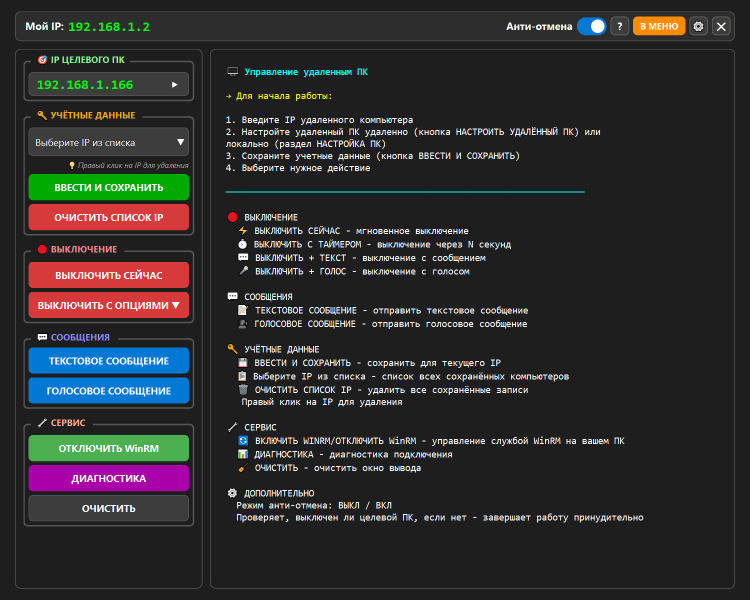
RemIP - Remote IP Control
Universal Remote PC Management Tool over IP
Portable application, no installation required.
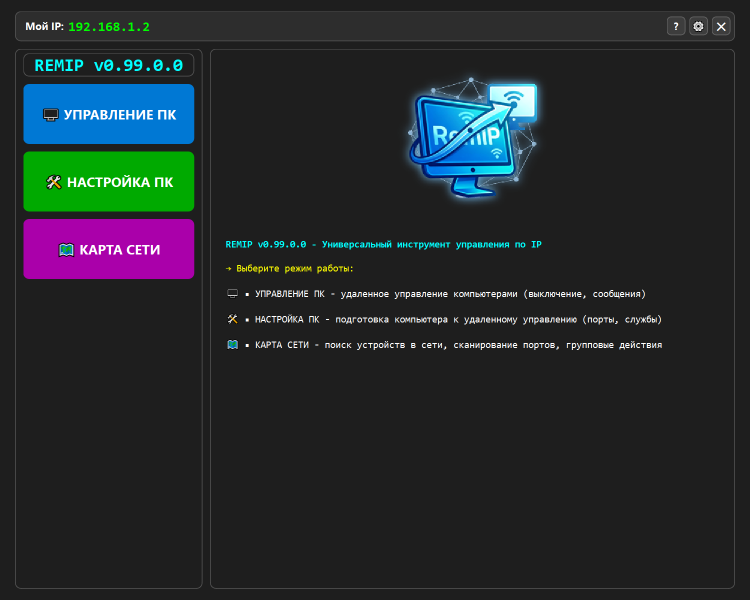
MAIN OPERATION MODES
[1] PC CONTROL MODE
Remote management of computers with pre-configured WinRM.
• Credential Management:
◦ Save username and password for each IP address.
◦ Visual indication of verified and working credentials (green checkmark).
◦ Preliminary PC availability check via ping with color status indication.
◦ Option to mass clear saved credentials and TrustedHosts list.
• Power Management (Shutdown):
◦ Instant shutdown (shutdown /s /f /t 0).
◦ Shutdown with a configurable timer delay.
◦ Shutdown with a preliminary text message display.
◦ Shutdown with voice announcement via speech synthesizer.
• Sending Messages:
◦ Send text message to remote PC (msg command).
◦ Voice text-to-speech playback on remote PC (System.Speech).
• Shutdown Modes (Anti-Cancel Protection):
◦ Normal: standard command allowing user cancellation (shutdown /a).
◦ Protected: monitors actual PC state after command execution and retries shutdown if necessary (up to 2 attempts).
• Service Functions:
◦ Enable/disable WinRM service on the local PC.
◦ Comprehensive diagnostics of remote PC (checks ping, port 5985, WinRM, access rights, UAC, and file creation capability).
◦ Clear output log window.
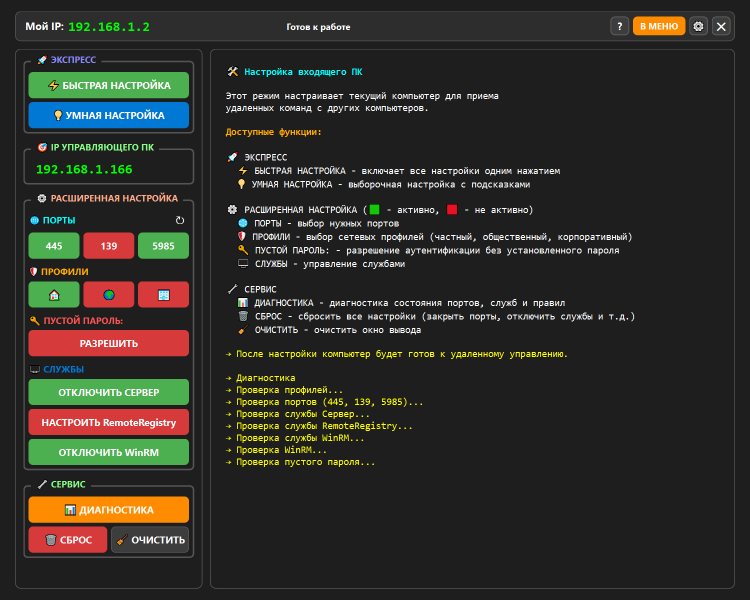
[2] PC SETUP MODE (INSTALL)
Prepares the current computer for remote management capability.
• Express Setup:
◦ Fast Setup: automatic opening of ports (445, 139, 5985), enabling services (Server, RemoteRegistry, WinRM), and allowing blank passwords.
◦ Smart Setup: preliminary diagnostics with user-selectable options for specific fixes.
• Advanced Configuration Management (with color status indication):
◦ Firewall port management: 445 (SMB), 139 (NetBIOS), 5985 (WinRM).
◦ Network profile selection for rule application: Private, Public, Domain.
◦ LimitBlankPasswordUse policy management (Allow/Deny blank password).
◦ Service management: Server, RemoteRegistry, WinRM (enable/disable and startup configuration).
• Mode Service Functions:
◦ Local diagnostics: checks network profile, firewall rules, service status, and registry settings.
◦ Full settings reset: removes created firewall rules, stops services, and clears TrustedHosts.
◦ Clear output window.
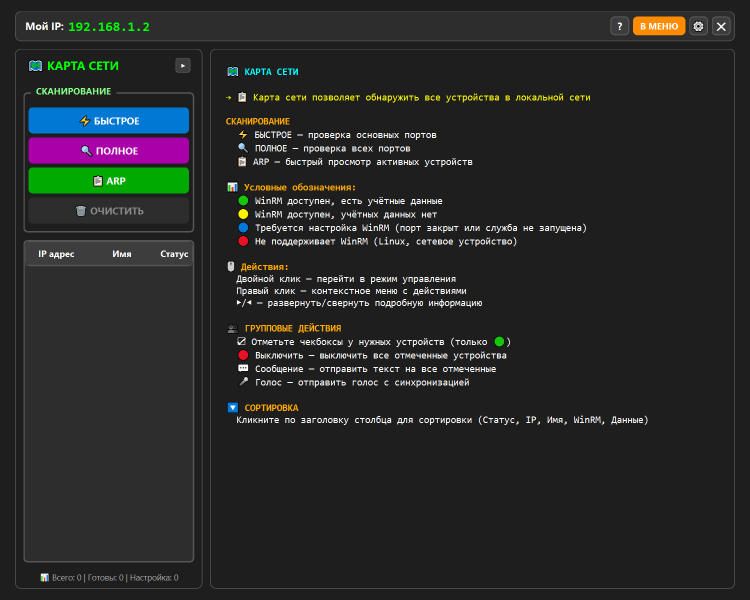
[3] NETWORK MAP MODE
Scans the local network and displays discovered devices.
• Scanning Modes:
◦ Fast Scan: checks essential ports (135, 139, 445, 5985, 3389, 80, 443).
◦ Full Scan: checks extended port list (including 21, 22, 25, 110, 143, 3306, 5432, 8080).
◦ ARP Scan: retrieves device list from ARP table (fastest method).
◦ Ability to force stop scanning.
• Device Display and Sorting:
◦ Compact and Extended table view modes.
◦ Color-coded device status indication: Ready to manage, No credentials, Setup required, WinRM not supported.
◦ Display of IP address, hostname, open ports list, and WinRM status.
◦ Table sorting capability by clicking column headers (Status, IP, Name, WinRM, Credentials).
• Group Actions (for selected devices with "Ready" status):
◦ Mass shutdown of selected computers.
◦ Mass text message distribution.
◦ Mass voice announcement with adjustable playback synchronization.
• Per-Device Context Actions:
◦ Double-click to switch to "PC Control" mode with IP auto-fill.
◦ Right-click context menu (Use IP, Save credentials, Diagnostics, Details).
[4] APPLICATION SETTINGS WINDOW
Global application parameters.
• Shutdown verification delay setting (for Protected mode).
• Voice synchronization pause setting for group voice message delivery.
• Option to automatically run diagnostics when entering "PC Setup" mode.
• Option to automatically check for program updates on GitHub at startup.
• Interface language selection (Russian / English).
• Theme selection (Light / Dark).
• Enable/disable log file writing and quick access to log folder.
[5] AUTO-UPDATE SYSTEM
• Automatic check for new versions on GitHub.
• Visual notification (bell icon) of available updates.
• Download new EXE file to the program folder.
• Application restart function to apply updates.
[6] DIAGNOSTICS AND DEBUGGING
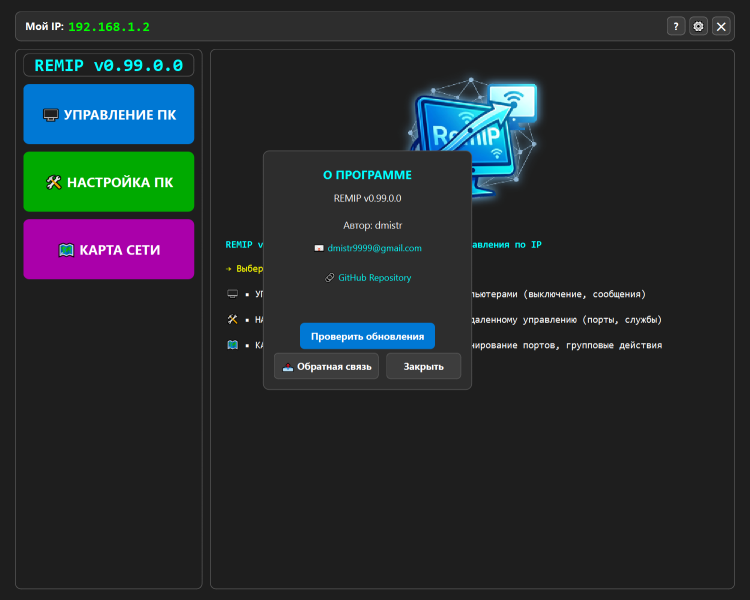
• Built-in feedback tool with automatic attachment of system information and last 500 log lines.
SYSTEM REQUIREMENTS
• Operating System: Windows 10/11, Windows Server 2019/2022.
• Privileges: Administrator (for full functionality).
• Components: PowerShell 5.1+ and .NET Framework 4.8+.
To rate Remip you need to register or log in on our website
All files provided on this site are original, we do not repackage or modify the files.
Mail domain must match the domain of the developer's site
A link to confirm registration was sent to your email

 Русский
 Français