Mandatory identity verification is required for withdrawal of funds
Bet9ja is the registered trading name of KC Gaming Networks Limited, operating under Sports Betting License No. 0001074 and Casino License No. 00000014, both issued by the National Lottery Regulatory Commission (NLRC). But the platform may not be authorized to operate in all countries. Before registering, verify that the service complies with your local regulations. Play responsibly and only wager what you can afford to lose. This service is available exclusively to users aged 18 and above (18+).
Bet9ja app functionality
The app provides sports betting and a diverse range of slot games, offering users a convenient mobile gambling platform.
Sports betting
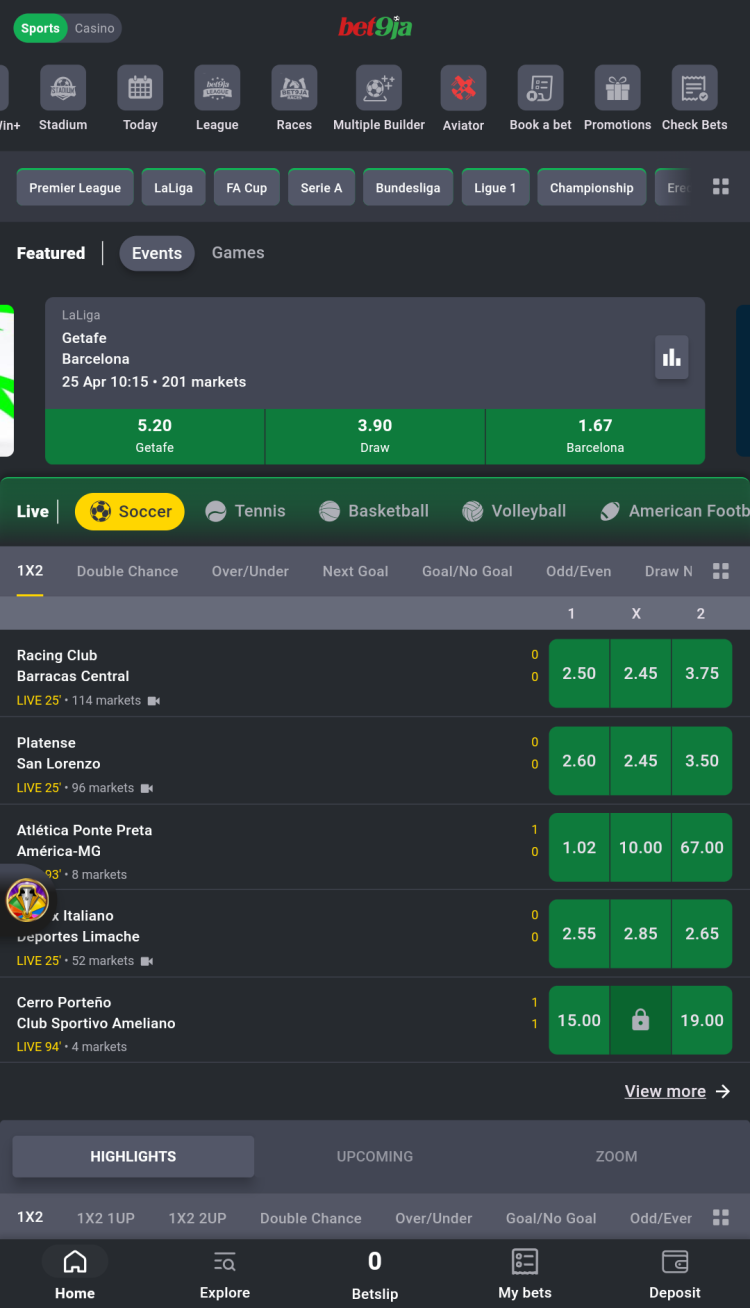
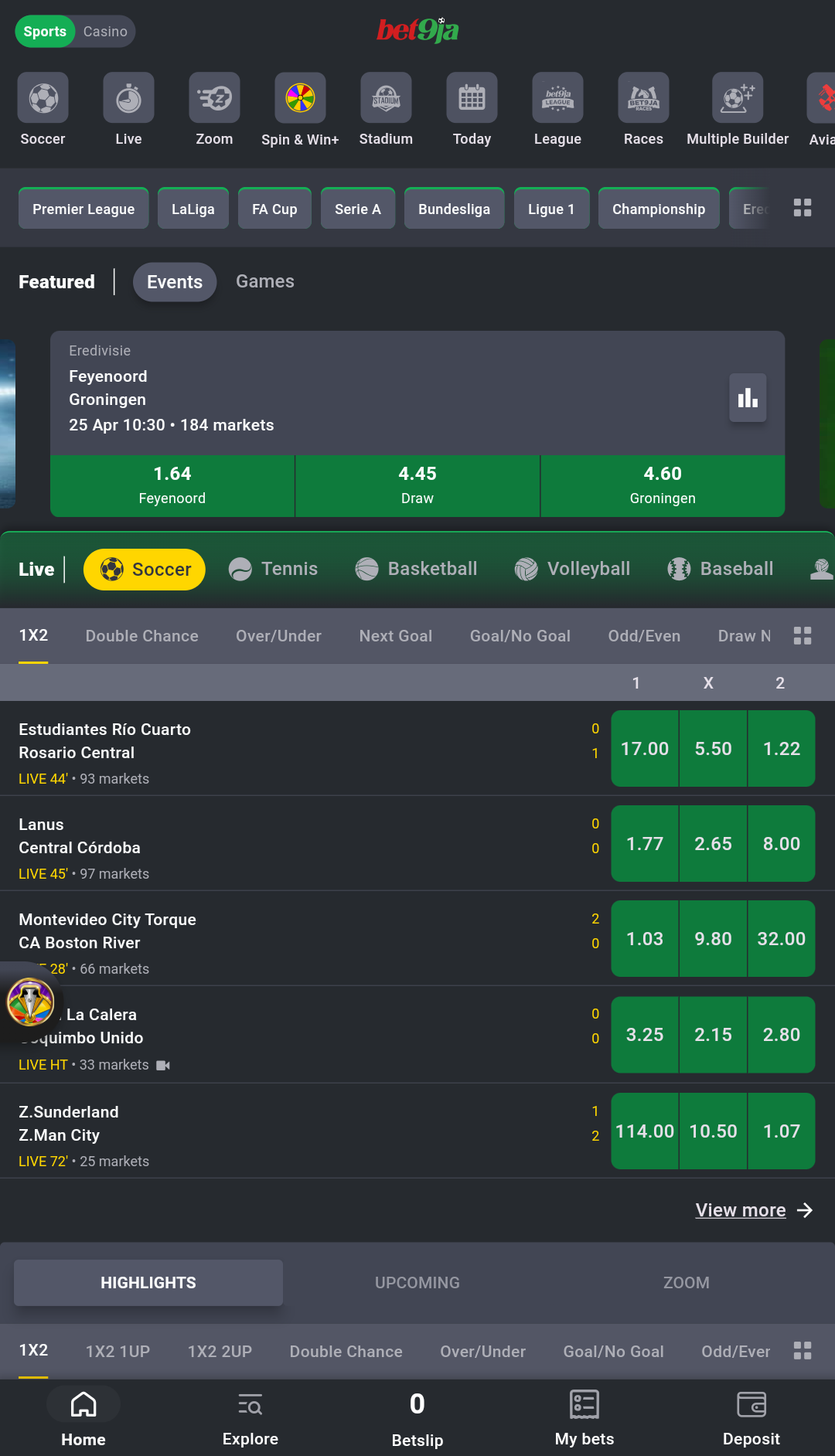
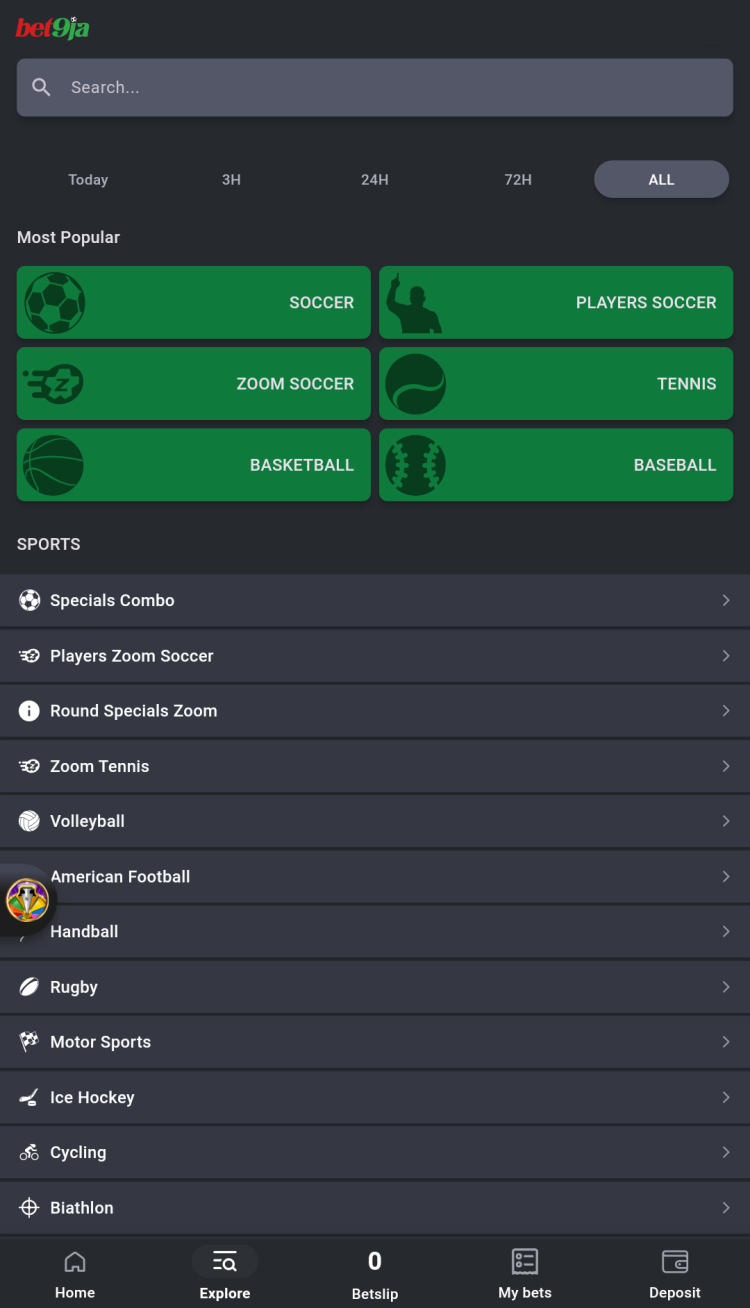
Bet9ja covers major sporting events across Europe and worldwide, including matches in soccer, basketball, tennis, cricket, volleyball, hockey, American football, and more. The platform offers both popular and niche sports, featuring dozens of leagues including the Premier League, Serie A, Bundesliga, Ligue 1, and Copa do Brasil.
Prematch betting features:
up to 10,000 different bets may be available daily
a variety of supported bet types:
main: 1x2, over/under, odd/even, draw no bet
goal markets: multi goal, exact goals home or away
home/away: home or away win either half, home or away win both halves
The Bet9ja platform lets its customers bet on both real sports and simulated matches available 24/7 for continuous betting in the "Virtuals" section. Available matches are divided into several categories:
Bet9ja Stadium - users can play a full season in an hour across seven top European leagues, betting on up to 67 matches per game week with over six markets per match.
Bet9ja League - a virtual football game that allows users to play an entire season in just one hour, featuring 20 different betting markets per match.
Bet9ja Races - place bets on virtual horse and dog races and get a chance to win Mega Jackpots. Even losing bets are eligible for prize draws.
Key features
Upcoming - the main section of the app where users can view all upcoming events, explore available markets and odds, and place bets before matches begin.
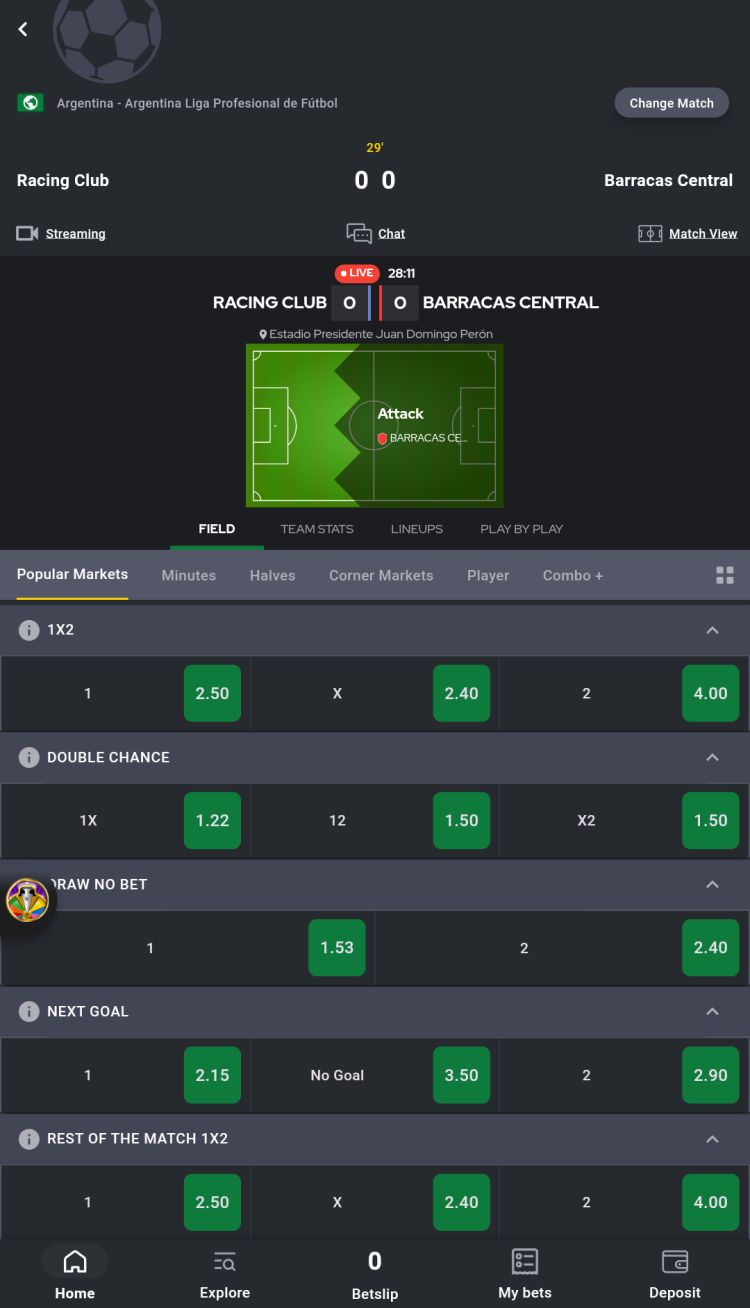
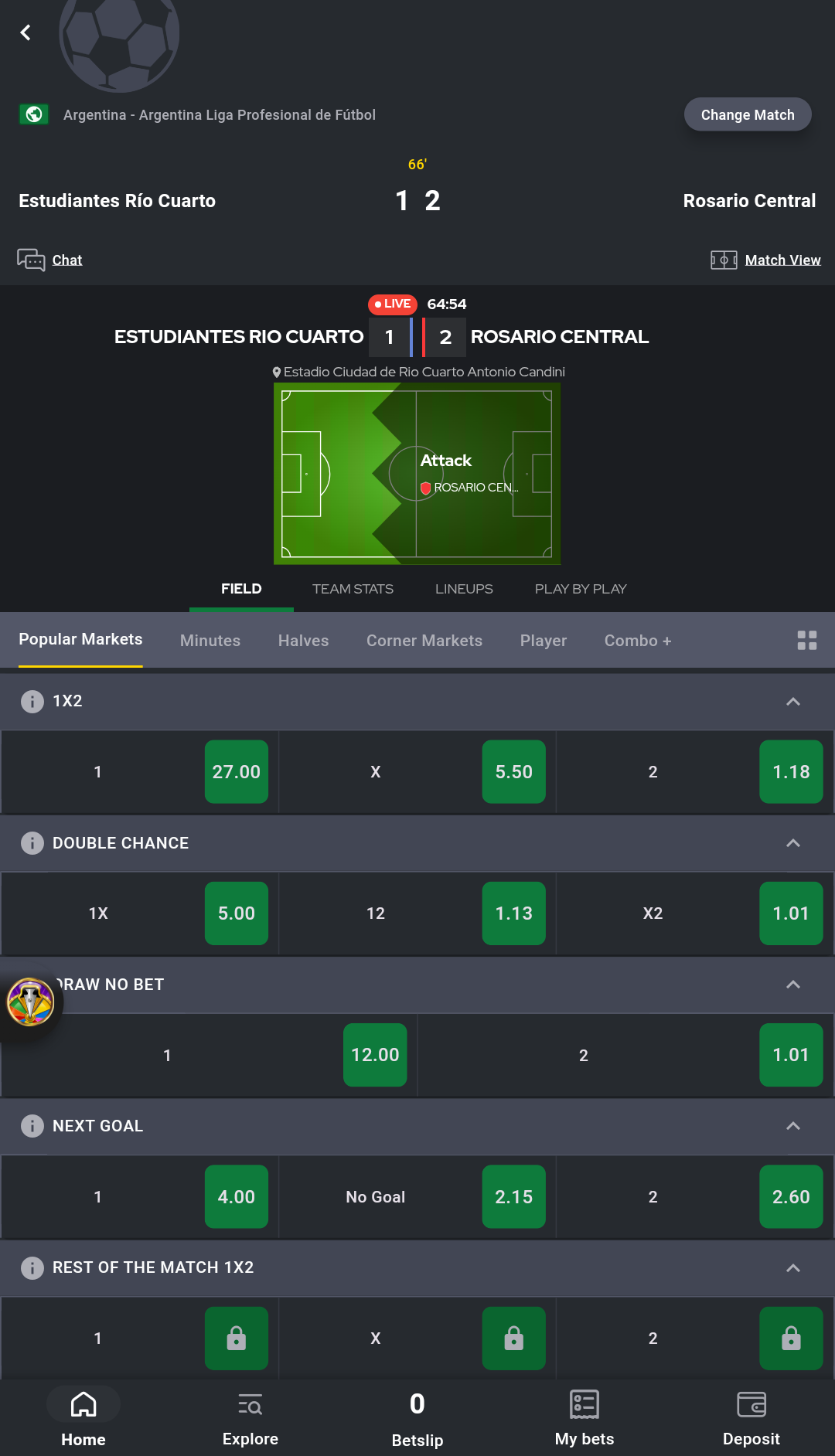
Live - real-time betting on ongoing matches with constantly updating odds. Punters can place bets as events unfold and even watch many of the events live in-app.
Match view - the app lets you follow the match in real time using an animated match tracker. It displays a schematic representation of the current action on the field and all key events.
Zoom - a selection of exclusive virtual soccer games featuring real markets, leagues, and teams, but computer-simulated results.
Statistics - the app provides detailed match statistics, including results from previous matches, league tables, goals, cards, and corners statistics, as well as a win probability prediction.
Search - the program includes a search function for players, leagues, and betting markets.
Book a Bet - function to save a complete betslip to share it with others, using a betting code.
Check Bets - function to check if the bet was successful or not, using its betting code.
Chat - a special section, available for select live matches, where users can communicate and share their predictions.
Casino
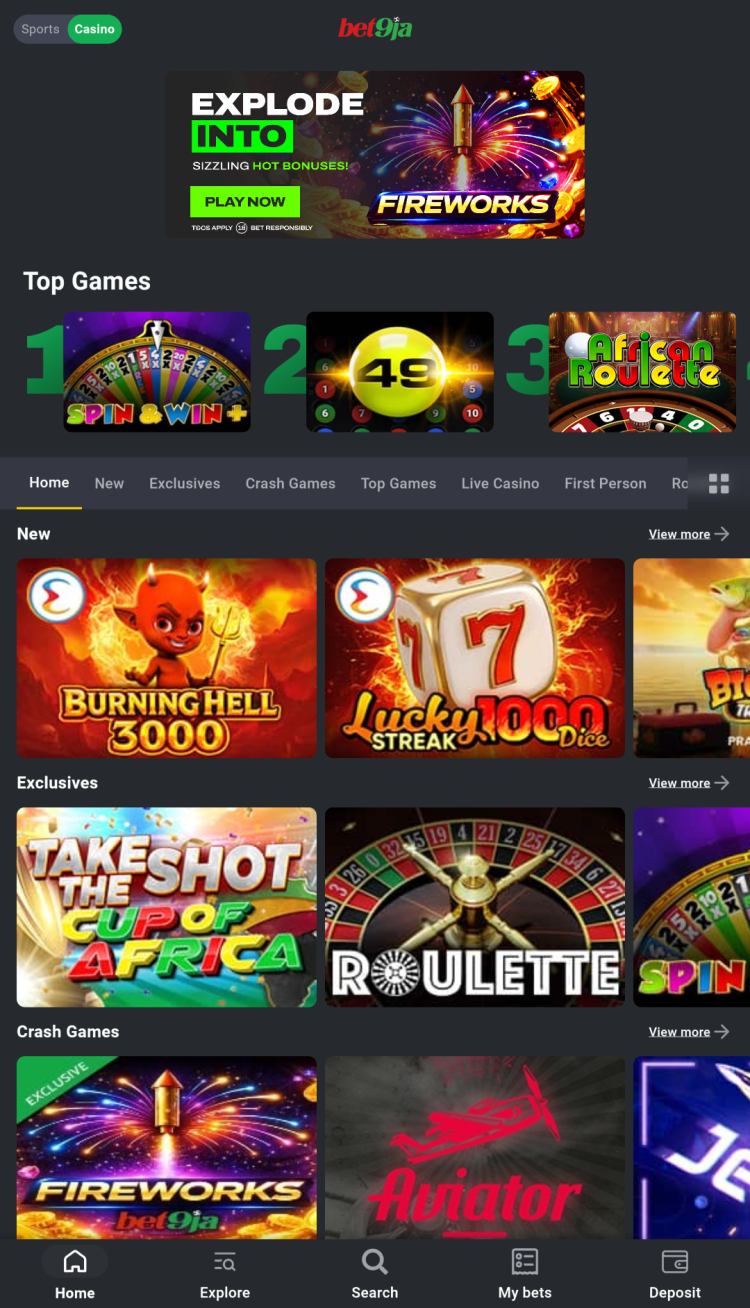
One of the program's key features is a built-in section for accessing the online casino. It features virtual slot machines, some of which are not available anywhere else and are available exclusively on Bet9ja. Games are divided into the following categories:
Live Casino - live dealer games. These games are streamed live and provide an experience that closely resembles visiting a real casino. This section includes games such as blackjack, baccarat, Andar Bahar, and roulette.
Number Games - a section featuring number-based games, such as TurboLotto, 49, Dice Trading, TotoKeno, etc.
Instants - games offering quick results, such as Scratchcards, where players reveal potential winnings by clearing a virtual scratch card, Mines, where players have to avoid hidden mines to win, and more.
Table Games - this section includes card games such as Texas Hold'em, Blackjack, Baccarat, as well as dice games and multiple versions of Roulette.
Arcade - a collection of arcade-style games with simple rules, like Tapinata, Sushi Slash, Ayo, Snakes and others.
TV Games - this section features games that simulate TV game shows. Here, players can bet on the outcome of poker games, play Wheel of Fortune, Football Grid, and more.
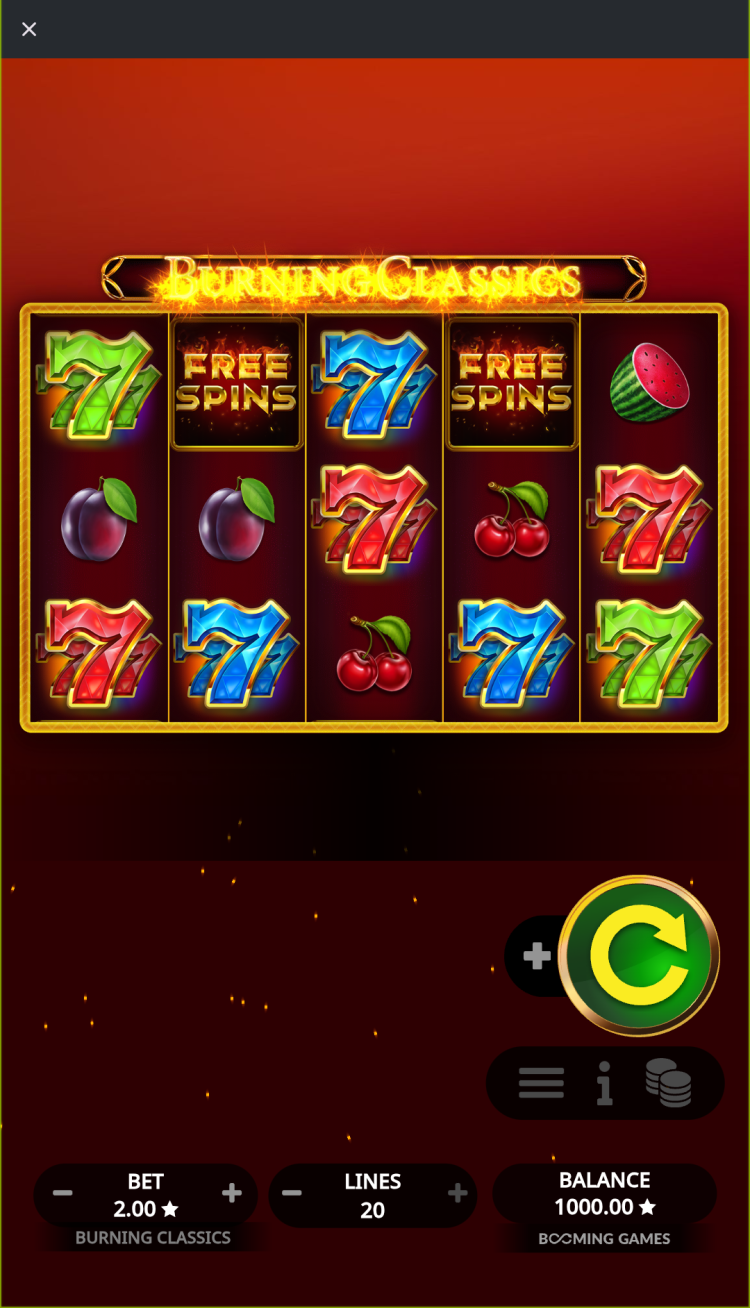
Slot Machines - classic and modern video slots with unique mechanics and themes, inspired by famous movies, mythology (like Gates of Olympus), and popular culture (Pirate Golden Age, Zombie Carnival), etc.
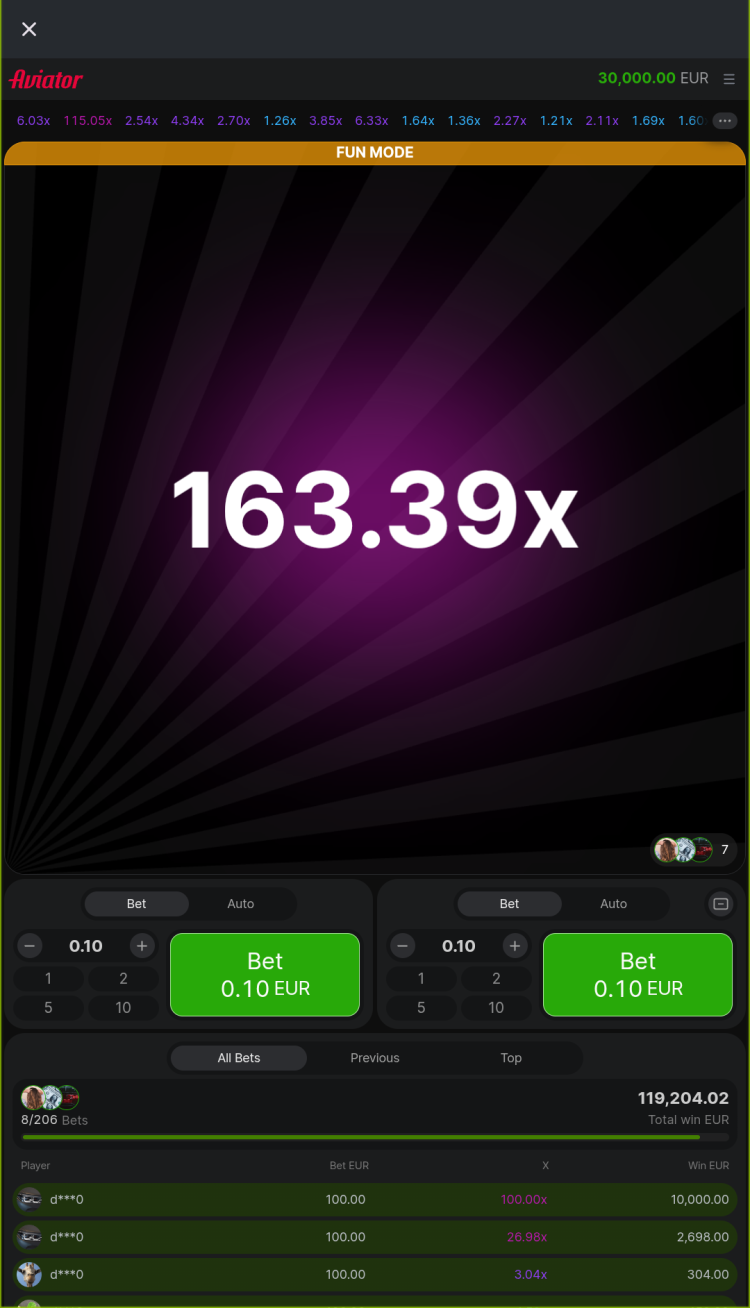
Crash Games - luck-based games where the bet multiplier increases constantly, but the round can stop at any time. Bettors need to cash out before that happens. Includes such games as Aviator, JetX, and Meteoroid.
Tournaments - participate in regular tournaments like Drops & Wins, where players earn points by placing qualifying bets on selected games. Each day, a prize pool is distributed among 500 winners.
Mobile app vs mobile site comparison
When it comes to mobile betting, users can choose between a dedicated app and a mobile website, each designed for different needs and preferences.
Mobile Application: The app installs directly on your device, offering instant access from your home screen. It is ideal for frequent bettors who value speed, advanced features, and push notifications for better control. The app loads quickly due to local caching, supports biometric login for more secure access. However, it requires installation, manual updates, works on devices with Android 8.0 or higher, and uses device storage.
Mobile Website: The mobile site is accessible through any browser without installation, making it perfect for occasional users or those with limited storage. It updates automatically and works on any device, but may load more slowly, lack some advanced features, like biometric login or push-notifications.
In summary, both the app and the mobile website deliver essential betting functions. For daily, feature-rich use, the Android app is a better choice, while the mobile site is more convenient for quick access or when installation is not possible.
Bonuses & promotions
Android sports betting app users can expect various bonuses and promotions, designed to make the betting process more exciting.
Welcome bonus for new users
The platform provides new players with a welcome bonus equal to 100% of their first deposit, up to NGN 100,000. Additional terms and wagering requirements may also apply.
Regular and time-limited promotions
The platform offers a variety of additional promotions specifically for active users.
Basketball & Tennis Rewards - place bets on tennis and basketball during the promotion period and receive a percentage refund on your net losses as a Free Bet each week. If your losses total ₦2,000 or more, you can receive a 25% refund, up to a maximum of ₦100,000 in Free Bets.
Weekly App Cashback - exclusive promotion for the Bet9ja app users. Get a bonus of up to 15% of your total weekly losses, credited to your account every Friday. To qualify, your total losses for the week must be at least ₦2,000.
UCL Goals Bonus - win prizes during UCL match weeks: ₦5,000 Freebets for meeting goal targets, ₦1,000,000 cash for the Top 5 each round, ₦250,000 cash for 20 winners each round, and a chance to attend a VIP Lagos Final Event for 50 players, where each can receive a ₦1,000,000 Freebet and other prizes.
Big Leagues Rewards - place live bets on top football leagues between Friday and Sunday. Stake at least ₦1,000 total (min ₦100 per bet) for a chance to get your stake back as a sports bonus up to ₦300,000 every Monday.
Casino Cashback - play eligible games for a chance to receive up to 10% cashback on your weekly losses at Bet9ja Casino.
BetBOOM - place qualifying bets for a chance to win prizes of up to ₦1 billion. The winner will be chosen randomly.
Bonuses and their amounts may change at any time. Wagering requirements and other terms and conditions apply. Before activating any offer, please review the "Promotions" section in the app or on the official website for the most up-to-date information.
Registration & login
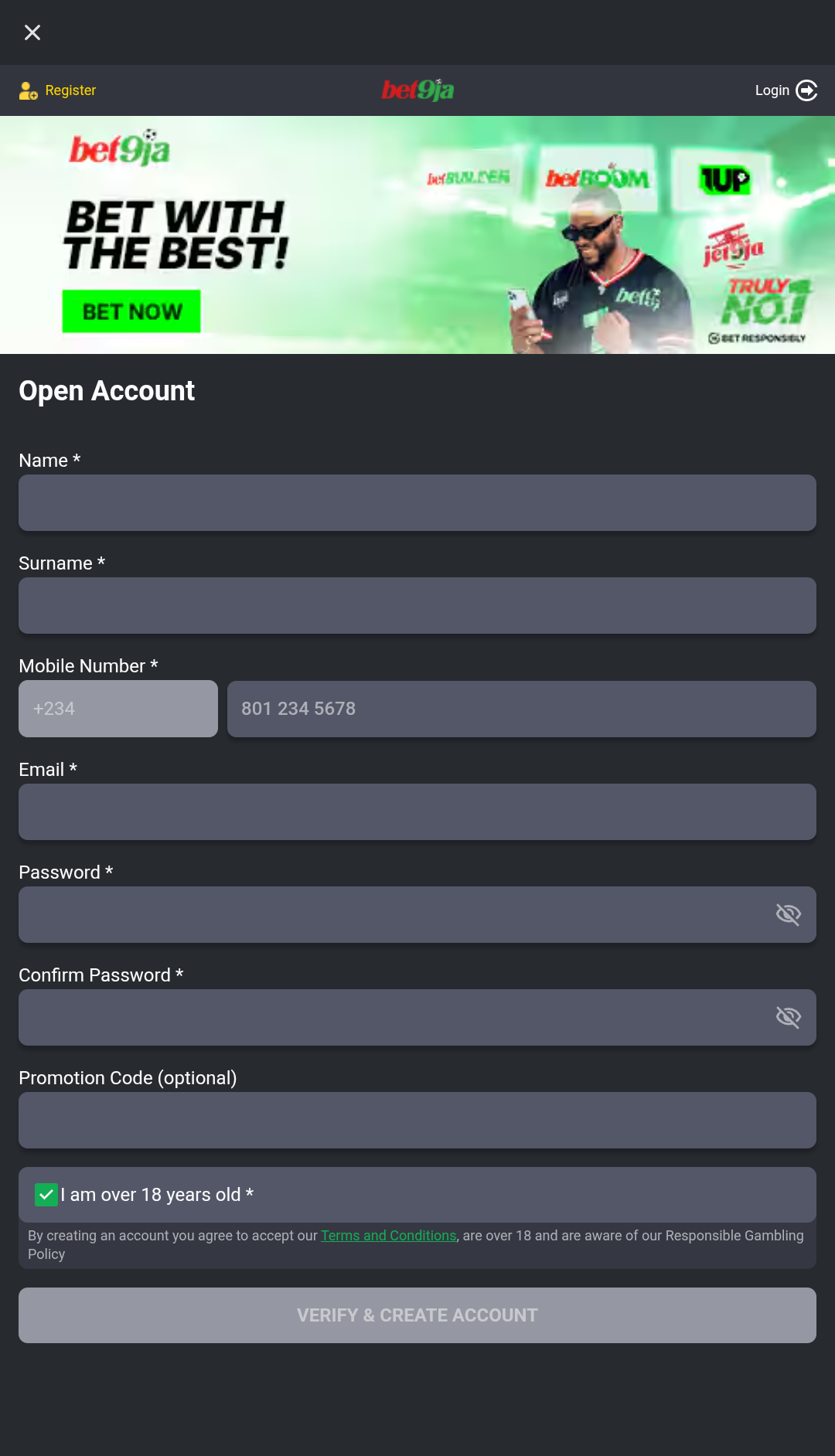
New Bet9ja users need to create an account to start betting on sports and play casino games. Registration requires completing a couple of simple steps:
Open the Bet9ja app or visit the official website, then click on "Join".
Enter your name, email, password, and promo code if you have one. Confirm that you are over 18 and verify your account using a one-time password (OTP).
You might need to complete KYC verification to access all features of the platform.
Deposits & withdrawals
Bettors can easily deposit and withdraw funds from Bet9ja using the official app. The platform supports multiple payment methods.
Deposit methods
Bank transfers: from 100 to 100,000 NGN.
Payment systems: PalmPay, Pocket app, KoraPay, CoralPay, Veedez (ShagoPay) - from 100 to 1,000,000 NGN, OPay, PayStack, 9jaPay, - from 100 to 100,000 NGN, InterSwitch (QuickTeller) - from 100 to 10,000,000 NGN.
USSD: from 100 to 100,000 NGN.
Telegram - from 100 to 100,000 NGN.
Bet9ja Virtual Account: from 100 to 49,000,000 NGN.
ATM: limits depend on the card.
Cryptocurrency - from 1 USDT.
Withdrawal methods
Withdrawals are restricted to bank accounts only, regardless of deposit method. The minimum withdrawal amount is 1,000 NGN, while the maximum is 100,000 NGN per day.
Payment systems, including their limits, processing times, and any applicable fees, can change over time. Before making a transaction, always check the bookmaker's app or website for the latest information.
Types of Bets
Standard betting tools
Single - a standard type of bet on a specific outcome of one selected event.
Multiple - this type of bet can include several outcomes from unrelated events.
System - a complex bet that includes single bets and all available combinations of "multiple bets".
Betting tools
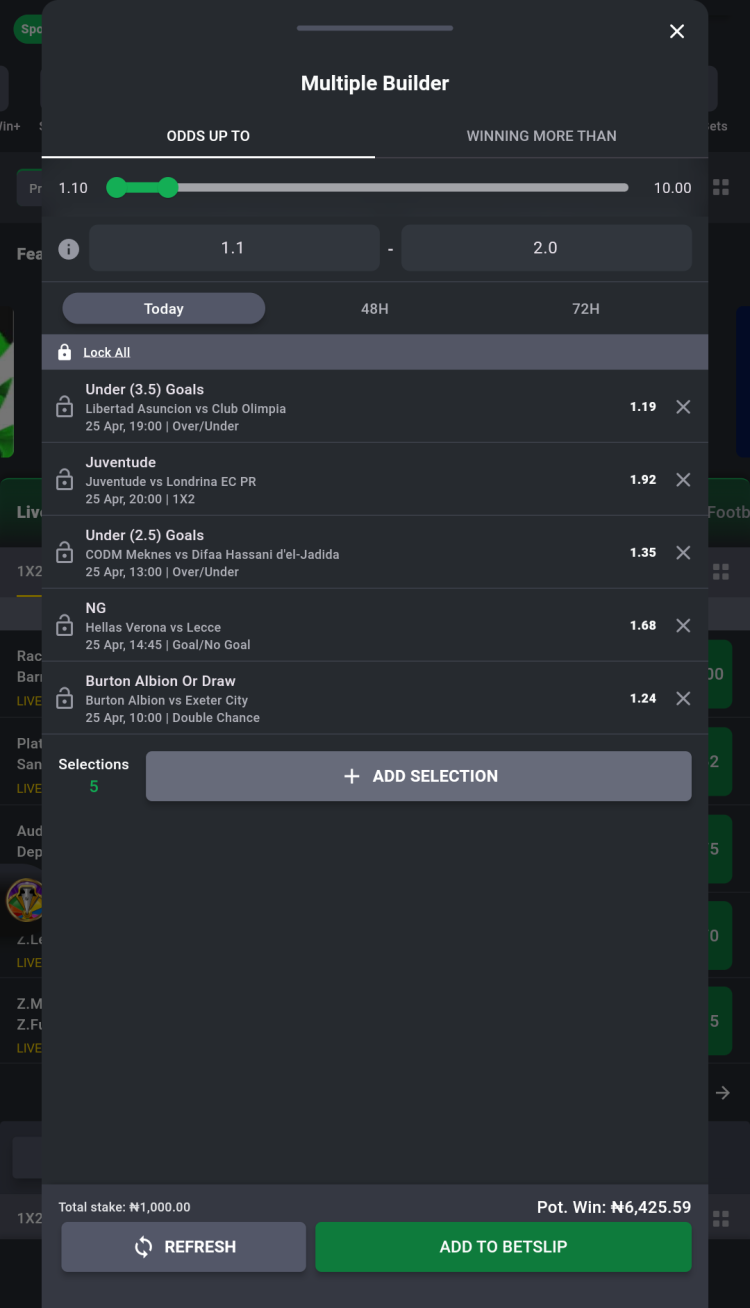
Multiple Builder - a function to build a custom bet automatically, specifying the preferred odds range, potential winnings, the number of selections, and the approximate time until the start of the match.
Cash Out - lets you secure winnings or minimize losses by selling your bet, fully or partially, before it is settled. The payout depends on the bet's current outcome. May not be available for all markets or events.
170% Multiple Boost - the platform boosts multiple bet winnings, starting at 5% for 5 events and increasing by 5% per added event, up to 170%.
BetFREEZE - lets users lock any selection as a win under certain conditions, even if it's losing, to boost their chances when making multiples of 3 or more.
Bet Builder - this tool is designed to create unique bets by combining multiple markets from the same event. May contain up to 20 selections.
1Up Early Payout - when you place a 1X2 - 1UP bet, if your chosen team takes a one-goal lead at any time during the match, your bet is paid out instantly as a win.
Cut 1 - a tool that lets you receive a payout on a bet with adjusted odds, even if one of your selections is incorrect. This feature is only available for "Multiples" bets with five or more selections.
Super9ja - predict the outcomes of 6 matches chosen by the bookmaker to enter a draw for a large cash prize, which will be shared among 20 winners.
Bet9ja app update
Updating the app follows the same steps as the initial installation. Simply find the latest version of the app on freesoft.net, download Bet9ja APK and open the file on your smartphone to start the installation. There is no need to remove the old mobile app.
What's new in the latest version of the app
The latest program update brings stability and performance improvements and fixes known bugs.
You can reach support by filling out the form on the official website, calling 02013306666, 02015158888, 02013505145, or 08099990939 between 08:00 and 21:00 for assistance in English, or by contacting them via Telegram at Bet9jaAssistOfficialBot.
Which regions does the app support?
The app is available exclusively for bettors from Nigeria.
Can I use the Bet9ja mobile app outside Nigeria?
The app is optimized for Nigerian users and may be restricted in other countries due to licensing. If you’re abroad, you might face geo-restrictions, but always check local laws before using the app.
Is the Bet9ja app safe to use?
Yes, the app uses TLS encryption, supports two-factor authentication and biometric app login, and its APK was virus-scanned before being published. For safety, download only from trusted sources and keep your login details private to maintain your account safely.
What is the minimum bet amount on the Bet9ja app for Android?
The minimum stake you can place on the Bet9ja app is 200 NGN. Any bet below this amount will not be accepted by the platform.
Pros and cons
Benefits
Combines sportsbook, live betting, and casino games in a single app
Partial and full Cash Out on eligible bets
Virtual sports available 24/7
Low data usage and fast loading once installed
Super9ja Jackpot contests
Disadvantages
Withdrawals are restricted to Nigerian bank accounts only


 Русский
 Français






 Download