Download NFS Carbon Control Panel

NFS Carbon Control Panel

Version:1.2
License: Free for Windows
0 downloads
Checked for viruses
?
Tested on virustotal
Version
1.2
Updated
Compatibility
Windows 98, Windows 2000, Windows XP, Windows Vista, Windows 7
Language
English
Developer
Format
Website
www.needfspeed.3dn.ru

Description

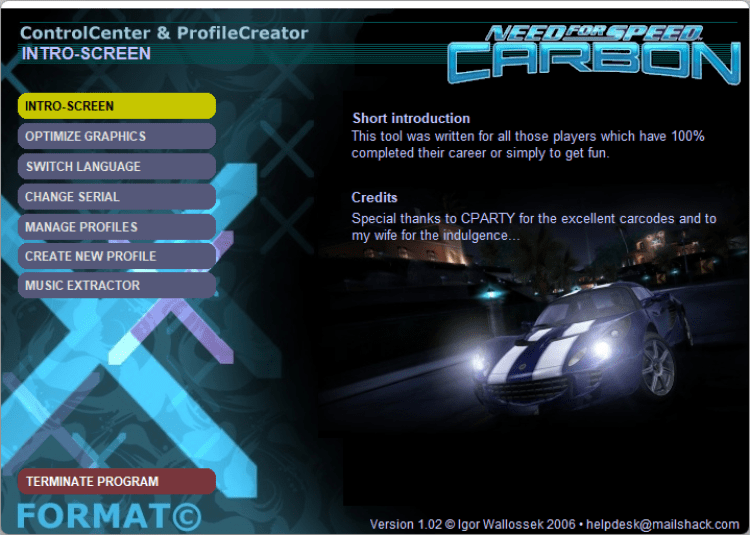
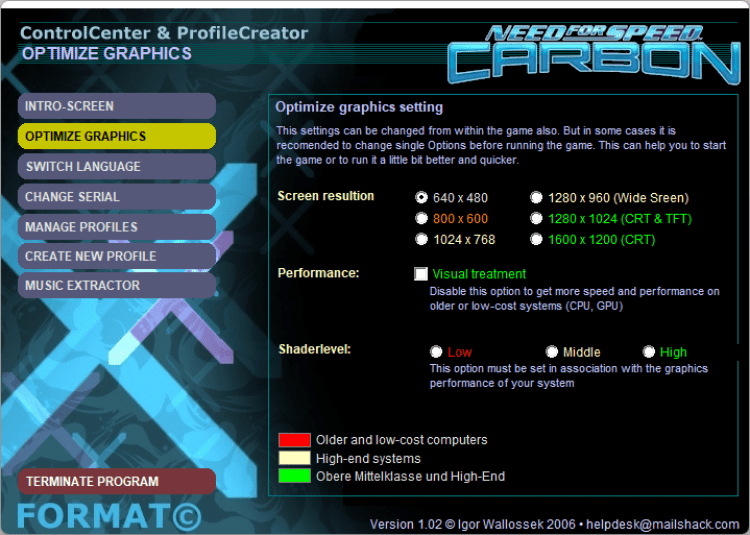
NFS Carbon Control Panel is a utility with which you can optimize the graphics settings in the game, change the language, change the serial number, run other people's safes, extract music from the game or create a new profile with bonuses and much more.

Why Use NFS Carbon Control Panel?

The NFS Carbon Control Panel gives players direct control over settings that the game itself does not expose through its menus. If your hardware struggles to maintain smooth frame rates in Need for Speed: Carbon, this utility lets you fine-tune graphics quality without editing configuration files by hand. It also proves useful when switching between multiple save files or when you need to change the game language for a different user on the same machine.

Key Features

Beyond graphics adjustments, the panel can extract the in-game soundtrack to separate audio files, which is handy for listening outside the game. Profile management is another strength: you can create new profiles with bonuses or load saves from other players. The entire tool runs as a standalone executable, so it does not alter your Windows registry or require a separate installation step. Compatibility stretches back to Windows 98, covering a wide range of older systems where the game is popular.

How to Install NFS Carbon Control Panel on Windows

  1. Download the file — Click the "Download" button above. The file is hosted on the developer's website.
  2. Extract the archive — If the download is a ZIP or RAR file, right-click it and choose "Extract All" or use a tool such as 7-Zip.
  3. Place in game directory — Copy the extracted files into your Need for Speed: Carbon installation folder.
  4. Run the panel — Double-click the NFS Carbon Control Panel executable. If Windows SmartScreen appears, click "More info" then "Run anyway."
  5. Adjust settings — Use the panel to modify graphics options, language, profiles, and other game parameters.

Compatible with Windows 98, Windows 2000, Windows XP, Windows Vista, Windows 7.

What's New in NFS Carbon Control Panel 1.2

  • Latest stable release with updated compatibility
  • Graphics settings optimization for Need for Speed: Carbon
  • Ability to change game language and serial number
  • Bug fixes and stability enhancements

Last updated: May 12, 2022

Frequently Asked Questions

Is NFS Carbon Control Panel free to download?

Yes, NFS Carbon Control Panel is completely free. The license on freesoft.net is listed as "Free for Windows," and the developer provides the file at no cost. There are no trial limitations or subscription fees.

Is NFS Carbon Control Panel safe to download from freesoft.net?

All files on freesoft.net are verified through VirusTotal before publication. The download links point to the original file from the developer, Format. The program has been available for many years and carries a 4.67 rating based on 63 user reviews on this page.

What are the system requirements for NFS Carbon Control Panel?

The utility works on Windows 98, Windows 2000, Windows XP, Windows Vista, and Windows 7. Since it is a lightweight configuration tool rather than a full game, it has minimal hardware demands. You do need a copy of Need for Speed: Carbon installed on the same machine for the panel to be useful.

How to install NFS Carbon Control Panel on Windows?

Download the file from this page, extract the archive if applicable, and copy the contents into your Need for Speed: Carbon game folder. Launch the executable directly from there. No separate installer or setup wizard is involved, and the tool does not modify system files.

What are the best alternatives to NFS Carbon Control Panel?

General-purpose game configuration tools include MSI Afterburner for GPU tuning and Game Booster for optimizing system resources during play. Advanced SystemCare Free can also improve game performance by disabling background services. For NFS-specific tweaks, community forums often share manual configuration edits as an alternative approach.

Versions

If you have information about available versions of the software, you can . send it to us.

Rating

4.67
63 ratings
Click, for a quick estimate

Leave a review

Your name*
Your email*
Comment*

Reviews

All
photo
17 years ago
doctor
The password is written in the comments, open your eyes
0
0
photo
17 years ago
Starfucker
DEM030: install the latest DirectX -)
0
0
photo
18 years ago
Andrey
tell me pozhelusto the password to install NFS Carbon!!! Thanks in advance!!!
0
0
photo
18 years ago
DEM030
I can not run the game it requires d3dx9_30.dll help who can.
0
0
photo
18 years ago
RO_JA
Anyway, I have the same problem, it asks for a password, where do I get it?
0
0