Find the BC Game app on the freesoft.net website and follow the download link for Android.
Open the APK file on your smartphone and, if necessary, allow installation from unknown sources. For added security, disable this option after setup.
Confirm your Android device meets the minimum requirements before installing the BC Game APK:
RAM: At least 2 GB (4 GB recommended for best performance)
Processor: 1.4 GHz quad-core or better
Storage: Minimum 60 MB free space
Users with older or low-end devices may experience slower performance or limited features. For these devices, consider using the BCGame mobile site or setting up a PWA shortcut for reliable access.
Provably fair RNG designed to support transparent game outcomes
Enabling anti-phishing code to verify the authenticity of communications with the platform's representatives
Manual and automated transactions monitoring to help identify and address any unusual activities in real-time
Responsible betting tools offer self-assessment materials, a budget calculator, options to set betting limits, and a self-exclusion feature.
BC.GAME is operated by Twocent Technology Limited, registered in Belize and licensed by Anjouan, Union of Comoros (License No. ALSI-202410011-FI1). It may not be authorized everywhere, so check your local laws before signing up. Play responsibly, only with money you can afford to lose, and note the platform is for users 18 and older.
Functionality
Sports Betting
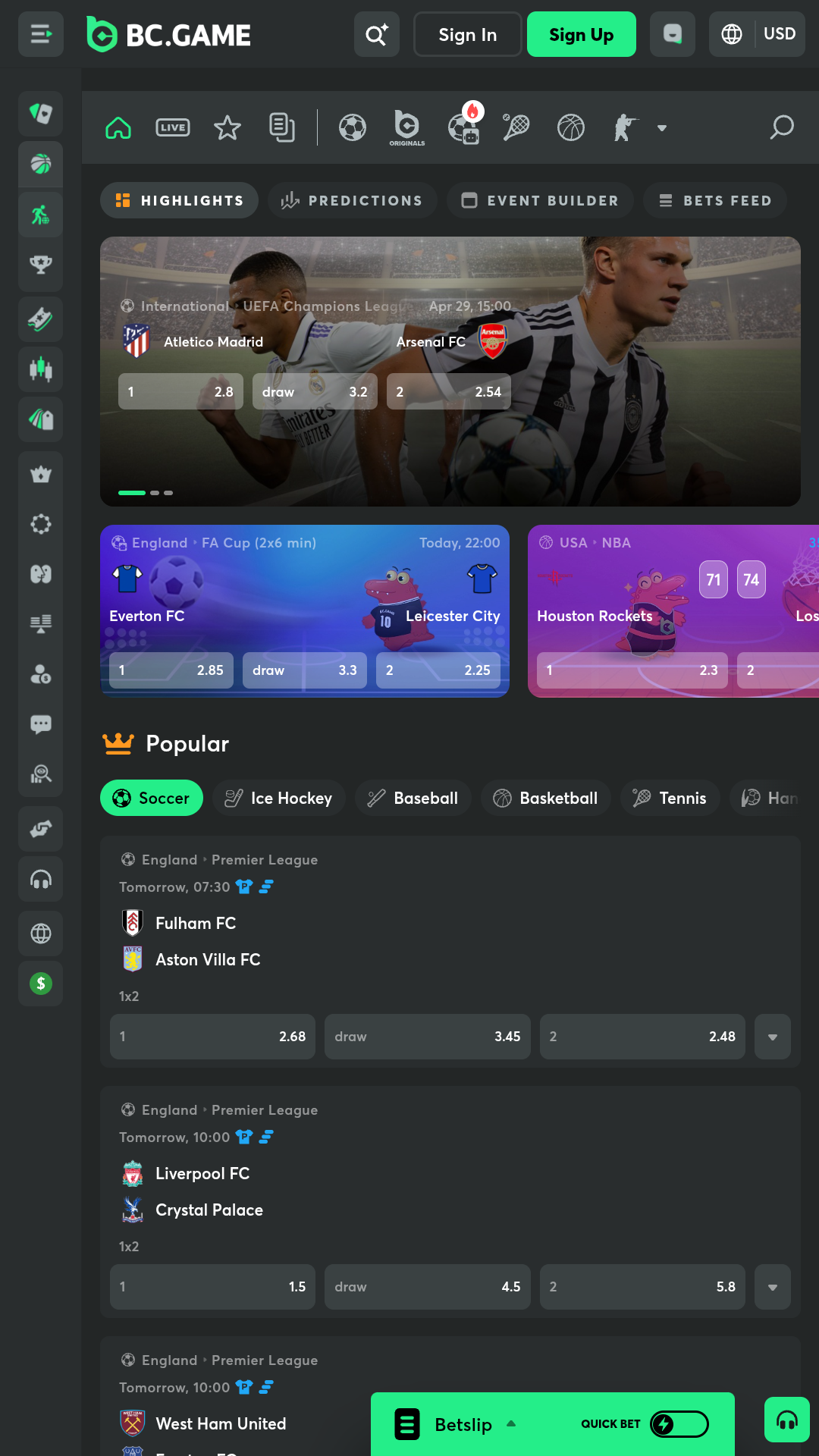
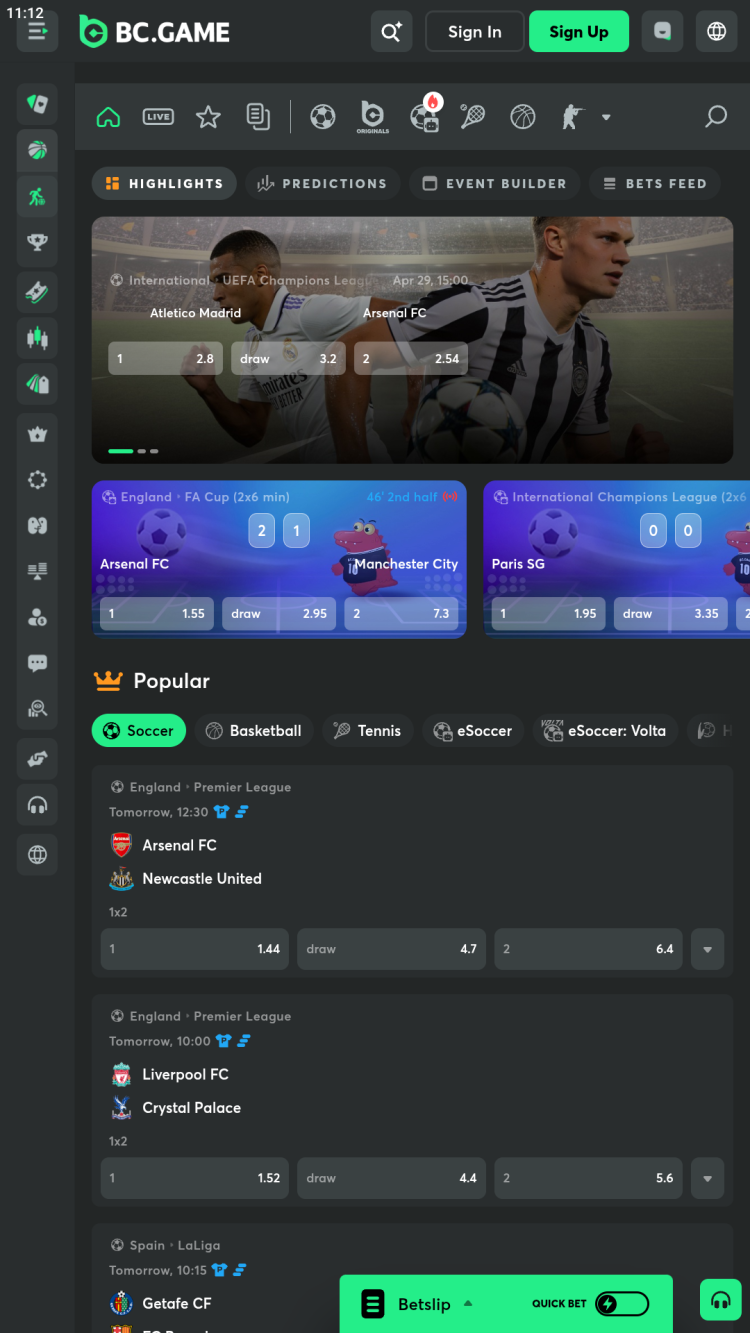
With the BC Game APK, users can bet on outcomes of matches in the most popular sports such as soccer, basketball, baseball, volleyball, cricket, lacrosse, tennis, MMA and more. The app includes local and international competitions. For example, the "Top Soccer Leagues" menu includes matches from the Champions League, the English Premier League, the Spanish La Liga, the Italian Serie A, the German Bundesliga, and more.
Advantages
over 1,000 events available for betting daily
a variety of betting options, including:
main: 1x2, Asian handicap, over/under, correct score
goals: total goals over/under, both teams to score, total goals range, odd/even
corners
cards
individual players' stats
combos: odd/even & both teams to score, half-time/full-time & number of goals
specials: own goal, winning margin, first offside
E-sports
The Esports betting section in the app covers major games like Counter-Strike 2, Dota 2, League of Legends, Valorant, PUBG, and Free Fire, along with major events such as The International and the Esports World Cup.
App users can place bets on virtual football matches. The BC Game features a wide selection of short games from virtual leagues worldwide, each lasting only 12 minutes. Matches are available 24/7.
Key features of BC Game
Upcoming - betting on matches before they start. Users can view lists of matches starting in 3 hours, 6 hours, 24 hours, or the next day.
Live - betting on ongoing events, with in‑play live odds updates.
Search - a function that helps users find a team or a championship by name directly from the main menu.
HD Streaming - registered users of the BC Game app can watch online broadcasts of sports and eSports matches directly in the built-in player, free of charge. May not be available for all matches.
Results - in this section, users can view the results of recent matches, including the final score, as well as additional information such as cards, corners, penalties, etc. The user can select the desired date, sport, league, and country.
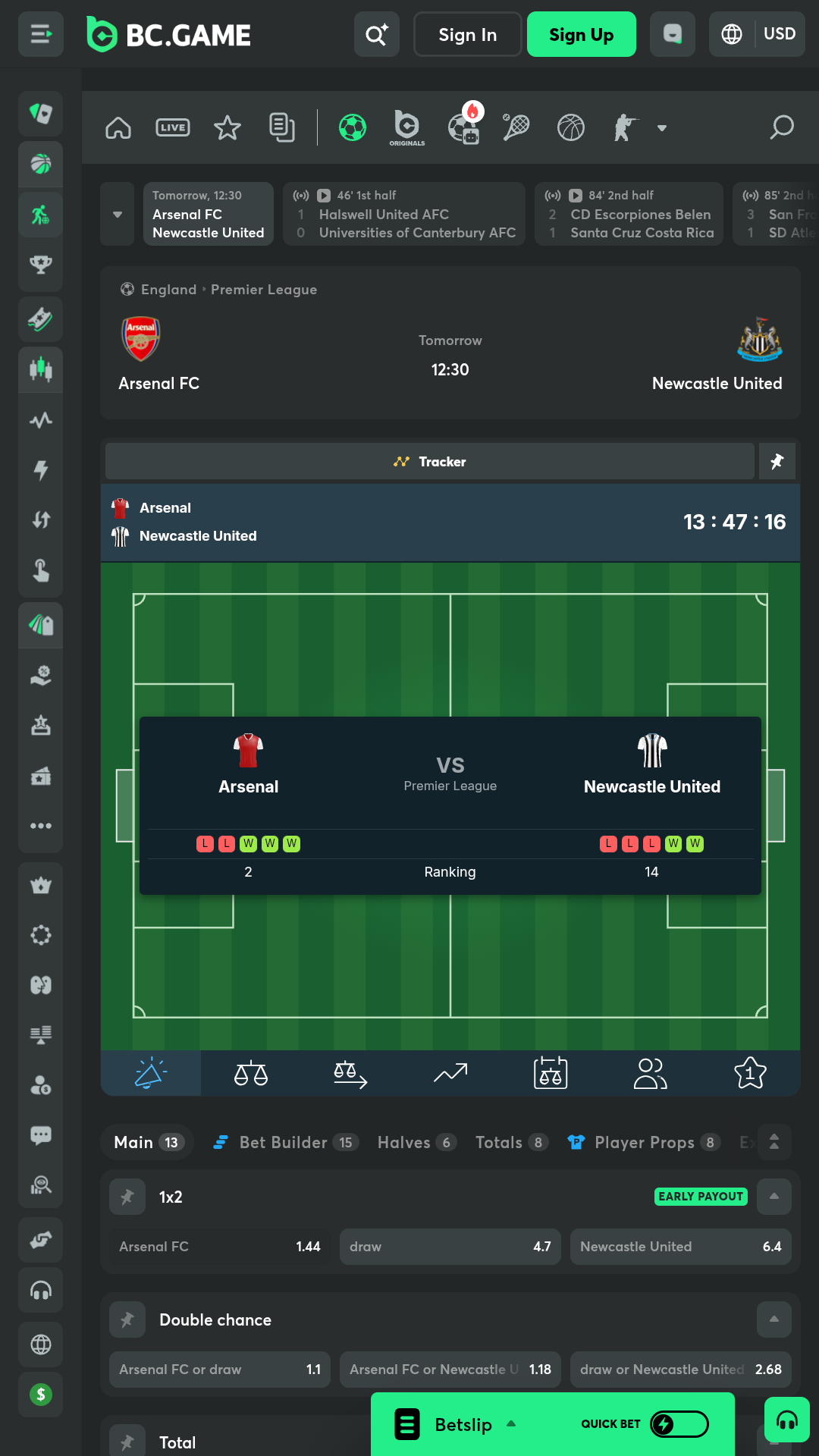
Statistics - for most matches, BC Game provides statistical information, including standings, a pre-match summary and head-to-head comparisons for recent matches.
Sport Betting Insights - access a special platform, where users can learn more about betting, test their knowledge, and explore strategies and predictions.
Notifications - customizable push notifications about winnings and other important events.
Bet history - easily view your placed and settled bets to better track your winnings and losses.
Themes - option to switch between light and dark themes.
Casino
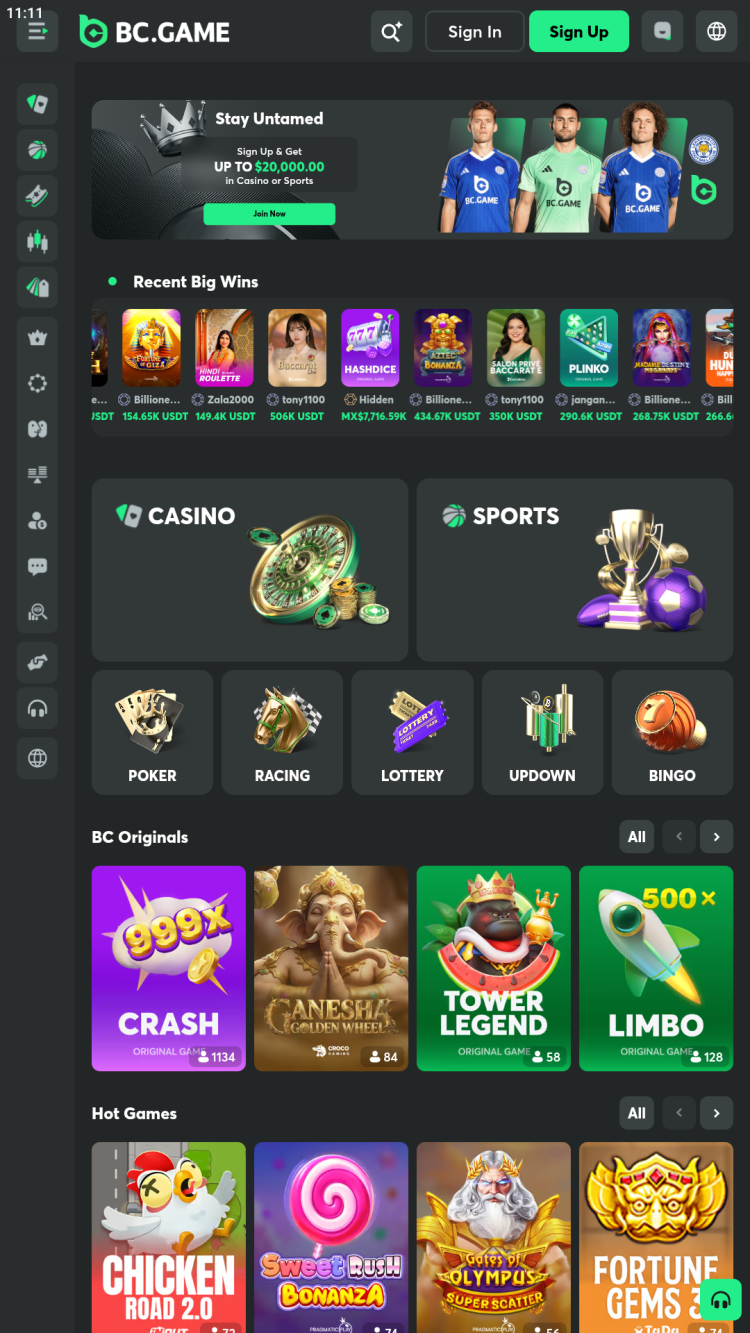
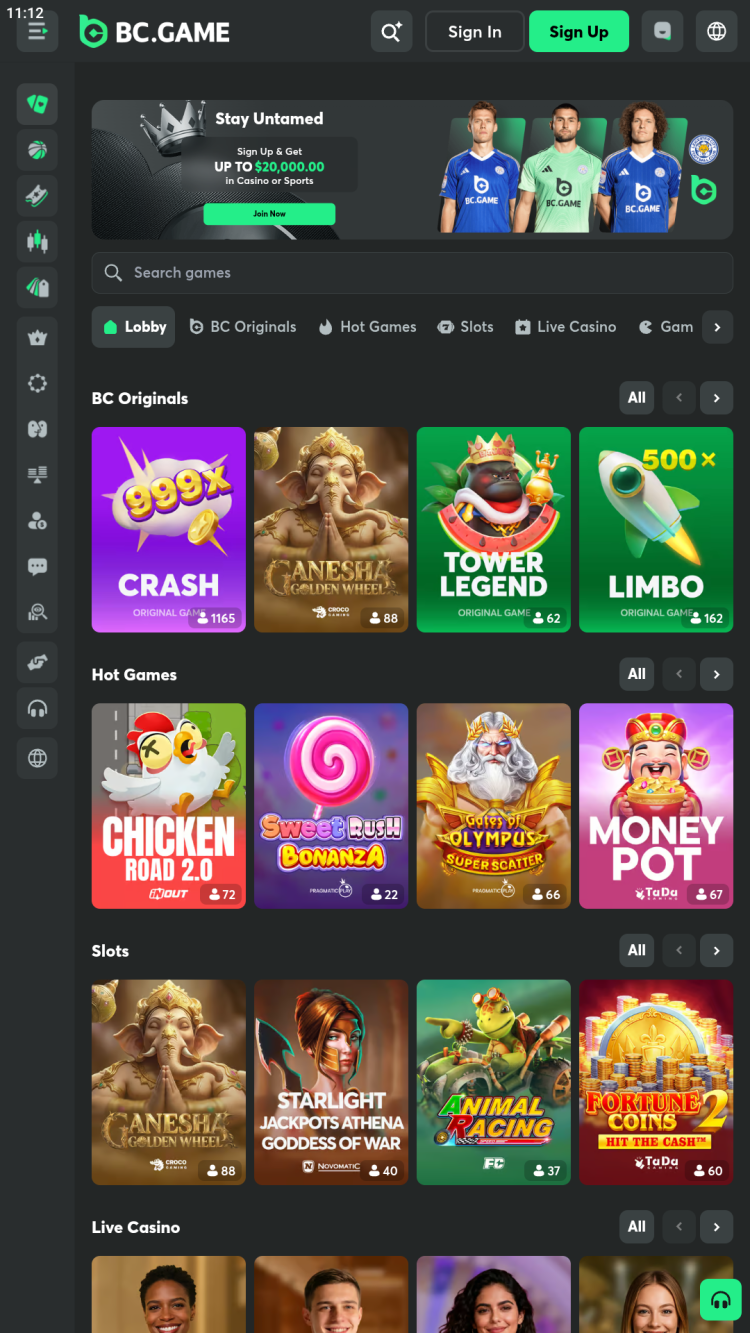
The BC Game app features a dedicated casino games section. It includes numerous titles from popular content providers, such as Pragmatic Play, Evolution Gaming, Platipus, and TVBet, as well as exclusive games created specifically for the platform. The app contains:
BC Originals - a section with branded games developed by BC Game that don't share a common theme: poker, dice, bubble shooter, fast crash, and others.
Slots - virtual slot machines with high-quality graphics and smooth animation, including Treasure Raiders, Gold of Olympus, and Treasures of Aztec.
Live Casino - live dealer games played in real time through video streaming, offering an experience similar to a real casino. Popular titles include Dragon Tiger, Sic Bo, Blackjack, Baccarat, and more.
Game Shows - Dead or Alive Saloon, Money Time, Monopoly Live, and other games styled after popular TV shows, featuring live video broadcasts.
Table Games - includes games like blackjack, royal court, triple bonus poker, aces & faces, and teen patti. Offers both singleplayer and multiplayer options for some titles.
Burst Games - games are designed for short play sessions. Examples include Chicken Road, Aviafly, Jet X, and others. In these games, the bet multiplier increases over time, and players must cash out their winnings before the round ends.
Tournaments - participate in regular competitions like the PG Global Cash Tournament, where each day the top 200 players in eligible PG Soft games receive cash rewards.
Availability of some sections and individual games depends on the user's location. Some games offer a free mode, accessible without depositing funds or placing real bets.
BC Lottery Jackpot
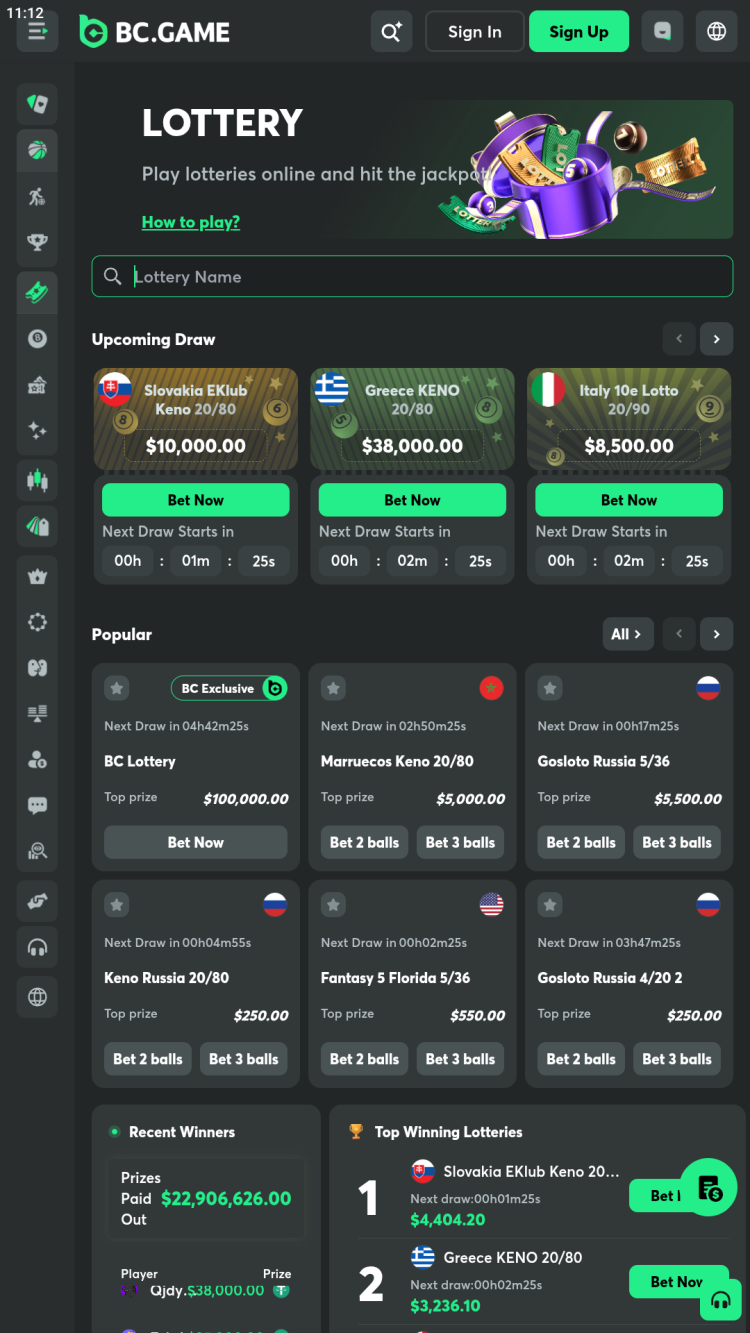
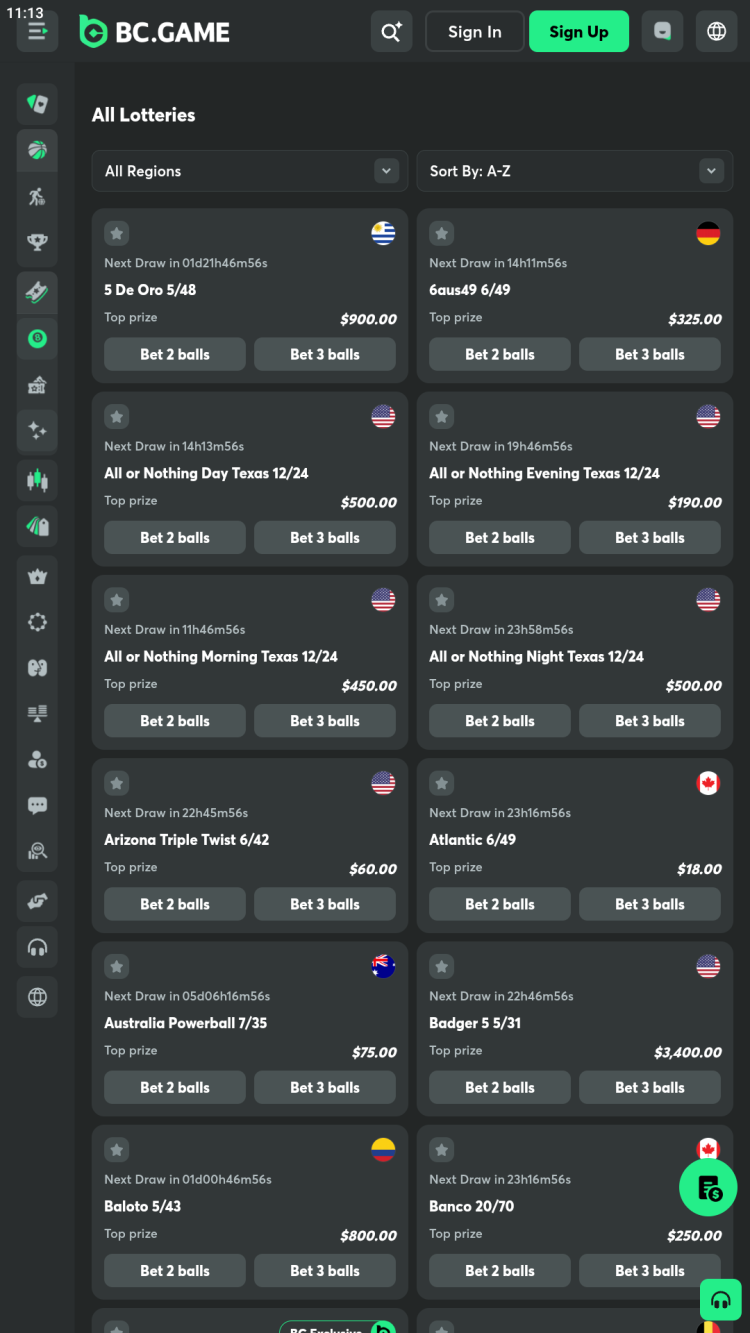
A special section where users can enter a drawing for large cash prizes. To participate, purchase a lottery ticket and pick up to six numbers from 1 to 36. During the drawing, which takes place three times a day, a random number generator will select the winning numbers. The more numbers on your ticket that match the winning numbers, the higher is the winning amount. Players can purchase multiple tickets at once.
Trading tools
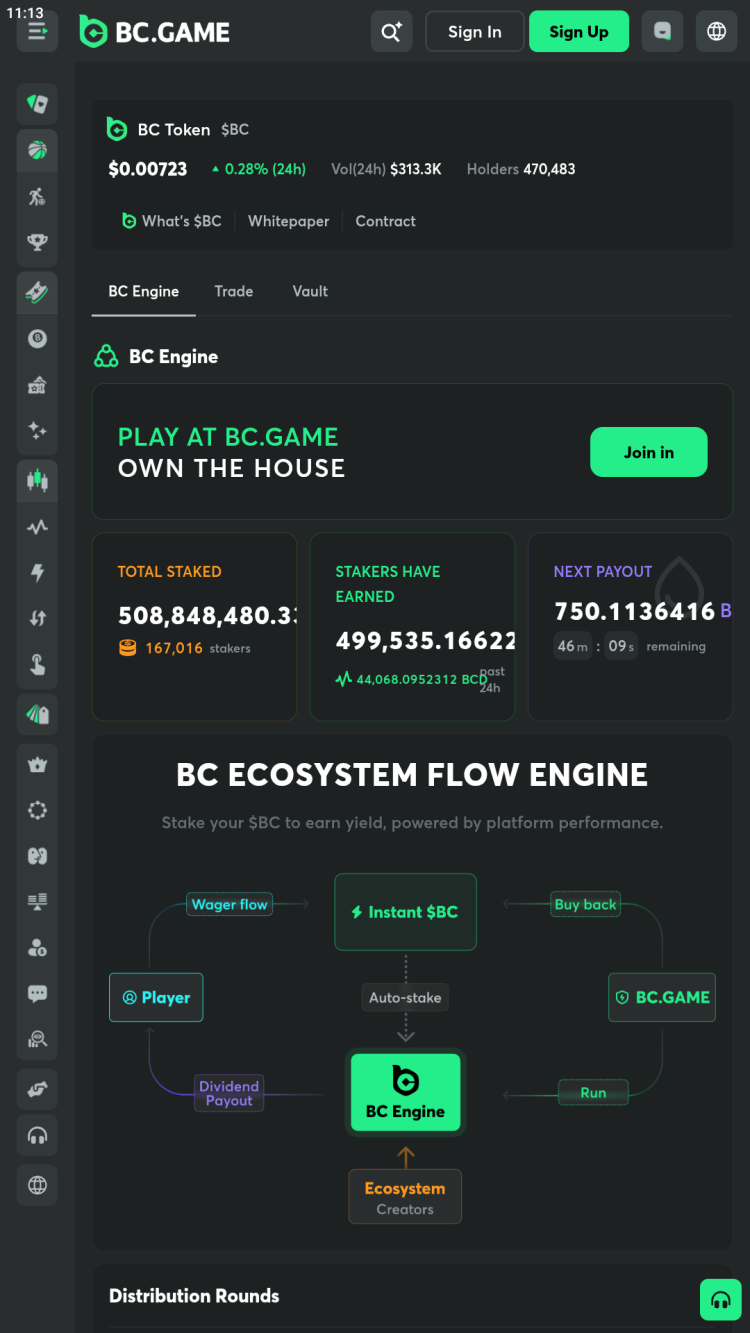
BC Games crypto casino stands out from most competitors by providing users with an integrated trading platform. Through the official app, users can trade the branded token, $BC. It can be used for staking, betting, and unlocking unique rewards and benefits within the platform's online gaming ecosystem. Additional trading and financial tools include:
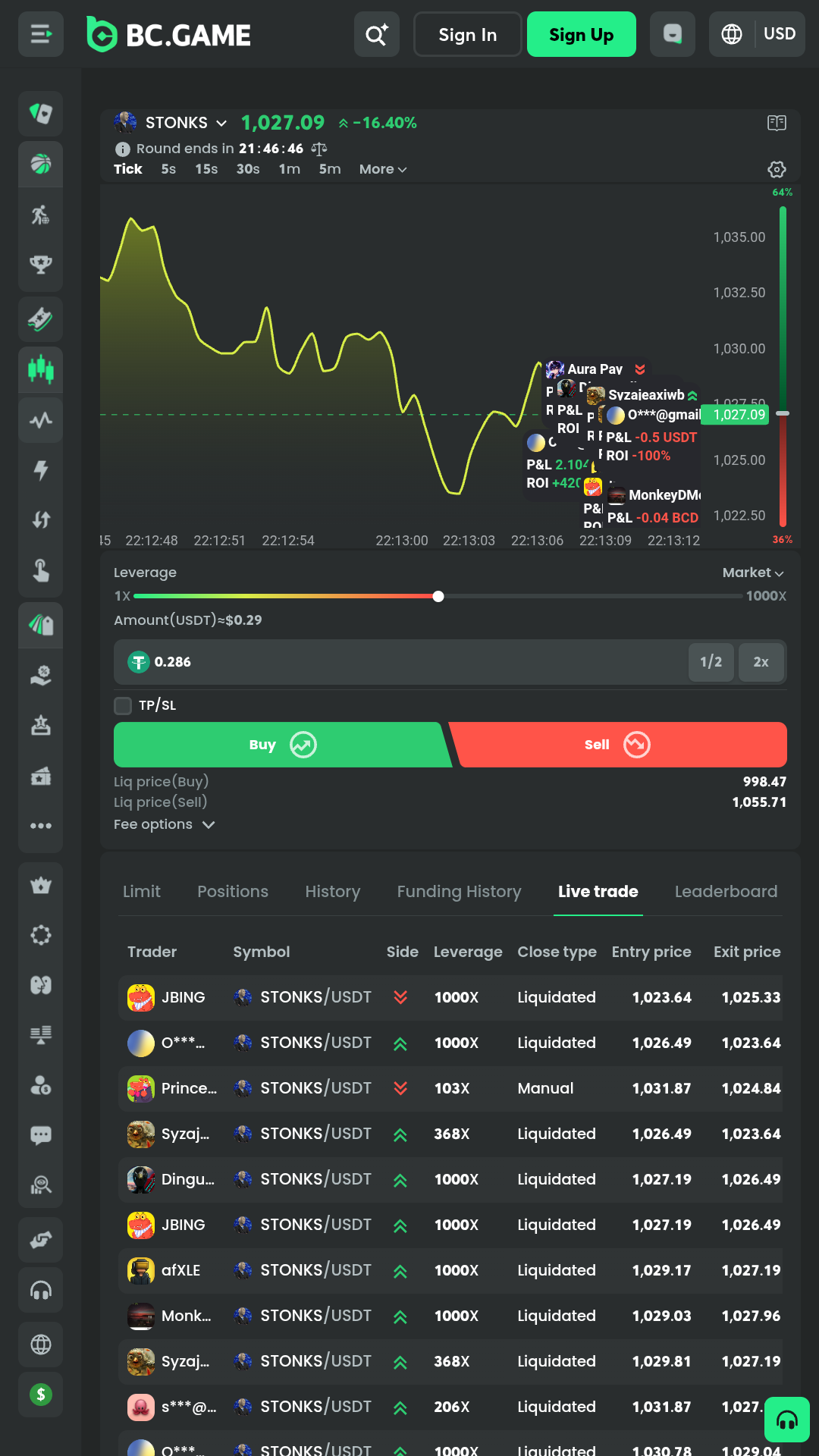
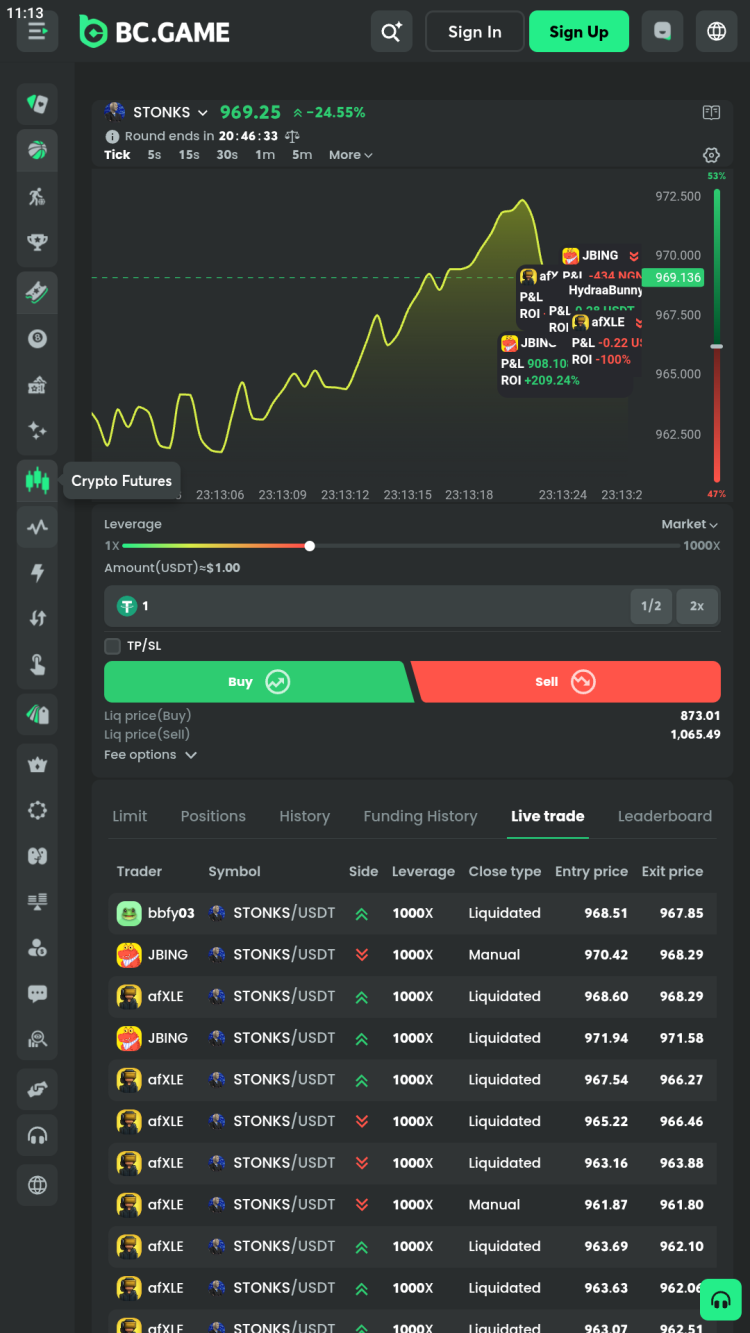
Crypto Futures - trade cryptocurrencies by predicting price movements. The platform supports various crypto pairs, such as STONKS/USDT, BTC/USDT, SOL/USDT, DOGE/USDT, and 1000PEPE/USDT. Multiple trading modes are available, including high-low, up-down, high-low spread, and tap trading.
Vault Pro - an exclusive banking tool for BC members, offering up to 5% annual percentage rate (APR) on your deposit.
Buy Crypto - a function of the BC Game that lets users buy various cryptocurrencies such as BTC, SOL, USDT, USDC, ETH, DOGE, LTC, and others directly within the app.
BC Swap - this tool is designed to exchange cryptocurrencies.
Staking - rewards settle hourly. Only tokens staked for the full hour are counted, with 10% of in-house game profits shared with you.
BC Game mobile app vs mobile site comparison
When deciding between the BC Game app and mobile site, consider how each meets your needs. Both offer sports betting, casino games, and account management, but differ in functionality, speed, and convenience depending on your preferences.
BC.Game App: requires manual APK download for installation and updates, and uses some storage space. It offers native performance, push notifications, and faster loading due to local caching.
Mobile Site: accessible on any modern browser without installation or device storage. Offers most app features, updates automatically, and is ideal for shared devices or limiting local data. Performance depends on your internet and device, with no push notifications. Security is handled by your browser.
In summary, the mobile app is ideal for regular users who value speed and notifications, while the mobile site is convenient for occasional access or when device storage is limited. Both options offer secure and comprehensive betting experiences.
Bonuses & promotions
The BC.Game app provides a range of bonuses and promotions. Some offers are exclusively for new customers, while others are designed for existing users.
Welcome bonus for new users of the BC Game app
New users can receive a bonus of up to 300% on their first deposit. The minimum deposit required is $10, and the maximum bonus available is $20,000 or its equivalent in the selected currency. The bonus will be credited to Rakeback.
Regular and time-limited promotions
Free Spins Giveaway - this promotion lets players claim 20 Free Spins once per day. To qualify, simply place a €10 wager (or equivalent) on Star Wins.
IPL Deposit Lucky Draw - for every $10 deposited in a day, users get one entry to win cash, free bets, or other rewards in the daily prize draw.
Roulette Cashdrop - place a bet on selected BC Game Roulette tables for a chance to win cash rewards with no wagering requirements.
Jelly Express Prize Drops - place qualifying bets on the Jelly Express game for a chance to win random prizes, such as multipliers (up to 10,000× your bet) or Free Spins.
Welcome Shield - within 24 hours of making their first deposit, new users can receive a refund of up to 20% of their lost bets, with no wagering requirements.
Instant $BC - platform users can earn up to 10% of their bets in $BC. Rewards are credited once the bet is settled and do not expire.
Monthly Deposit Bonus - players can claim four deposit bonuses, each ranging from 220% to 500% of their deposit amount. Each bonus must be claimed manually.
Weekly Raffle - log into the BC Game app daily and wager $100 to earn 1 ticket (up to 7 per week). For every $1000 wagered, get 1 extra ticket. You can collect up to 100 tickets weekly. The raffle is drawn every Monday, and winners are announced on the promotion page.
Daily Contest - players contribute to a prize pool by placing bets on the platform. At the end of each day, this pool is distributed among the 10 most active bettors.
Refer and Earn - invite new players to the platform to receive a one-time reward and up to 25% commission on their wagers.
Gamification - BC Game app turns betting into a fun game with rewards. Complete challenges and unlock Mystery Boxes to earn various rewards.
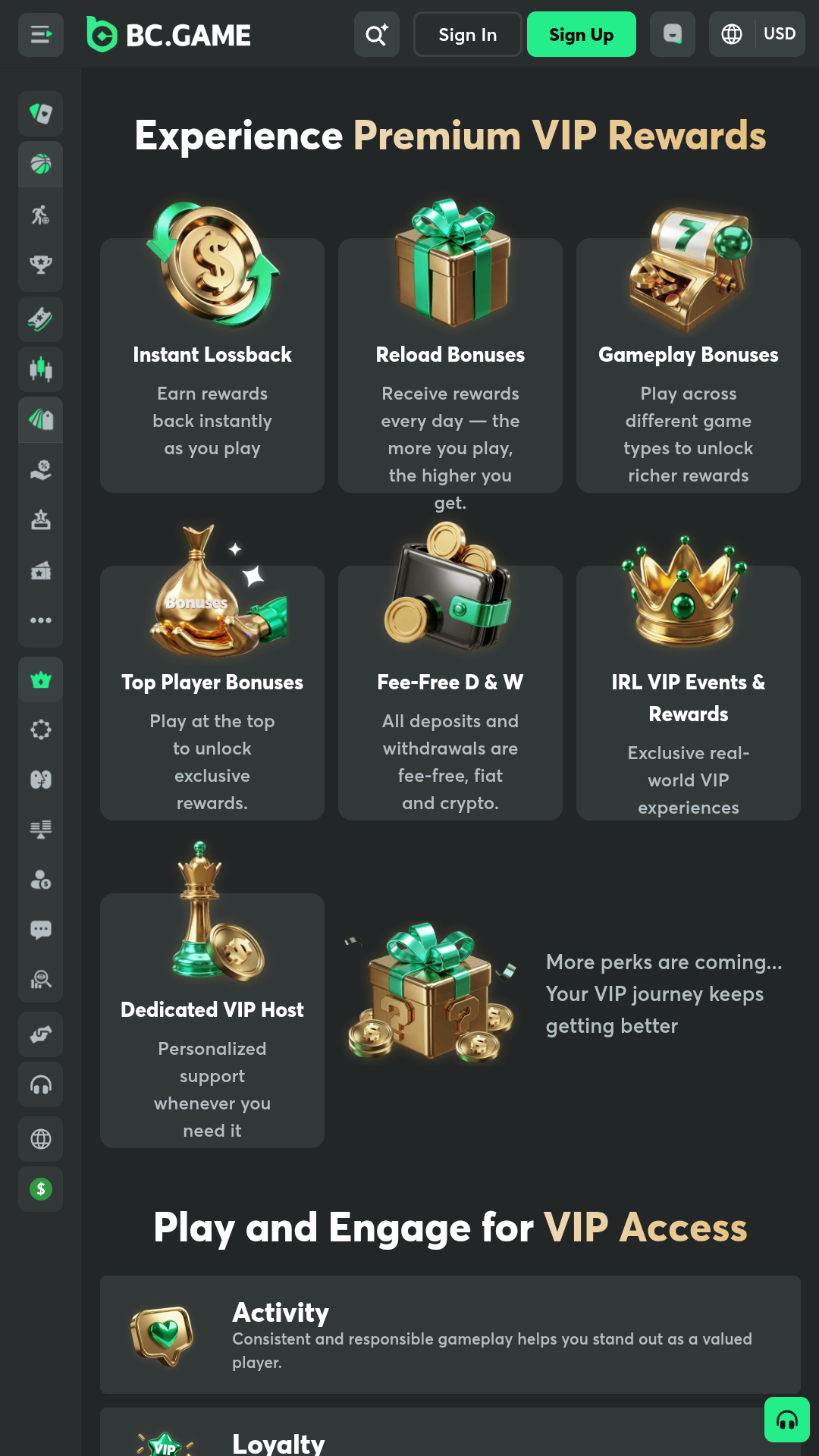
VIP Club - an exclusive club for the most active players. Members enjoy higher cashback, dedicated support, and additional benefits. Access is available by invitation only.
Bonus availability and amounts vary based on the user's location and currency, and may change over time. Wagering requirements and other terms and conditions apply. Before activating any offer, always check the "Promotions" section in the betting app or on the official website for the latest information.
Registration in the BC Game app for Android
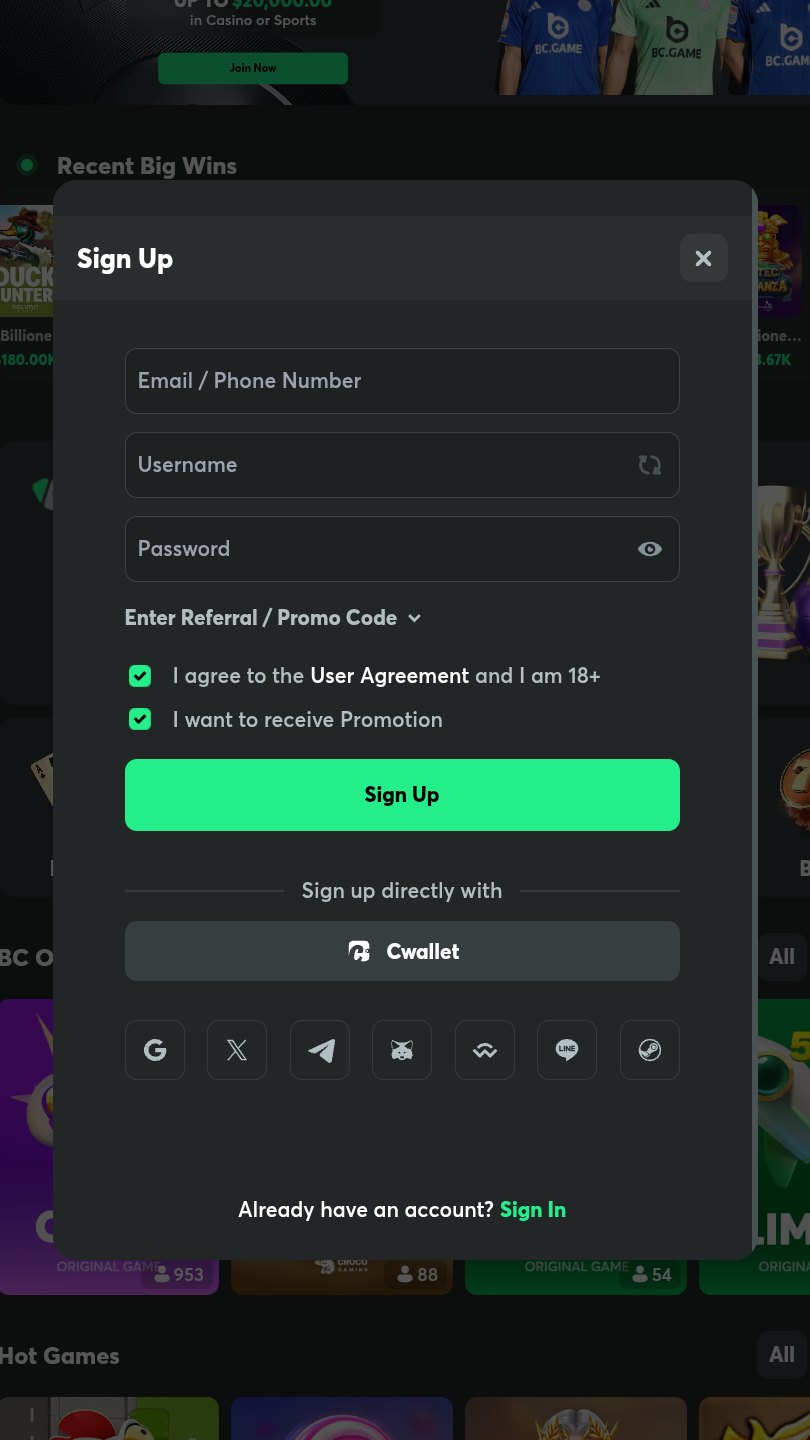
To start using the crypto casino, you need to register a new account in the BC Game app. This can be done in two ways:
Manually. Enter your email or phone number, create or generate a unique username and set a strong password.
One-tap registration. Sign up directly using CWallet, WalletConnect, or your existing Google, X (Twitter), Telegram, MetaMask, Line, or Steam account.
To unlock the full range of features, BC Game requires users to complete KYC (Know Your Customer) verification, by filling out a form with personal Information, uploading a government ID and completing facial verification. In some cases, advanced verification is required. This involves uploading proof of address, completing video verification. The process may take up to 10 days.
Deposits & withdrawals
BC Game app users manage finances conveniently via the app: deposit funds and withdraw winnings. Speed, accessibility, and security define every transaction.
India
Pakistan
Bangladesh
Nigeria
Fiat currencies
Deposits: UPI, PhonePe, PayTM - from 1,000 to 50,000 INR.
Withdrawals: Bank Transfer - from 111 INR.
Deposits: Jazzcash, Nayapay - from 100 to 100,000,000 PKR
Withdrawals: Easypaisa, JazzCash,NayaPay, Bank Transfer - from 104 PKR.
Deposits: BKash, Nagad, Rocket - from 100 to 50,000 BDT
Withdrawals: Nagad, BKash, Rocket - from 102 BDT.
Deposits: Bank Transfer, PalmPay, Paga, USSD, Credit Cards - from 1,000 to 5,000,000 NGN
Withdrawals: Bank Transfer, OPay, PalmPay, Paga - from 1,519 NGN.
Cryptocurrency
Deposits: BTC, ETH, USDT, USDC, LTC, BC, BCD and others.
Withdrawals: USDT, USDC.
Limits depend on the currency.
Payment systems, along with their limits, processing times, and any applicable fees, may change over time. Always check the BC Game app or website for the most up-to-date information before making a transaction.
Types of Bets
Standard betting tools
Single - a bet placed on a single outcome of an event. The payout for a single bet is calculated by multiplying the stake by the odds.
Combo - a bet on outcomes of multiple independent events. To win, all selections must be predicted correctly. Winnings equal the stake multiplied by the total odds.
System - a group of Combo bets of the same size. When placing a system bet, it is necessary to specify both the total number of outcomes and the number of combinations. The system's winnings are calculated by multiplying the stake amount by the total odds of the system.
Betting tools
Cash out - the BC Game sportsbook may offer a Cash Out option, where users can accept updated betting conditions, settling the current bet and replacing it with a new one.
Bet Builder - a function to combine multiple outcomes of the same event into a custom bet. It can be included in a Combo/System with other Bet Builder Bets and regular bets.
Early Payout - a special offer that allows a bet to be settled as a winner before the match ends if certain predefined conditions are met, regardless of the final outcome of the match.
Updating the BC Game APK
With each update, the app not only gains access to the latest features of the BC Game platform and new betting tools, but also receives performance and security improvements. Therefore, it is recommended to always keep the app version on your smartphone up to date. Since the betting software cannot be downloaded from Google Play, installation must be done manually. To do this, simply download the new version of BC Game for Android and run the APK file on your smartphone. A free download is always available on freesoft.net.
What's new in the latest version of the BC Game app
The recent update to the program fixes known bugs, improves performance, and includes other optimizations.
You can reach support by using the in-app chat or by emailing support@bc.game.
What should I do if the BC Game app crashes or freezes?
If the app crashes or freezes, try clearing the app cache, restarting your device, or updating to the latest version. If issues continue, uninstall and reinstall the app. You can also contact BC Game support via in-app chat or email for further assistance.
Why can’t I find the BC Game app on the Google Play Store?
Google’s policy restricts real-money gambling apps in many regions, including India, so the BC Game app is not available on the Play Store.
Why won’t the app install on my Android device?
Check that your device meets the minimum requirements and has sufficient storage. Ensure you’ve allowed installation from unknown sources. Alternatively, download BC.Game for Android again from a reliable source to exclude the damaged file.
How do I check my bet history and account transactions in the app?
Navigate to the “Bet History” and “Transactions” sections in the app’s main menu.
Can I change the app language in BC Game for Android?
Yes, the BC Game app supports multiple languages. Go to the bottom of the side menu to select your preferred language from the available options.
How do I participate in BC Game tournaments using the app?
You can join tournaments and claim promotions directly from the “Promotions” section within the BC Game app. Simply follow the instructions for each event or offer. Some promotions require manual claiming, while others are credited automatically based on your activity.
Which Android devices work best with the BC Game APK?
The app runs smoothly on most modern Android phones, including popular models from Samsung, Xiaomi, Realme, Vivo, and OPPO priced above entry-level. Devices with at least Android 6.0, 2 GB RAM, and a 1.4 GHz quad-core processor are recommended for the best experience.
Pros and cons
Benefits
Extensive library of casino games and live dealer tables
Fast crypto deposits and withdrawals with support for multiple coins
Provably fair verification
Comprehensive responsible betting tools and self-exclusion options
Easy access to betting history, statistics, and results within the app
Frequent bonuses, promotions, and gamification features for users
Disadvantages
Not available on Google Play Store - it is necessary to download APK and install it manually
Some bonus offers are temporary and may change frequently
KYC verification needed for withdrawals and higher bonuses
Some features and games in the BC Game app may be restricted based on user location

 Русский
 Français





 Download