The APK file is scanned for viruses before being published
This bookmaker platform is owned by Mozzartbet Services Limited and operates in Nigeria under license No 0001091, issued on 13.06.2023 by the National Lottery Regulatory Commission (NLRC). It may not be licensed in other countries. Users must ensure that online gambling is legal in their location before registering or placing bets. This service is only available to users who are at least 18 years old.
Mozzartbet for Android features
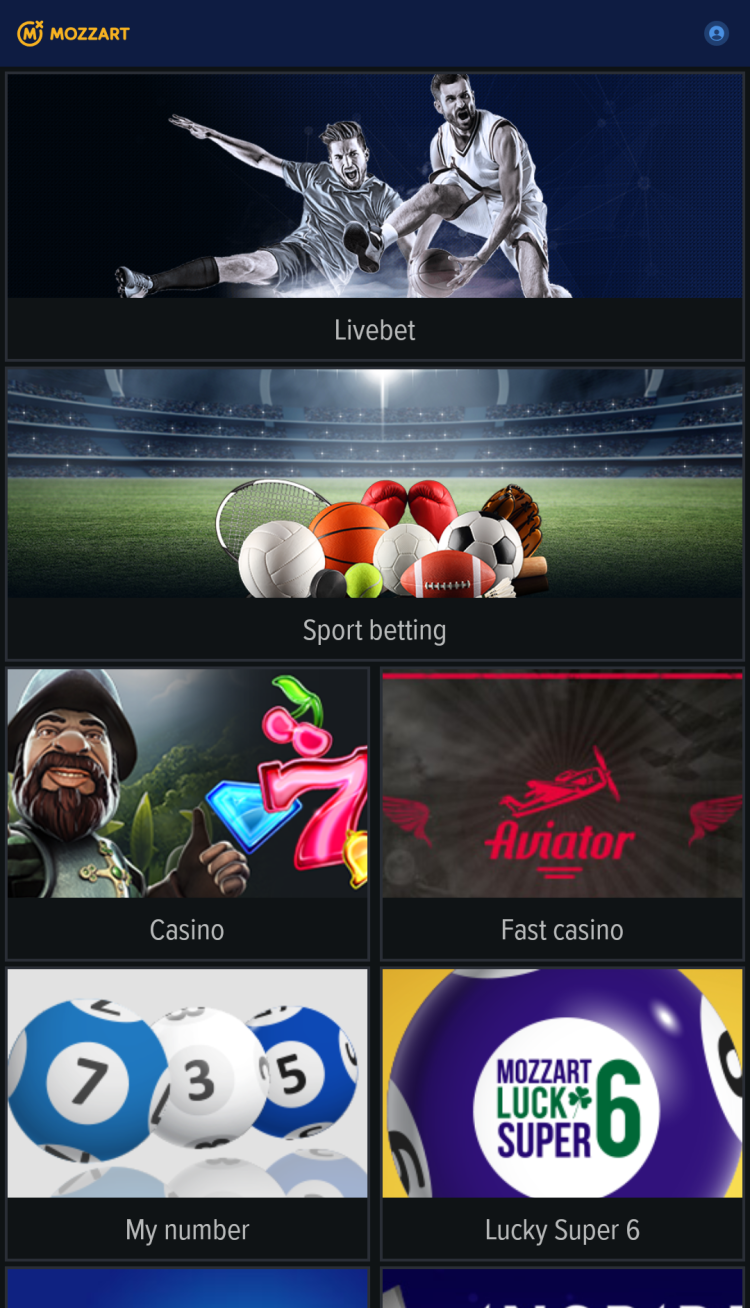
The platform is designed for sports betting and access to a full-fledged online casino, using a single application.
Sports betting
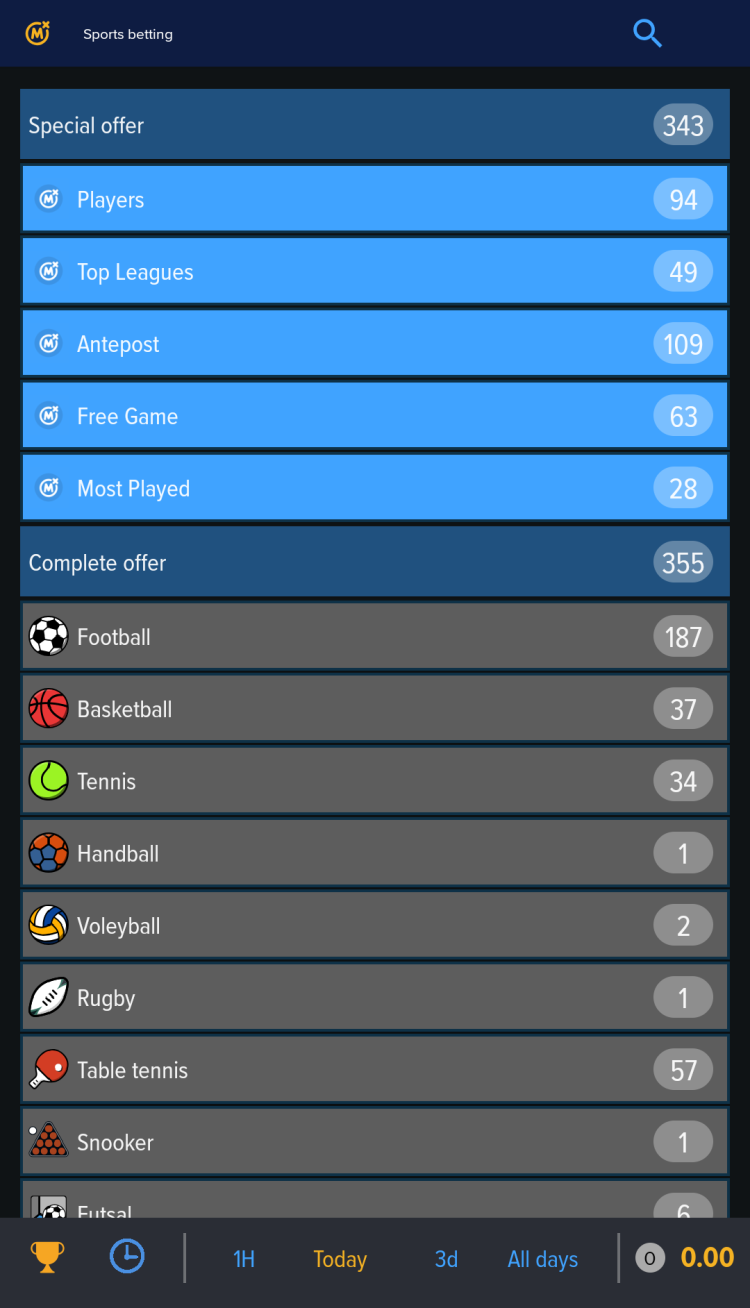
One of the app's main sections is sports betting. Here, users have access to major international and local matches in such sports as football, basketball, tennis, hockey, cricket, baseball, box, and more. The app features matches from top leagues, including the English Premier League, Portuguese Primeira Liga, Spanish Primera Division, Euroleague, and others, that can be found in the "Top Leagues" section.
Prematch betting section advantages:
over 1,000 upcoming events available for betting each day
antepost betting section for long-term betting
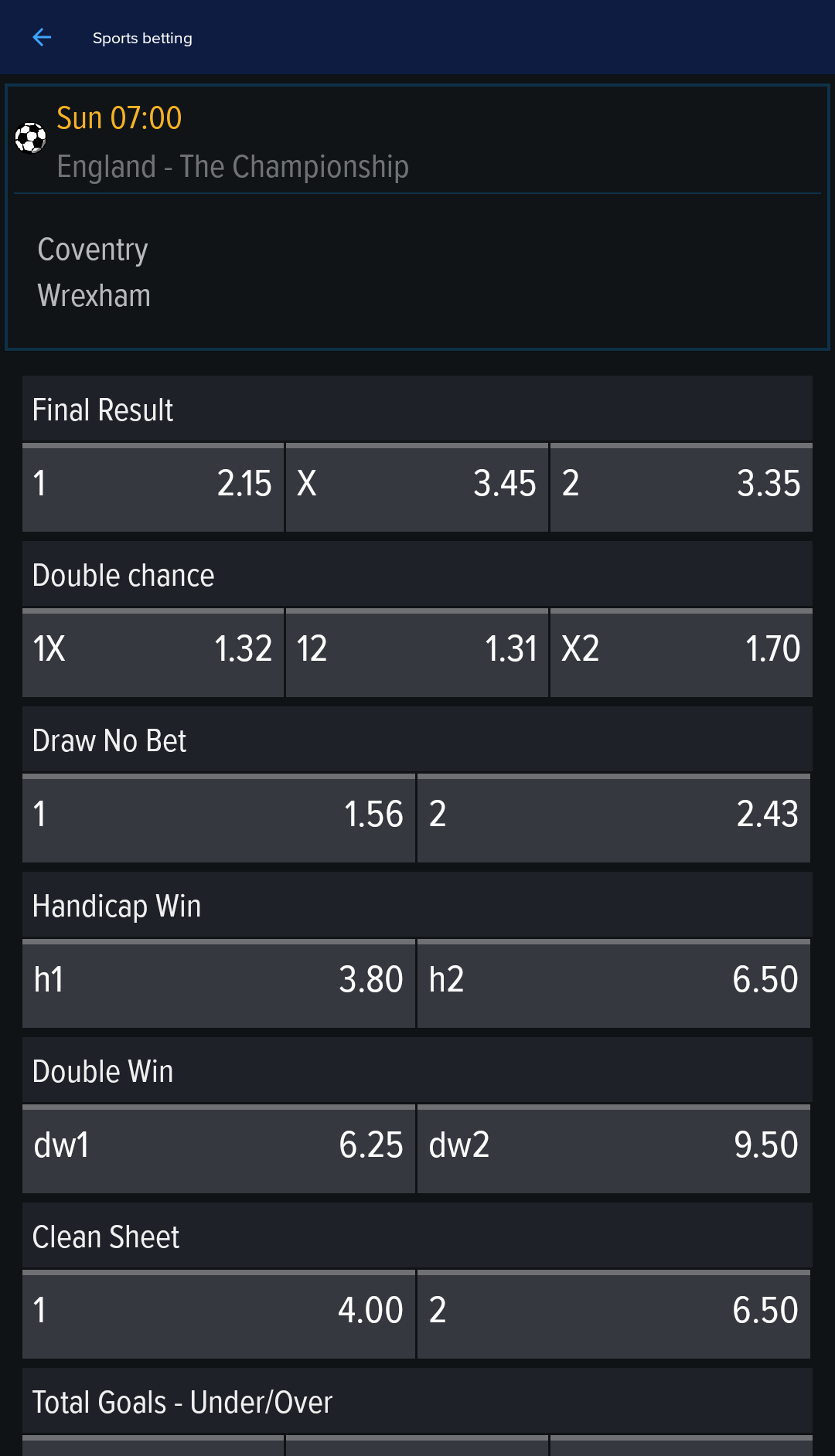
a variety of betting options for each match, including:
final result, handicap, double chance
number of goals for the 1st or the 2nd half
total goals - over/under
first team to score
Virtuals
In addition to real sports, Mozzartbet app lets its users bet on outcomes of virtual, computer-generated matches. It supports multiple disciplines such as:
Virtual Games - this section features Virtual Football League (VFL), Virtual NBA, and Virtual Tennis (VT). The 16-team league operates continuously, running for 30 rounds each season without breaks between seasons. Users can place bets at any time, including during an ongoing season.
Golden Race - offers virtual horse racing, motorbike racing, greyhound racing, and other disciplines. It features quick games with rounds available “every minute,” along with live viewing, statistics and tables for each match. The games in this section are supplied by the content provider "Golden Race."
Inspired - a section with games provided by "Inspired Entertainment, Inc," including virtual soccer, tennis, marble racing, and other titles.
Unlike traditional sports events, virtual matches usually last a couple of minutes and are held 24/7. Results are generated using an independently tested Random Number Generator (RNG), certified by GLI.
Key features
Pre-match betting - the main section offers access to the largest number of matches. Users can view a list of all available events, or matches starting within the next hour, day, or three days.
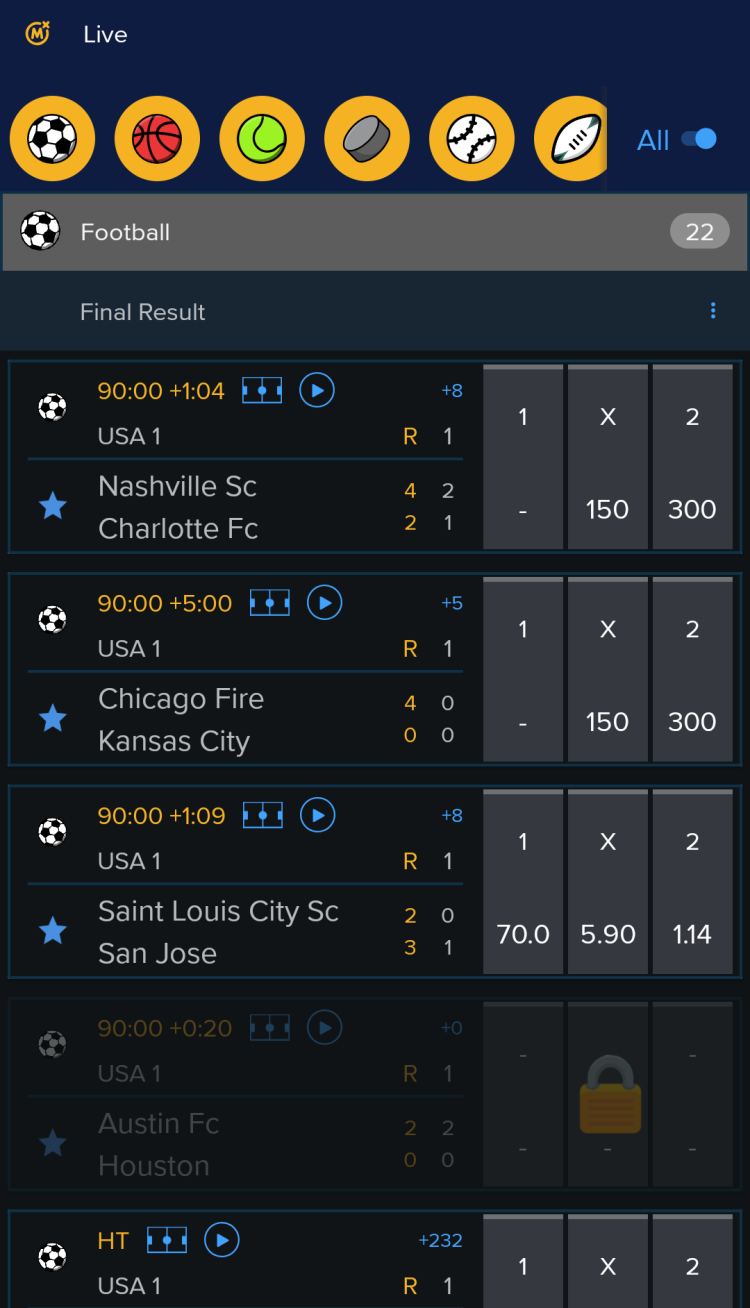
Livebet - access to a list of matches taking place in real time. Allows betting after reviewing the latest developments on the field. Supports the major sports and esports, like Dota 2, CS2 and others.
Live streaming - a feature that allows users to watch live video broadcasts of selected sporting events directly within the app.
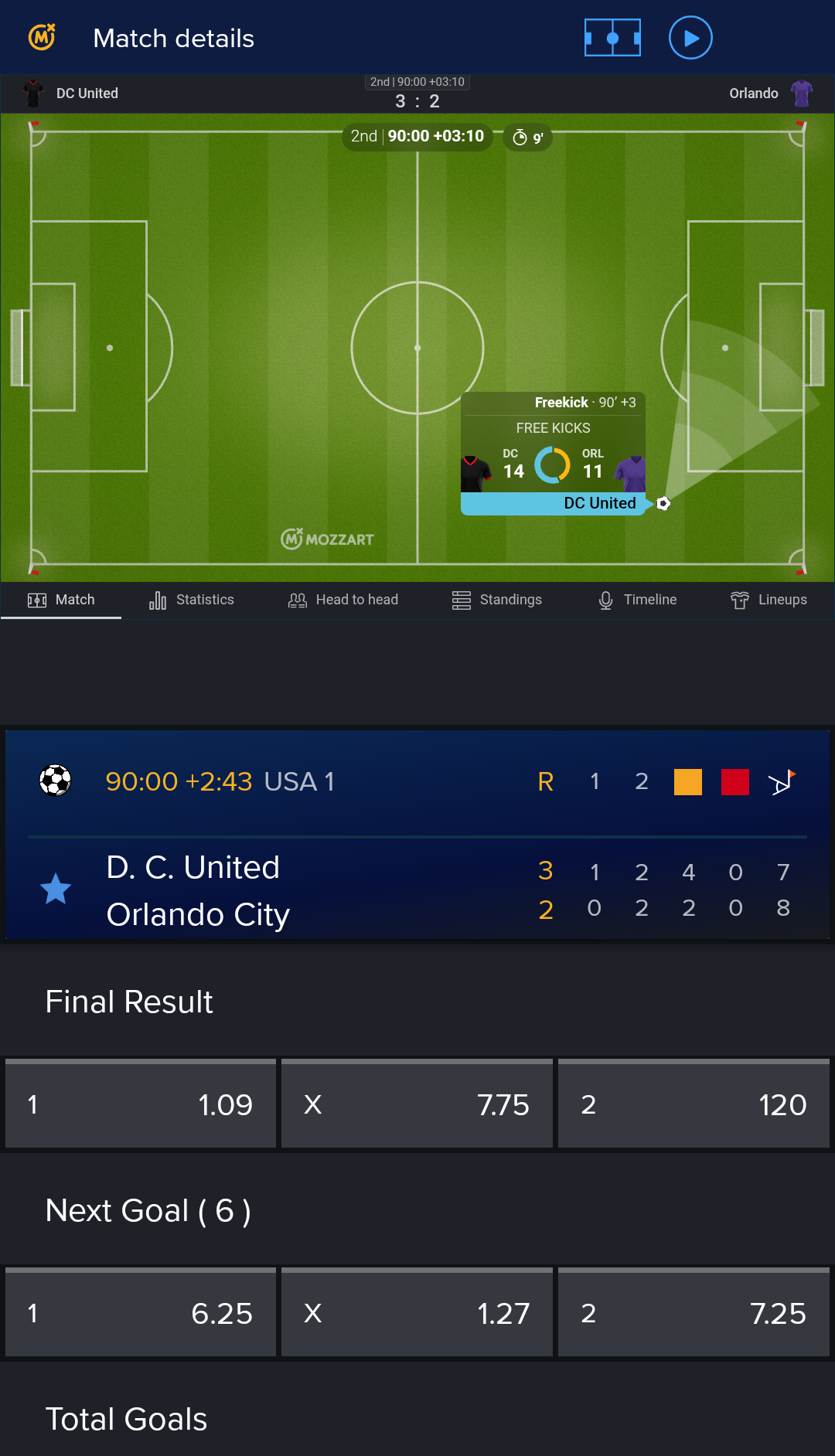
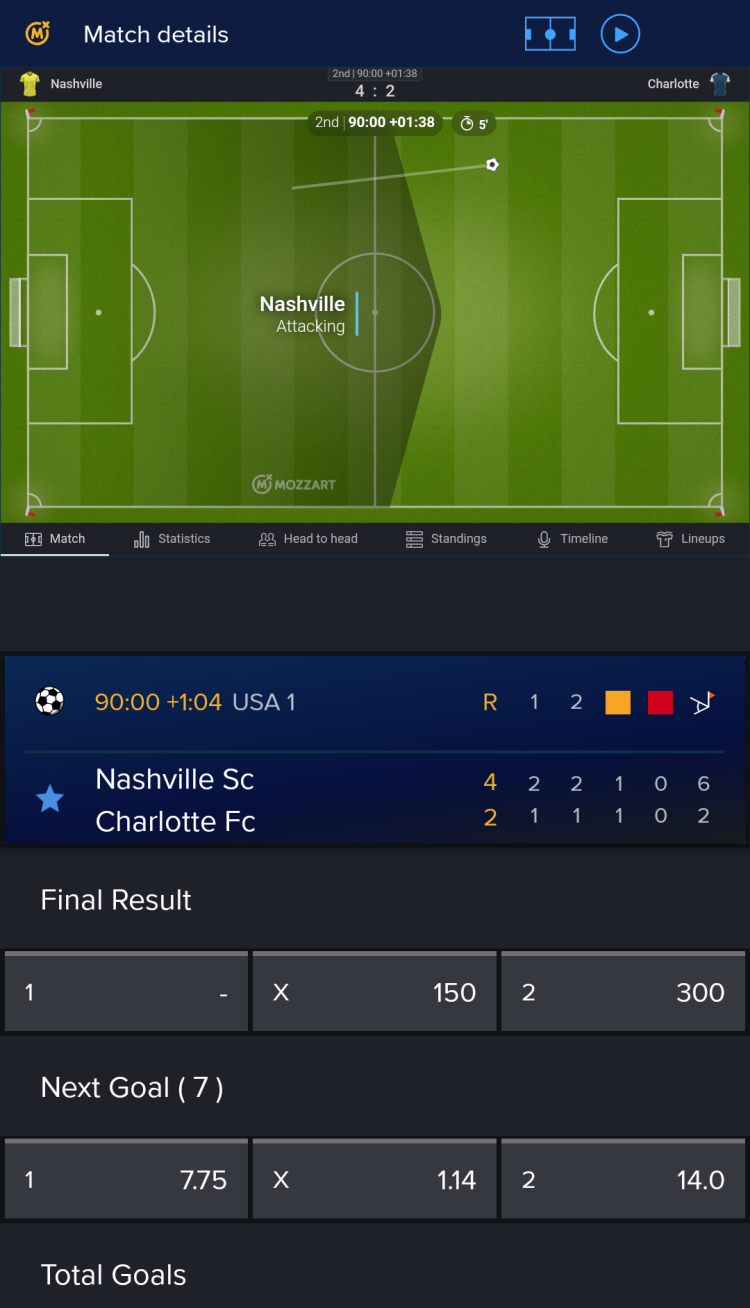
Match tracker - keep track of the current situation on the field with a real-time graphic overview.
Players - a selection of matches, where users can bet on individual players' performance.
Most played - a list of the most popular events among other app users.
Super charged odds - curated lists of matches featuring the highest odds on the platform.
Statistics - on each match page, you can find detailed statistics: lineups, standings, head-to-head comparison, timeline, etc.
Favorites - function to save preferred matches or teams for quick access.
Results - a dedicated section where users can view recent match scores, organized by sport type and date.
Booking code - option to place a bet instantly, by entering its unique booking code.
Search - this feature makes it easier to navigate to the specific matches from the app's main menu.
Casino
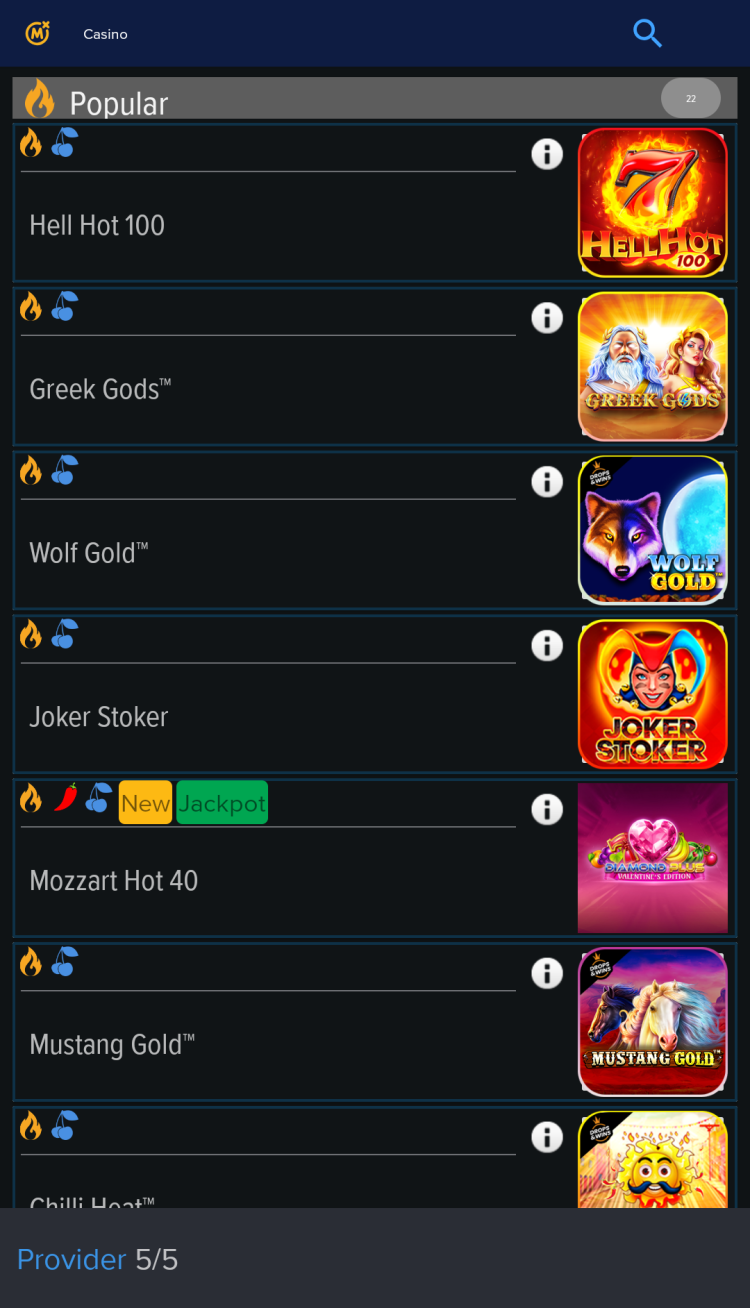
Casino enthusiasts can find their favorite casino games in digital format on the Mozzart Bet app. The platform provides access to numerous titles from content providers such as Greentube, Evo Play, Pragmatic, Endorphina and Fazi.
Classic Slot - traditional 3-reel standard slot games, like Hit Slot, Western Reels and Ice Mania.
Video slots - this section contains both classic single-line and multi-line video slots, featuring different themes and mechanics. Includes such titles as Gates of Olympus, Sweet Bonanza, Hell Hot 100 and more.
Table Games - this section features classic casino games such as roulette, where players place bets on one or more numbers during a brief betting window and the winning number is determined by the final position of the ball, and blackjack, in which players try to beat the dealer by getting a hand total closer to 21.
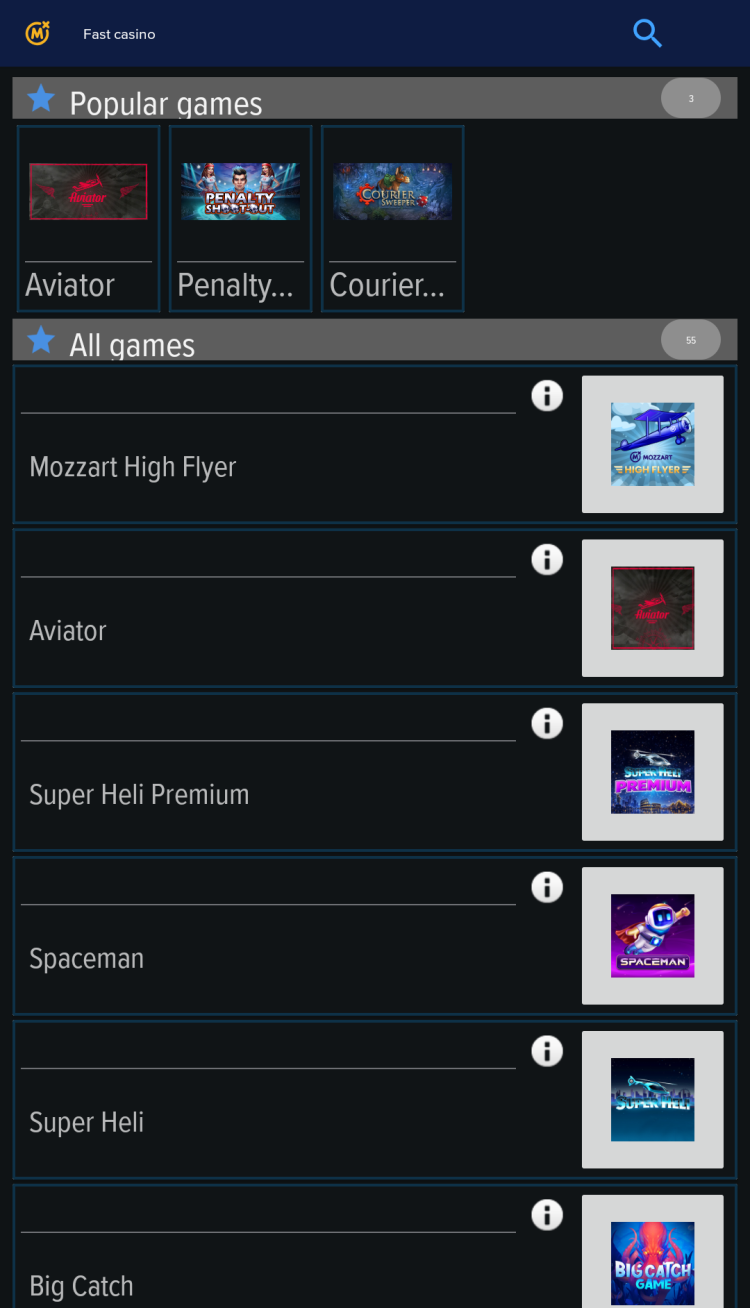
Fast casino - games designed for quick sessions, like Aviator. In this crash game, place your bet and cash out before the plane leaves to win, otherwise, you lose. Supports placing 2 bets simultaneously, as well as using auto-bet or auto-cashout tools.
Lucky G - a number game where players pick 2 numbers from 80. If both match the 20 randomly drawn winning numbers, the player wins.
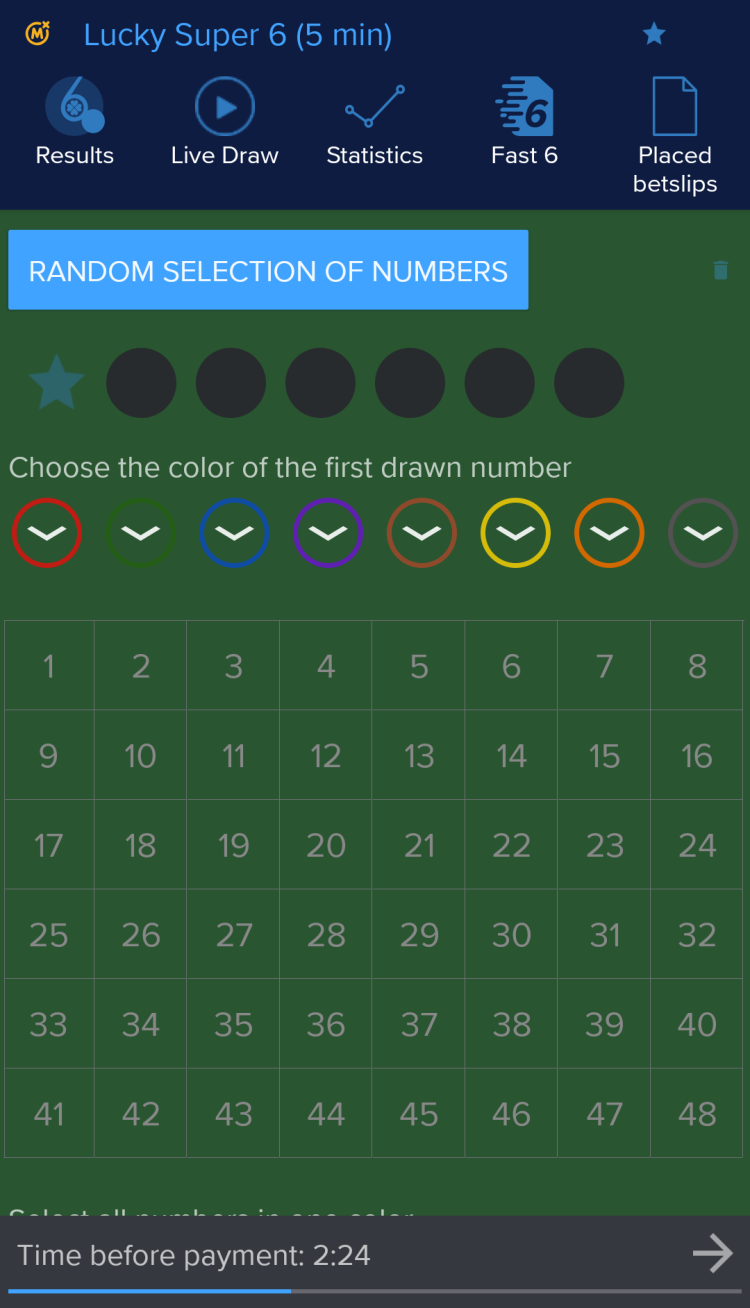
Mozzartbet Lucky Super 6 - a game where you pick six numbers from 1 to 48. 35 balls are drawn each round, and matching all six wins. Features include betting ahead, color ticket selection, bonus multipliers, and a jackpot code for extra prizes.
My number - a collection of games like Greek Keno, Polish Keno, Czech Keno, and Hungarian Putto with draws every 4-5 minutes. Players pick numbers, and potential winnings depend on how many match the computer's draw.
Tournaments - regular competitions with attractive prizes. Each tournament has specific rules. For instance, in the “Lucky Seconds” tournament, players compete on Pragmatic Play slots, while the “50 Lucky Pilots” tournament rewards the top 50 Aviator players who achieve the highest multipliers.
Mobile-app vs mobile-site comparison
To access the betting platform, users can use a dedicated mobile application or the mobile version of the website. Each option is designed to suit different needs and preferences.
Mobile Application: The Mozzartbet app is engineered for speed and reliability. It allows users to access the betting platform directly from their smartphone's home screen, features fast loading, push notifications, and native navigation. However, it must be installed and updated manually, and some features, such as Live Casino, are not available.
Mobile Site: Accessible from any browser without installation or using device storage, the mobile site provides full platform features. It updates automatically, works on any device, and offers a Mobile Lite version for slow networks or low-end devices, though performance may depend on browser quality.
The mobile app is better suited for those who value quick and easy access to betting, while the web version of the platform is ideal for online casino enthusiasts and those who don’t want to install additional software on their phone.
Bonuses & promotions
Mozzartbet offers a variety of bonuses for its new and existing customers. Some offers allow you to earn rewards for making a deposit, while others encourage placing bets.
Welcome bonus
The bookmaker platform offers a reward for new bettors. The bonus is awarded in several stages:
New players can get a free bet up to 100% of their first deposit (max ₦50,000) after registering and depositing at least ₦500. The bonus must be used on combo bets with at least 4 events, each with minimum odds of 1.35, and total odds over 4.
Once players have fully used their first deposit bonus, they may receive the second part: 5 free bets for the Aviator game, each valued at ₦100.
Regular and time-limited promotions
Happy Monday Bonus - log in on Mondays and click the "Happy Monday Bonus" (HMB) button to claim a reward based on your activity, with no conditions or wagering requirements.
20% Bonus on Deposit - receive a bonus of up to 20% on the first deposit of at least ₦500 every Friday. The maximum bonus amount is ₦20,000.
Happy Thursday Bonus - similar to the "Happy Monday Bonus," check your account every Thursday for an unconditional bonus based on your activity.
Spin For Fortune - deposit ₦1,000+ on Tuesday and wager it 10x on Casino games to get free spins. The bonus size depends on the deposit amount.
World's Biggest Odds - Mozzart bet boosts select match odds daily.
Mozzart Super Grand Jackpot - predict the results of 20 pre-selected football matches. Each ticket must include all 20 games. Multiple combinations and double or triple outcomes are allowed, with each combination costing 300 NGN. Tickets must be paid before the first match to participate.
Virtual Games Jackpot - place bets on Virtual Golden Race games for a chance to win large cash prizes. Only winning bets qualify.
Bonus availability and amounts may change, and wagering requirements or other conditions may apply. Always review the "Promotions" section in the Mozzart bet app or on the official website before activating any offer.
Registration in the mobile application for Android
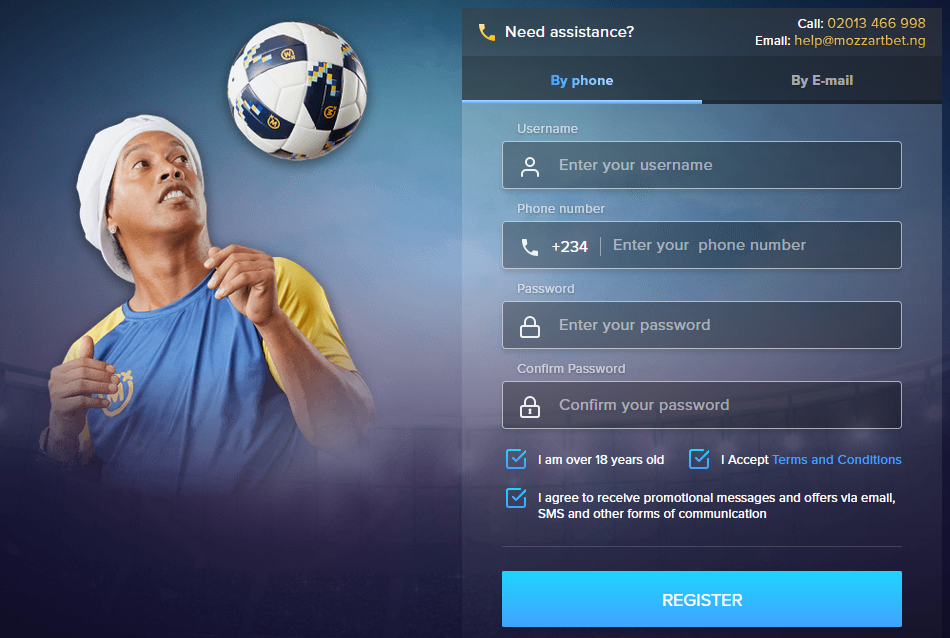
To use the betting platform, you must create an account. Registering a Mozzartbet account is simple, but the process cannot be completed through the mobile app: users will be redirected to the web version instead. Mozzartbet offers two methods for signing up.
By phone
By e-mail
Both options require entering the preferred username, a password, confirming age and accepting terms and conditions. Enter the selected contact information and verify it using the one-time password.
Depositing funds and withdrawing winnings
The mobile app lets users easily manage their gaming account right from their smartphone screen. Multiple payment systems are supported.
Depositing funds
OPay
Instant debit and credit card deposit via Paystack or Interswitch (Verve, Visa, MasterCard)
Internet banking deposit via Paystack
Bank transfer deposit via Paystack
USSD deposit via Paystack
Quickteller Web Deposit
Quickteller ATM Deposit
Visa QR deposit via Paystack
Regardless of the chosen payment system, the minimum deposit amount is 100 NGN, and the maximum is 250,000 NGN.
Withdrawals
Bank transfer payout via Paystack
OPay
The minimum payout is 1,000 NGN. Transactions are typically processed instantly and do not incur any fees from the betting platform.
The availability of payment systems, as well as limits, processing times, and any applicable fees depends on region and may change over time. Always check the official Mozzartbet app or website before making a transaction.
Types of Bets available in the app
Standard betting tools
Regular (single) bet - involves betting on a certain outcome of a single event.
Multiple bets (accumulator) - involves adding several selections on different events to a bet slip. Requires all the selections to be predicted correctly.
System - a complex bet that includes several events. Bettors do not need to predict every outcome correctly, as winnings are paid out for the winning selections.
Additional betting tools
The platform provides only the essential tools for comfortable betting, avoiding unnecessary complexity. However, it does offer a Cash Out feature, which lets users settle a bet before the event concludes. This function is available only for select matches in the live betting line.
Updating the app to the latest version
Keeping the app up to date ensures stable operation on mobile devices and access to the latest promotions and platform features, as well as security patches. Typically, the app notifies you of an update upon launch and helps you install the new version automatically. However, if this doesn't happen, you can update manually. To do this, download the latest version of Mozzartbet for Android from freesoft.net and run the APK file on your mobile device.
What's new in the app
In the latest version of the program, known bugs have been fixed.
For assistance, you can reach customer support by emailing help@mozzartbet.ng or by calling 02013 466 998.
What language does the app support?
The interface and live casino subtitles are available in English.
What should I do if the app is not working properly?
If you experience issues, try updating the app to the latest version, restarting your device, or reinstalling the APK. For further assistance, contact customer support.
Can I cancel a ticket after payment?
No cancellation is possible after online ticket payment confirmation.
Is the Mozzartbet app download free?
Yes, the Mozzartbet app is completely free to download and install.
Pros and cons
Benefits
Lightweight app with fast loading and smooth navigation
Cash-out and auto-accept odds changes for live betting
24/7 access to virtual sports and casino games
Responsible gaming limits and self-exclusion options
Disadvantages
To install or update Mozzartbet app, it is necessary to manually download APK
Signing up and other account-related actions require switching to the browser version
No online bet cancellation after payment confirmation

 Русский
 Français





 Download